Is there a way to avoid a replacement charge card downloading so much history?

Citibank recently closed one of my accounts due to suspected fraud, and issued me a new card. I could not figure a way to link the new account to the old account in Quicken, so closed the old account and started a new account in Quicken. The only problem is that it is also providing me with over 1000 transactions to review and accept. What is the easiest way to transfer the activity to the new account, without having partial history repeated in the new account? Thank you. Laura H.
Answers
-
Hi @wslaura,
Thank you for reaching out and sharing the details of what you’re experiencing.
To resolve this, you’ll need to manually adjust the transactions. Here’s how:
- Check the last downloaded transaction in your old account.
- Delete transactions in the new account that match that date and any prior dates.
- Accept the remaining new transactions into the new account.
- Ensure that the beginning balance and start date are correct.
Steps to manually delete multiple transactions:
- Highlight the first transaction you want to delete.
- Hold down the Shift key and highlight the last transaction (all transactions in between will also be selected).
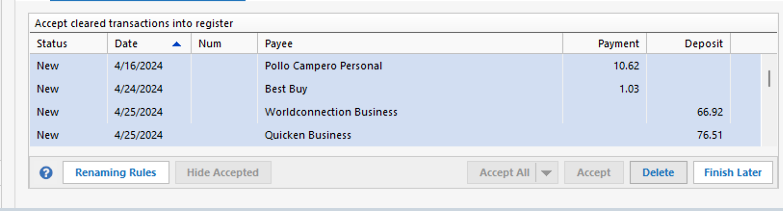
- Click Delete at the bottom right and confirm by clicking Yes.
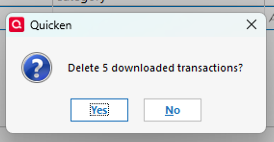
- Accept the remaining transactions and verify that your opening balance is correct.
I hope this helps!
Quicken Laura
Make sure to sign up for the email digest to see a round up of your top posts.
0
