Voya Troubles

Hi, like others I'm having trouble connecting my Voya Retirement Accounts. I had them connected until recently, but they were not updating over the past few months even as I tried to reconnect them. I then deleted and tried anew. But I get this error code: Please try again later.
Care Code: access_denied
Details:
User Access Denied: Access Denied, Connecting with partnerUid: voya_prod for intuitProperty: quicken, intuitUserId: 9130357687327246, intuitRealmId: 9130357687327266 on user authorization, error_code: access_denied
Any ideas?
Answers
-
Hello @ezreub,
Thank you for sharing your experience.
After reviewing your connections internally, it appears you have tried connecting with "Voya Financial" and "Voya Brokerage Account Login". The connection to Voya Financial looks successful, and the Voya Brokerage option has returned an FDP-103 error.
This error occurs when your financial institution tells Quicken that your login credentials are incorrect or there are outdated login credentials stored in Quicken for Mac and/or the Keychain app.
First, deactivate all the accounts with the affected financial institution
- Open Quicken.
- Go to the Accounts menu and choose Hide and Show Accounts.
- Uncheck any accounts with this specific financial institution (FI) that are hidden in Lists.
- When complete, click on the account name for your account(s) in the Accounts toolbar in Quicken.
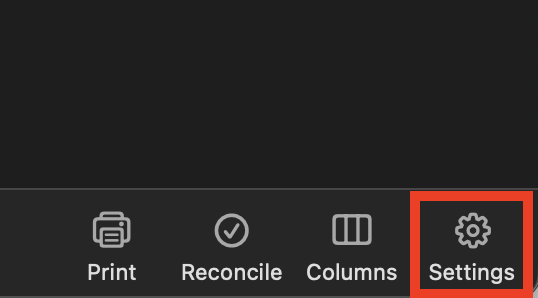
- Click the Settings icon in the bottom right corner of the screen. (Some brokerage accounts have this gear icon in the top right instead)
- Select the Downloads tab.
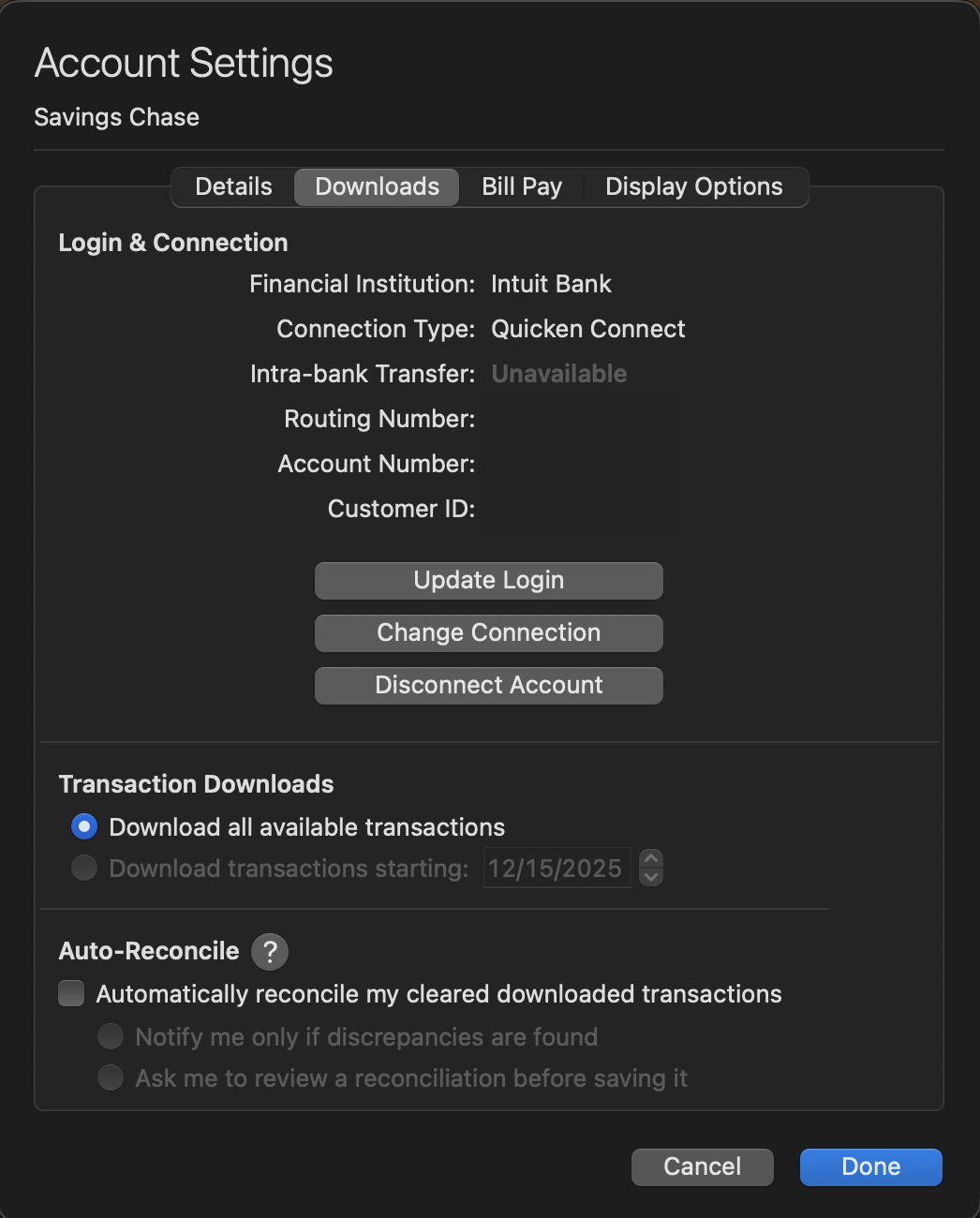
- Click on Disconnect Account.
- Click Done. Do this on each account with this FI.
- Quit Quicken.
Once you have completed the deactivation steps, open the support article linked above and follow the remaining steps.
Let us know how it goes!
Quicken Alyssa
Make sure to sign up for the email digest to see a round up of your top posts.
0
