Why did categories on quick-fill rules stop auto-filling? (Q Mac)
Very recently on one of my accounts (I use Quicken for Mac version 9.0.1), the categories for payees stop auto-filling when downloaded? These have worked forever, but in the last week or so have stopped working. They do work on several other of my Quicken accounts.
Answers
-
Hello @Jim Richar,
Thank you for reporting the issues you are running into.
I have some follow-up questions for you:
- Did anything significant happen around the same time that this issue began?
- Computer updates, Quicken updates, etc.
- Where is your data file located?
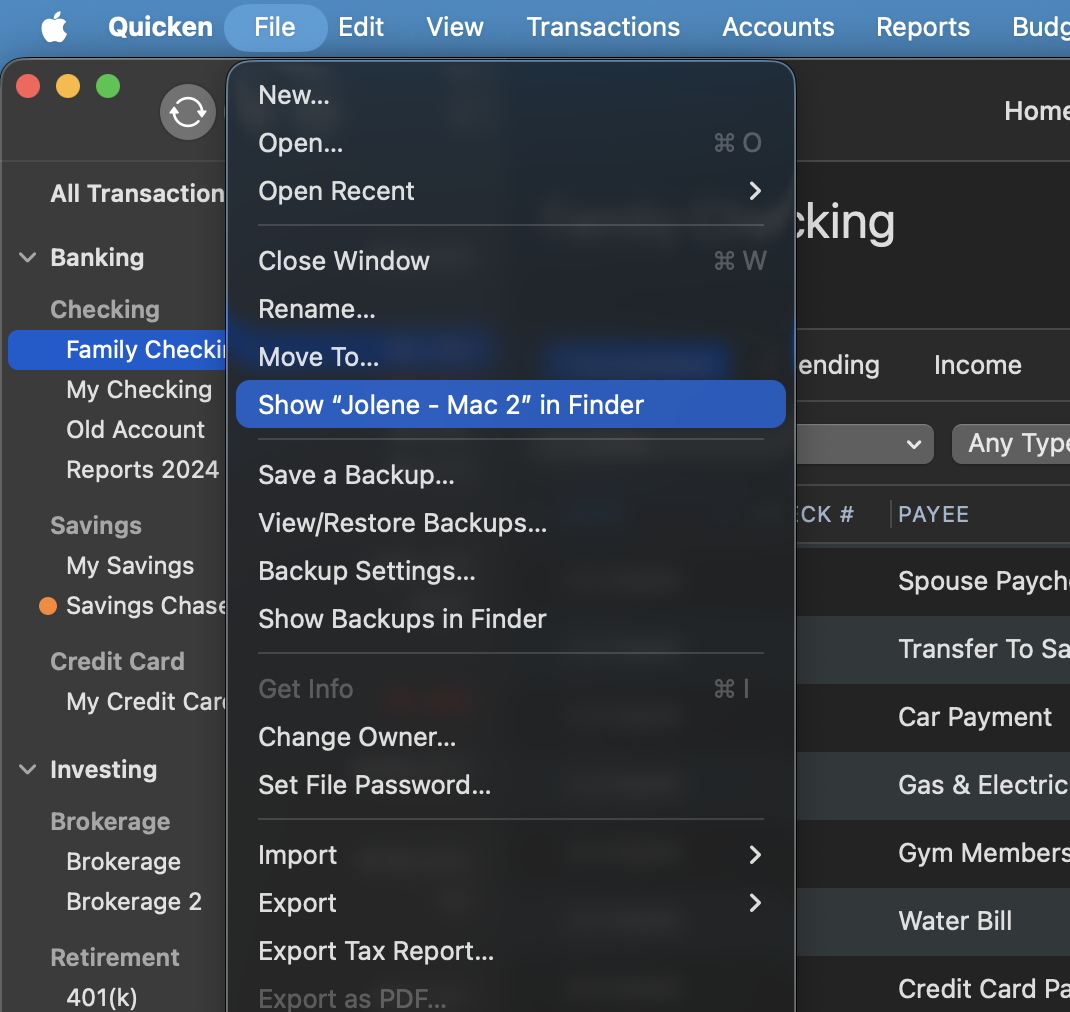
- You can see this by going to File>Show "name of file" in Finder.
- Is your file being synced/backed up by any third-party cloud services like iCloud, Dropbox, or BackBlaze?
- Have you tried restoring a backup from before the problem started?
- If not, this is a good first step to consider.
Restore Quicken data
- In Quicken, select File>View/Restore Backups...
- Browse your computer or external media to find the backup file you want to restore. The Quicken backup file has the extension .quicken2017backup or .quickenbackup.
- Select the file to restore.
- Click Choose.
Looking forward to your response!
Quicken Alyssa
Make sure to sign up for the email digest to see a round up of your top posts.
0 - Did anything significant happen around the same time that this issue began?
-
@Jim Richar That's really odd, since QuickFill rules have no capability of being applied to some accounts but not others, and Quicken's server-based auto-categorization process is similarly not account-specific.
In addition to answering @Quicken Alyssa's question about the exact location of your data file, please check and report on the status of the checkbox in Settings > Connected Services for "Automatically improve the quality of downloaded payee names and categories" — is it checked or unchecked. (The release notes mention a bug fix related to this setting.)
Quicken Mac Subscription • Quicken user since 19931 -
@jacobs I used the wrong terminology… it's not (as I said) working in some accounts but not this one… it's working fine on other Quicken files! I have different Quicken files for each of several people I manage finances for. This particular person's file's downloaded payees do not apply the QuickFill rules for categories. I did check the checkbox you mentioned, and it is properly checked.
0 -
@Quicken Alyssa I believed this stopped working when I was on vacation and brought my laptop with me to occasionally download and check finances for me and other people (I manage the finances for a couple of other people other than myself, each in their own Quicken file). So I was on a different wireless network, and I didn't have my backup drive with me, so some dynamics were different.
The "show name of file" has this file in the same directory I have all my other Quicken files (that work properly).
I pay extra to Quicken to use their cloud based backup for my files. Wouldn't doing a restore to a previous file mean all my updates since that time would be lost?
Attached is an example of the QuickFill not working
0 -
Hi @Jim Richar,
Thanks for your reply and for answering the questions above in this thread!
If you haven’t tried this yet, I recommend checking the following settings:
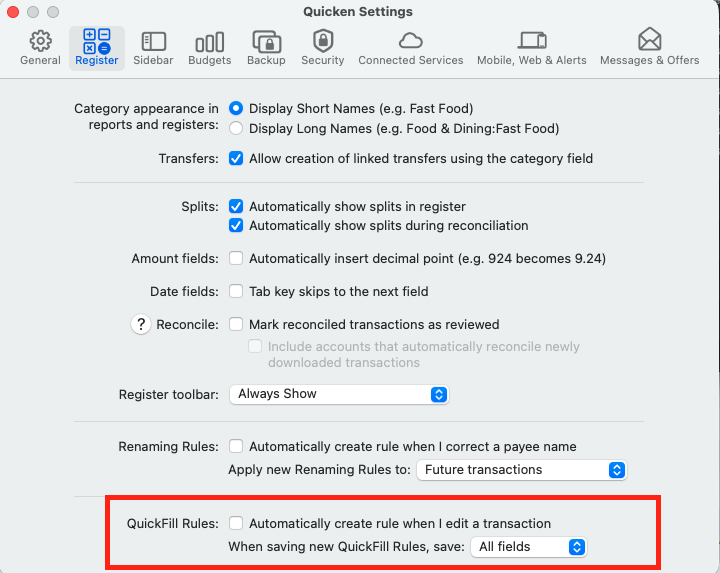
Please go to Quicken > Settings
Click on Register
Go to QuickFill Rules and confirm that All Fields is selected in the dropdown menu.If those steps do not resolve the issue, I recommend deleting the existing QuickFill Rule and trying again:
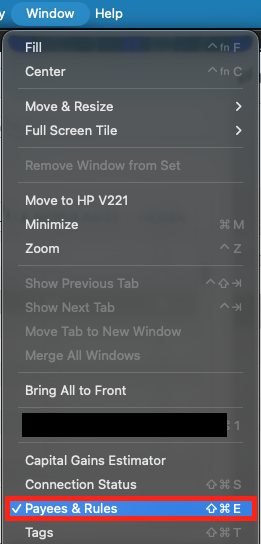
- Go to the top menu and select Window
- Click Payees & Rules
- Select QuickFill Rules
- Find the rule in question
- Click the rule once to highlight it
- Press the Delete (–) button at the bottom of the list
- Confirm the deletion when prompted
- Press the Add (+) button
- Re-enter the rule and try again
Let us know how it goes!
Quicken Carlos
Make sure to sign up for the email digest to see a round up of your top posts.
0