One Step Update Summary Not Reporting Direct Connect Updated Accounts

One Step Update Summary Not Reporting Direct Connect Updated Accounts. This started about 3 days ago, May 25. This would be Fidelity, Citi, PNC and Saturna Investments. All working fine before. I have changed nothing. My database was not restored. I use desktop only, no cloud, no mobile. The transactions are downloaded, Summary just does not show the Direct Connect accounts at all. No error messages.
Quicken Windows Premier build 27.162.16,
Edition Windows 11 Pro
Version 24H2
Installed on 12/4/2024
OS build 26100.4061
Experience Windows Feature Experience Pack 1000.26100.84.0
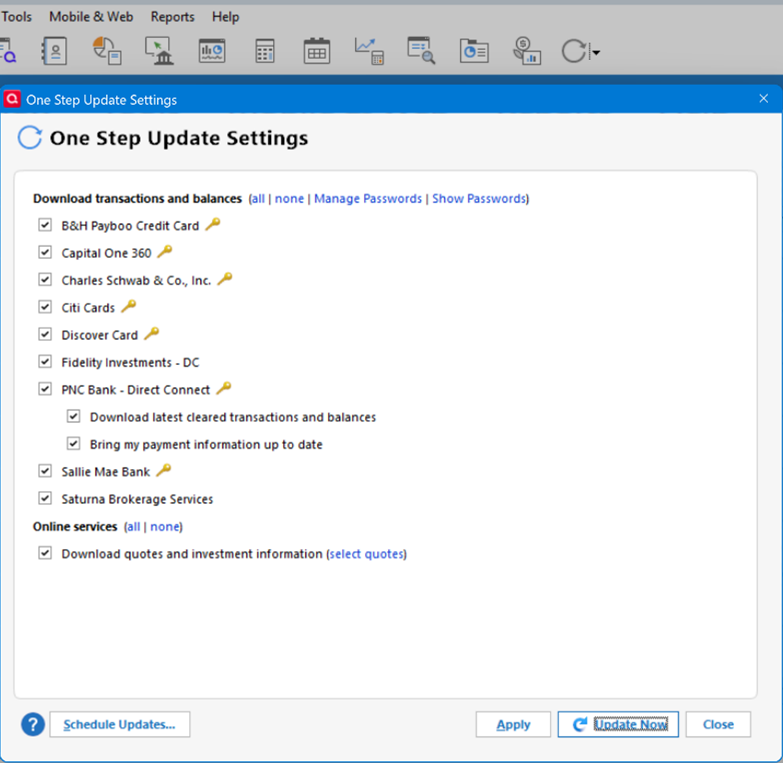
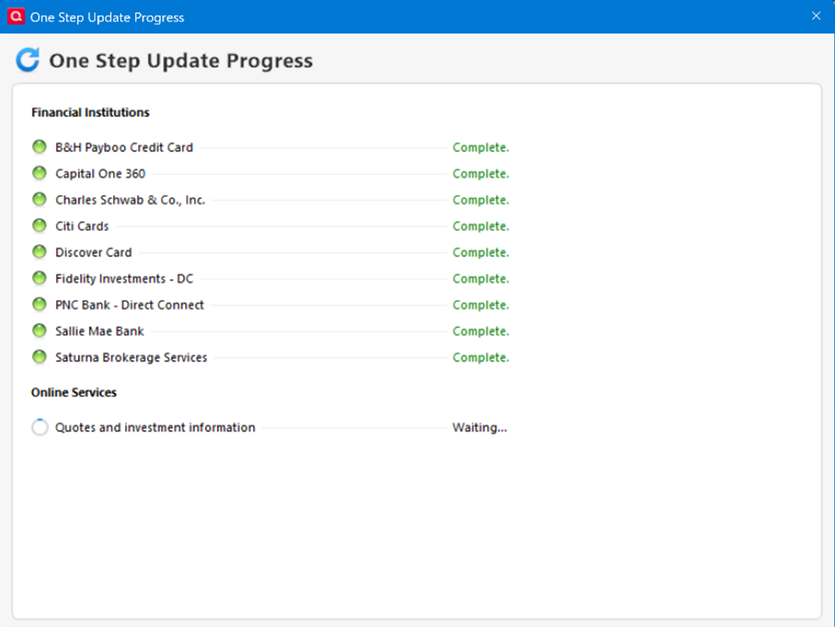
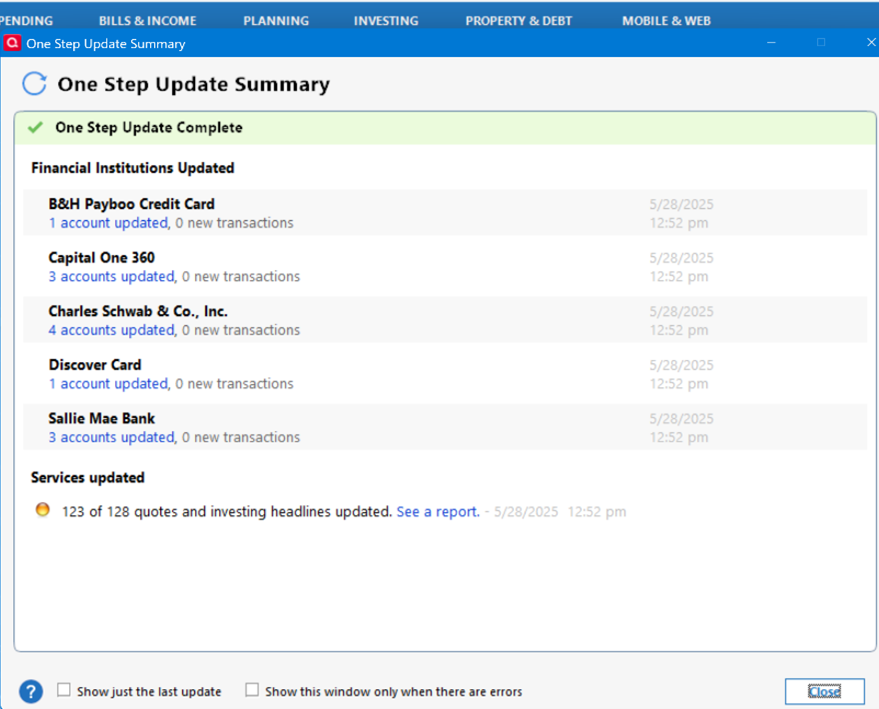
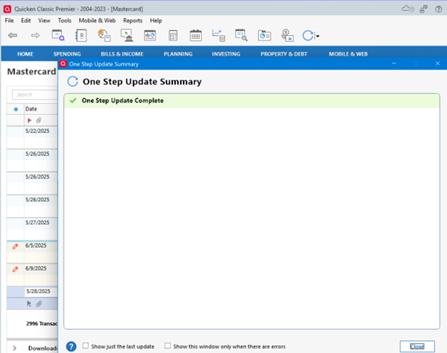
If you update from within a Direct Connect account, you also get the summary above. However in the case of Citi (Mastercard) below is the summary you get. It would seem to me that the different response from Citi, or any recent programming changes to the Citi interface, might be causing the issue with all the Direct Connect accounts.
Comments
-
Interesting, I've noticed my direct connect working fine but my EWC+ not working. Also interesting my PNC bank is EWC+ but yours is direct.
Mine say downloaded but nothing downloads and clears.
 0
0 -
jasonpbyu, My PNC accounts are Checking and Savings, not credit. Might make a difference in the way they let you connect. You might be able to change to Direct Connect by deactiving and then adding the connection again.
0 -
I uninstalled quicken, used the quicken UI (quicken uninstall program) after, deleted all folders and files left related to quicken, including hidden files, and reinstalled Quicken from a new download. This worked. Remember to backup everything first!
0 -
@dman8686 please note that as far as I can tell the user you referenced as @support is not an official Quicken Support account.
QWin Premier subscription0 -
I am also seeing this problem.
Quicken Classic - R66.28, Windows 11 PRO current on updates
My data file is NOT being synced nor backed up.
0