csv transaction file import does not work
Answers
-
@Quicken John H @Quicken Jayashree
Thank you for updating the Help.
Please note that the prompt that is displayed in R63.21 when you go to File > File Import > Transaction from (.CSV) file is still incorrect. I suppose this will have to wait for a new release.
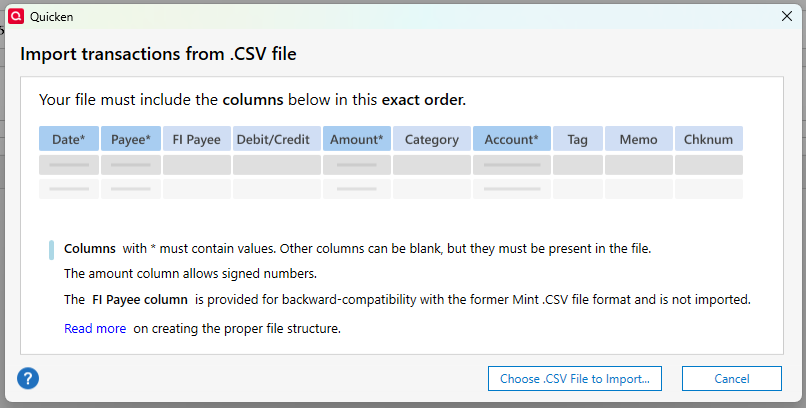
Also the example here
needs some updates. It has what I think are the Mint column names, does not include the Cknum column at the end, and says the Debit/Credit column must be populated.
QWin Premier subscription1 -
@Jim_Harman Thanks. I will let the Support site people know about the issue with the old column names. To be clear though, column names are not read or needed, it is just necessary to have the data in the right columns.
I write help content for Quicken (Windows/Mac/Web/Mobile)
0


This discussion has been closed.