I receive a pension and have taxes and insurance deducted. How do I record this in Quicken? Do I add it with the Payroll Wizard?
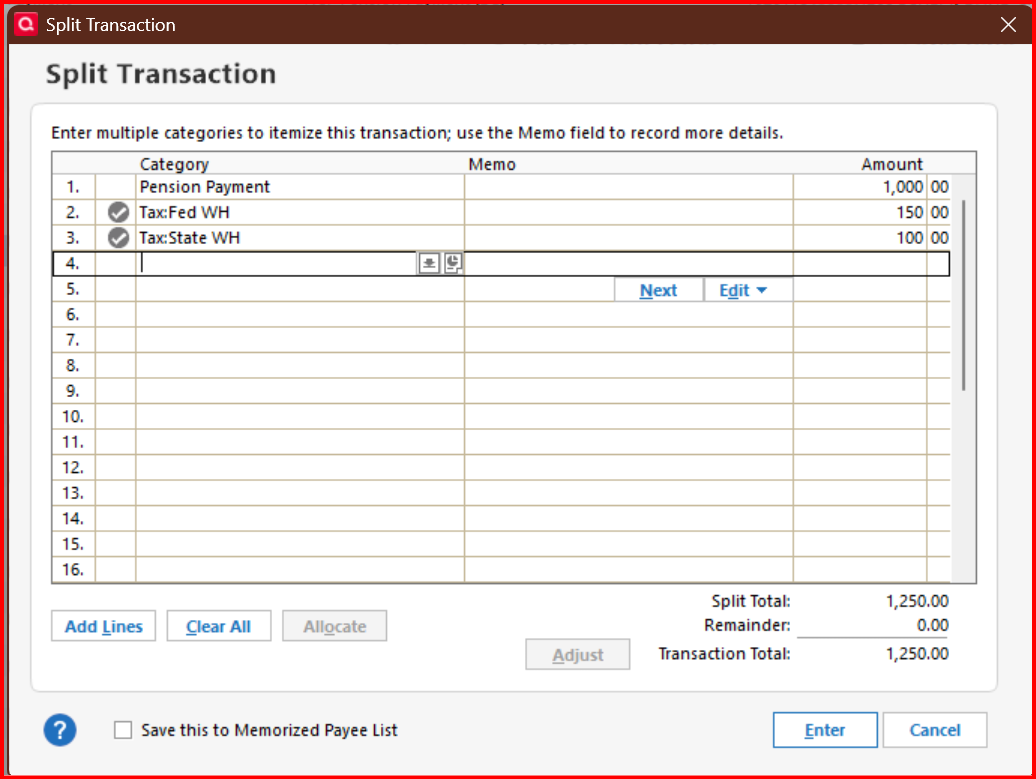
@Don32@ no need to set it up with the Paycheck Wizard. Just use a split transaction. The gross amount less taxes and insurance should equal the net payment amount.
… And you can set up an income Reminder so that you don't have to enter the details each time and the income and withholding will be included in the Tax Planner and Projected Balances.
I guess my question is, why wouldn't I want to use the wizard?
As I've just retired, I'm setting up my income streams and want to ensure everything is handled correctly from the outset. How do you integrate Social Security payments and Pension payments? Are the reminders the best way?
@Don32@ the Paycheck Wizard is designed for periodic paychecks with the multiple payroll and tax deductions. You could use the Paycheck Wizard for Social Security and Pension payments, but it would be overkill and in my opinion not worth the effort. Also, that wizard is known to have issues that are not easy, if impossible, to fix.
Yes, using reminders is key to setting up pension and Social Security payments. The easiest thing to do is set up one transaction in your register then right click on the transaction and select "Add reminder".
Here are some examples -
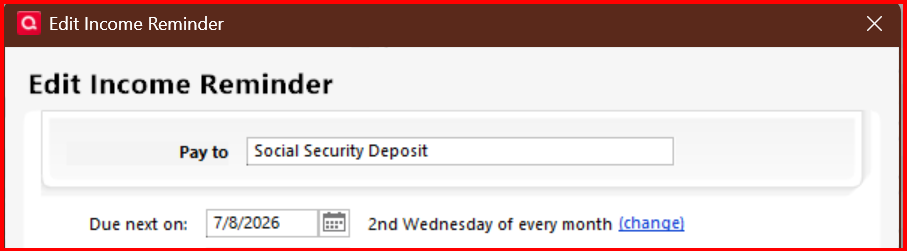
When setting up the reminder schedule the payments you need to use a special schedule set up for Social Security payments. In the main screen click on "Change" -
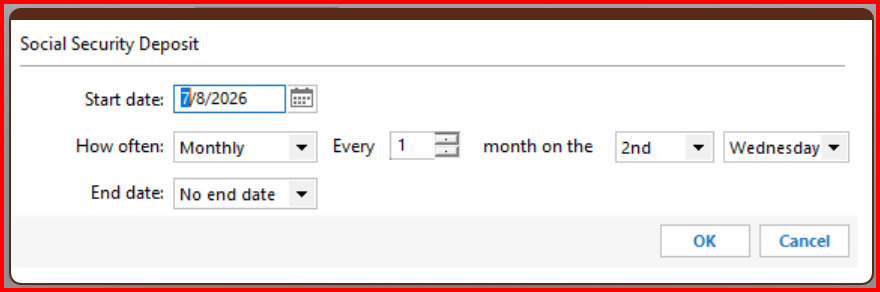
Then, in the options, change the "How often" to "Monthly", every "1" month. Then to choose the appropriate week (2nd, 3rd, or 4th), scroll all the way to the top of the dropdown list. Then in the last dropdown box, choose "Wednesday".
If you have any other questions, please circle back. Again, there is no need to use the paycheck wizard and it would cause more issues than it's worth, in my opinion.
You can use the Wizard if you want, but I think it is more complicated than what people need for Social Security and pension payments. Also the Wizard has introduced more than its share of problems over the years. Most recently, it has stopped recording Wage/Salary tax withholding in the Tax Planner.
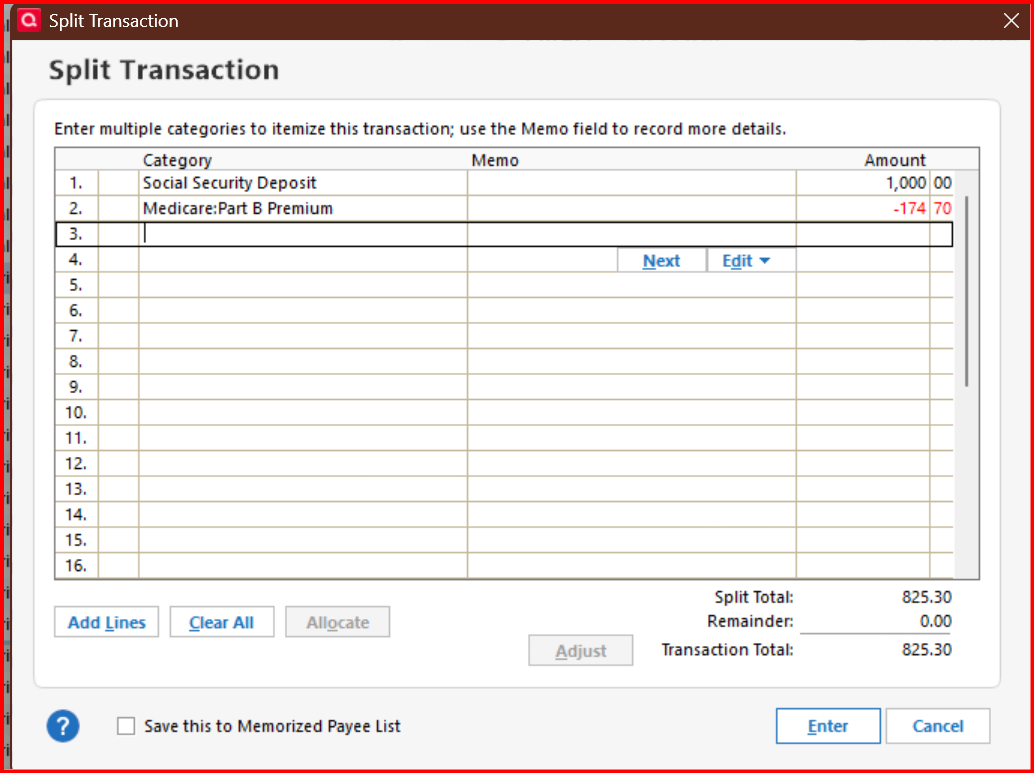
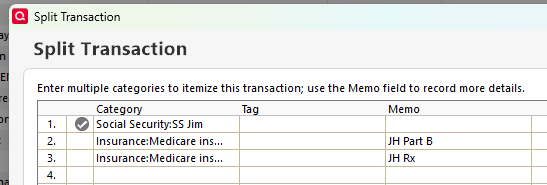
The split transaction in the Reminder for my Social Security looks like this:
The first line is the gross SS payment, a positive number, and the other lines are the deductions, entered as negative numbers. The tax line item for the income is Form 1040:Social Security income, self.
Most people would probably also have additional deductions for Federal and state income tax withholding.