This discussion was created from comments split from:
Tax planner does not include correct paycheck info
.
is there a way to set quicken up to not do automatic updating?
TOOLS, Schedule Updates and simply uncheck everything will prevent data updates.
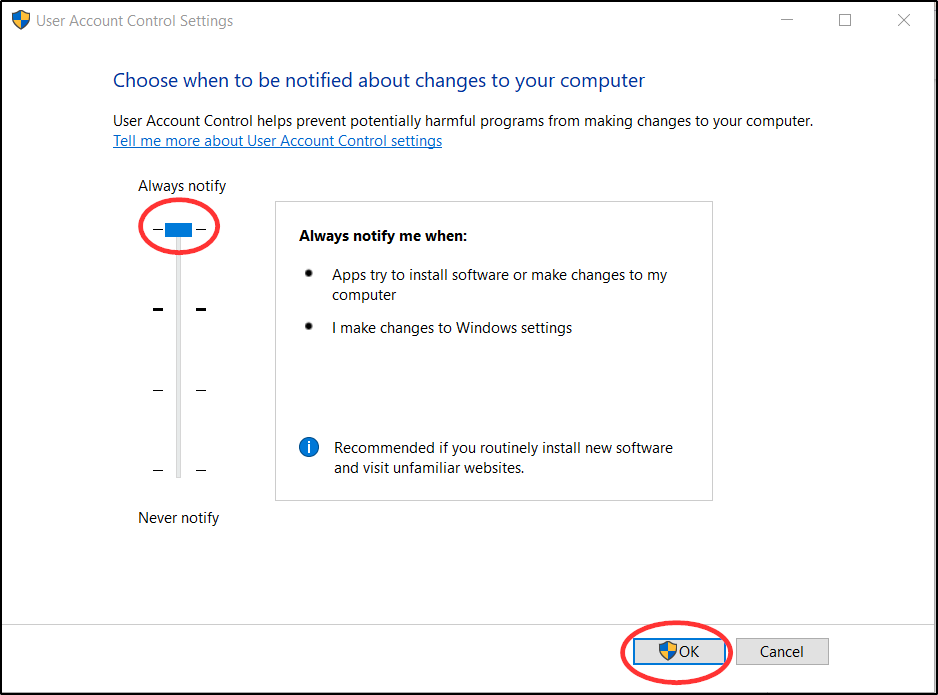
Your Windows security settings can be adjusted to prevent program updates without your informed consent.
Are you referring to the software version getting automatically updated?
If so, there currently is no setting in Quicken to turn automatic version updating off. However, you can go to your Windows User Account Control Settings and set it to Always Notify. Then whenever Quicken tries to update the software you will be prompted to decide to either allow or not allow the update to proceed.