Verizon Wireless Online bill pay stopped working
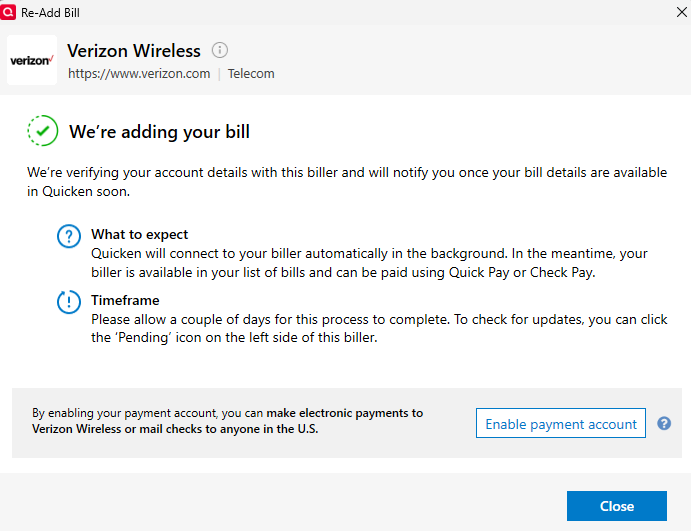
Online bill pay has not been successful since 6/6/25. Quicken indicated a fix was necessary and when I clicked "fix it", it did not work. So I deleted it and added it again. It gave the message below.
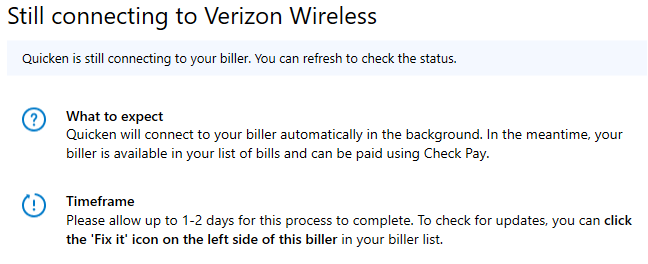
Afterwards, this never gets resolved no matter how many times I click fix it. Is anyone able to help?
Comments
-
Be sure to avoid late fees and penalty interest rates
Are you about to be late with making your bill payment due to problems or unexpected delays in Quicken Bill Manager (Quick Pay or Check Pay) that cannot be resolved in a timely fashion?
Due to the complexity of the matter it can take apparently forever to identify and fix a problem. While you're fighting the Bill Manager windmill, waiting for the problems to be resolved, to avoid missed or late payments I recommend you logon directly to the biller's website and authorize them to direct debit (aka PACDraft, Autopay, APS, etc.) the next and all future payments from your checking account or a credit card. From now on, the biller's computer system will do all the work for you to make an electronic debit on the due date and you don't have to worry about being late.
In Quicken unlink the bill and just record a scheduled reminder which does not execute as an online payment into your account register on or before the Due Date and before you download transactions from the bank or credit card containing the payment transactions. That will allow Quicken to match your register transaction to the downloaded data and not cause any further issues.
0 -
I've been having this same issue for a few weeks now. Any update?
0 -
Verizon Wireless was working fine for me until I installed V64.19 Build 27.1.64.19. With that upgrade, Quicken has moved to "Improved Smarter, More Reliable Bill Tracking". With that update, all online bills need to be re-added. Only Xfinity has worked for me. Verizon Wireless and my local Utility provider both FAILED with no explanation for why.
0 -
@Neal Lerner
have you enabled your checking account as a payment account for Quick Pay or Check Pay? This might be what's missing here …Also try the Bills, Income & Transfers tab's Review and Repair options to see if that fixes anything.
0 -
Yes Verizon is linked to a checking account. Verizon worked for years (with an occasional issue) before it stopped working as noted above.
0 -
I am having the same problem. All other bill pay accounts re-linked no problem. Using Windows.
0 -
I have tried 10+ combinations of my information for Verizon with the new R64.xx Bill Pay system, but none have worked and I always get a FAILED message like @Neil Leifert above. There is no information about what failed except the "information does not match". There are a LOT of fields in the request, so who knows what is not matching.
My question: Has ANYONE gotten Verizon to successfully connect with the new eBill system? If so, I would like to ask some questions about how you got the various fields to match.
@Quicken Anja is there any way to ask the new eBill provider if anyone has successfully connected with Verizon?
0 -
Hello All,
Unfortunately, this is a known issue. To be notified of any updates, once available, and to know when the issue is resolved, please bookmark this Community Alert:
Thank you!
(Ticket #11933060)
Quicken Kristina
Make sure to sign up for the email digest to see a round up of your top posts.
0 -
@Quicken Kristina @Quicken Anja
Thanks for the update, but I am NOT receiving the "NullPointerException" error. My setup and submission seems to go OK, I see Verizon go to Pending, but then later, it says Failed with mismatched information. Maybe the known issue is related, but this seems like something different. I think in my case, all my information (which is directly from my Verizon account) is somehow mismatching with what Fiserv is looking for, but I have no idea what is mismatched or what other combinations to try.
0 -
Thank you for your reply @bmbass,
Since the issue you're encountering is slightly different than the known issue, I recommend that you contact Quicken Support directly for further assistance, as they have access to tools we can't access on the Community and they're able to escalate the issue as needed. The Quicken Support phone number can be found through this link here. Phone support is available from 5:00 am PT to 5:00 pm PT, Monday through Friday.
I apologize that I could not be of more assistance!
Quicken Kristina
Make sure to sign up for the email digest to see a round up of your top posts.
0
Categories
- All Categories
- 56 Product Ideas
- 36 Announcements
- 225 Alerts, Online Banking & Known Product Issues
- 22 Product Alerts
- 703 Welcome to the Community!
- 671 Before you Buy
- 1.2K Product Ideas
- 53.7K Quicken Classic for Windows
- 16.3K Quicken Classic for Mac
- 1K Quicken Mobile
- 812 Quicken on the Web
- 111 Quicken LifeHub