Make CMD+H work to hide the APPLICATION (Q Mac)
For years and years I've been frustrated that when I click CMD+H, Quicken only hides the register toolbar, not the entire Quicken window. Every other app I use has this feature! I've searched for ways to customize keyboard shortcuts in Quicken, but I'm not sure that features is available, either.
Comments
-
You mean just make it minimize and be at the bottom of your dock while still open?
Double click the top of your Quicken window in the area where it says Home, Reports, Budgets, etc.
0 -
@kskim I just came across your request, and I'm confused. Command-H exists in Quicken Mac…
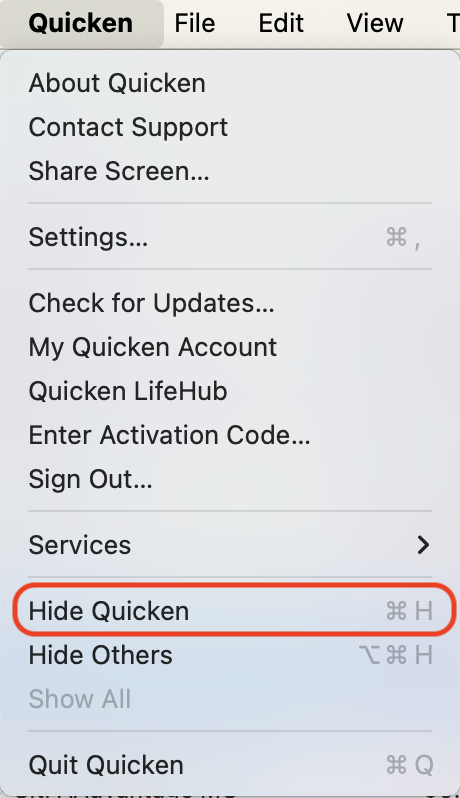
… and it works properly for me, hiding the Quicken application windows when Command-H is pressed.
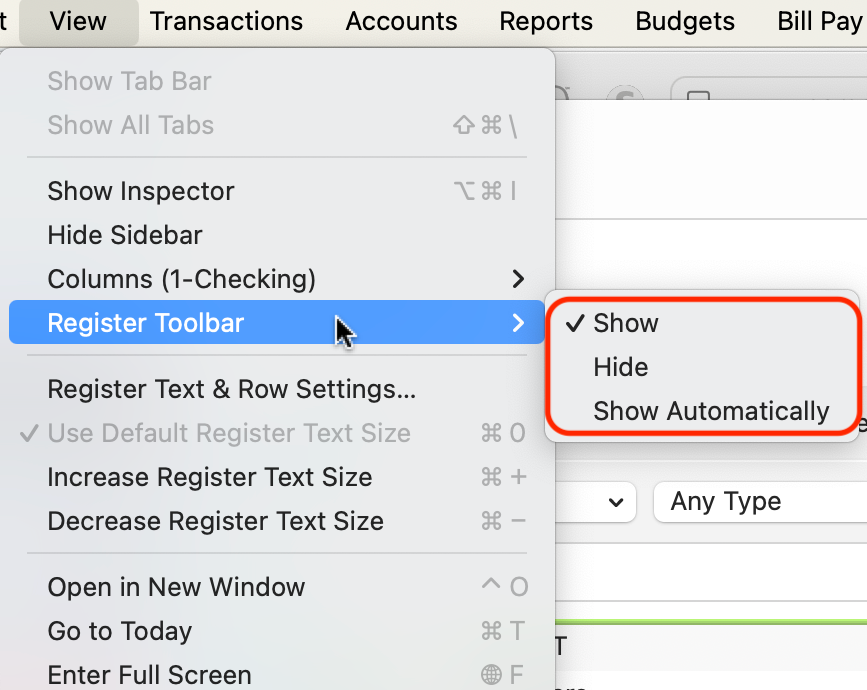
Does your Quicken > Hide Quicken menu item show the Command-H shortcut as picture above, or is it missing? You mention that Command-H hides the register toolbar for you. That isn't the standard configuration of Quicken Mac; as you can see here, there are no Command keys assigned to the Register Toolbar > Hide menu command:
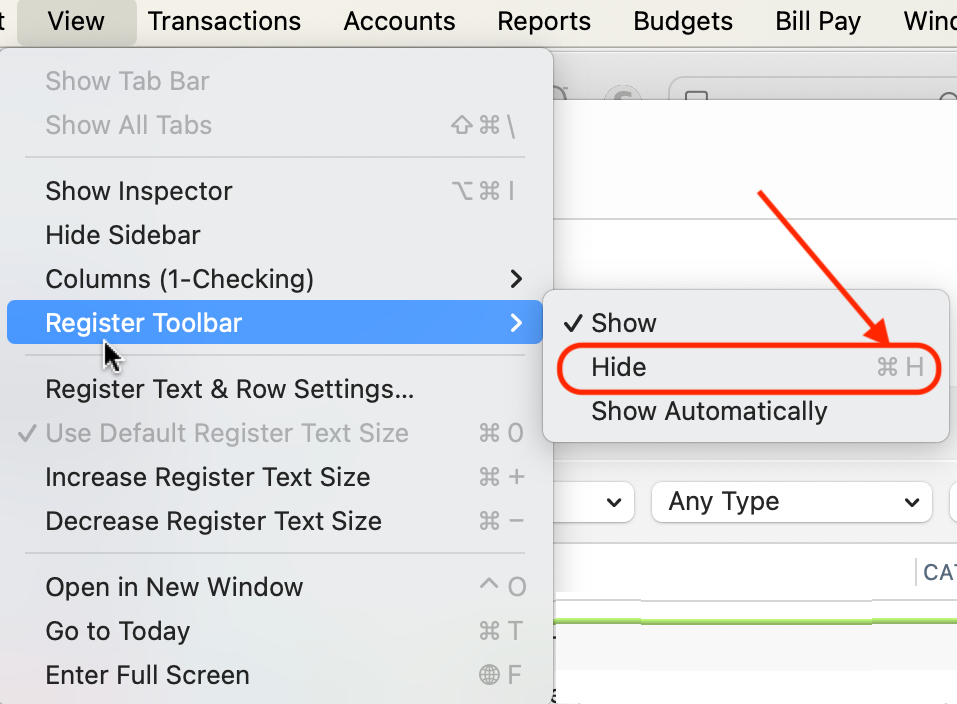
In your Quicken Mac, does Register Toolbar > Hide show Command-H to the right of it? Because macOS lets users redefine the keyboard shortcuts to almost any menu command in any application, I'm wondering if sometime years ago, you modified your keyboard command so that Command-H applied to the Register Toolbar > Hide command. This is done in macOS Settings > Keyboard > Keyboard Shortcuts > App Shortcuts. Using that macOS ability, I'm able to assign Command-H to the Register Toolbar > Hide command, which automatically removes it from the Quicken > Hide Quicken menu command:
Quicken Mac Subscription • Quicken user since 19930
Categories
- All Categories
- 56 Product Ideas
- 36 Announcements
- 225 Alerts, Online Banking & Known Product Issues
- 22 Product Alerts
- 703 Welcome to the Community!
- 671 Before you Buy
- 1.2K Product Ideas
- 53.7K Quicken Classic for Windows
- 16.3K Quicken Classic for Mac
- 1K Quicken Mobile
- 812 Quicken on the Web
- 111 Quicken LifeHub