When entering a Stock Option exercise with a Same-Day-Sale, Quicken does not reflect the correct for the "exercise" and "bought" transactions. For those prices, it uses the "sold" price. This will provide incorrect data regarding ordinary income. found this issues posted years ago by someone using Q17 (https://community.quicken.com/discussion/7670906/quicken-2017-premier-incorrect-stock-option-exercise)
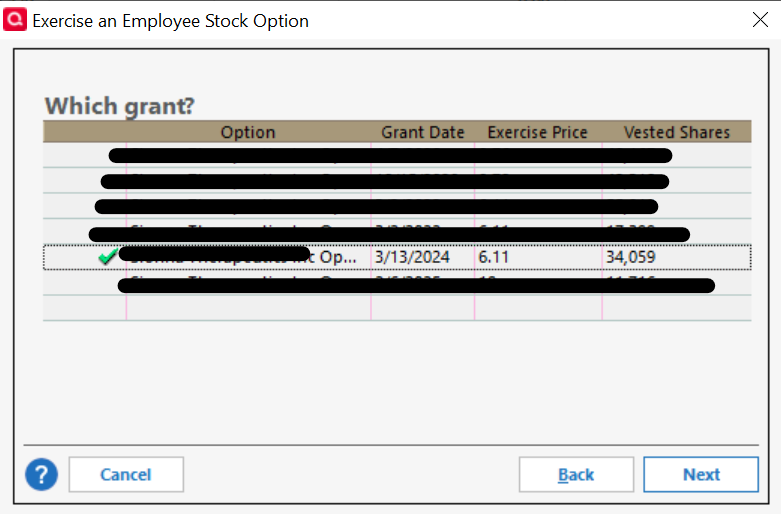
Grant Selection
Last stage of the Exercise Wizard having selected Non Qualified Stock Option and Same-Day-Sale transaction (regardless if the grant was entered as a ISO or NQ when created)
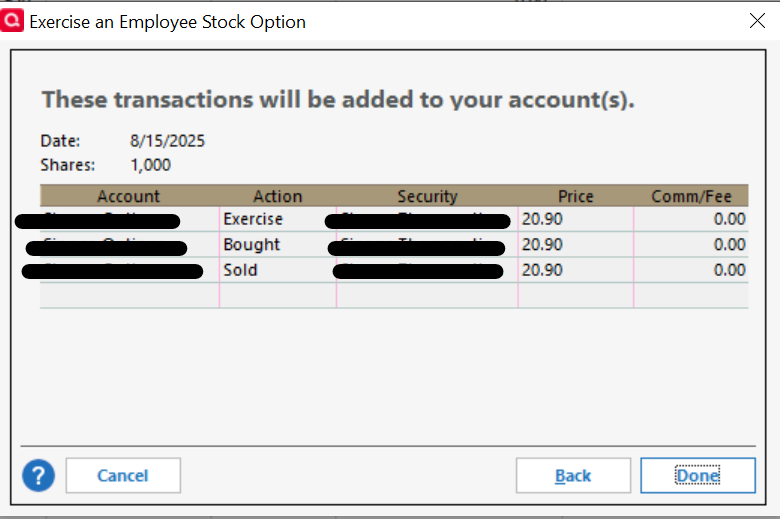
Creates these line items (I used slightly different prices when I was grabbing screen shots), which would imply that there is no ordinary income, nor CG)

Last stage of the Exercise Wizard having selected Qualified Stock Option and Same-Day-Sale transaction (regardless if the grant was entered as a ISO or NQ when created)
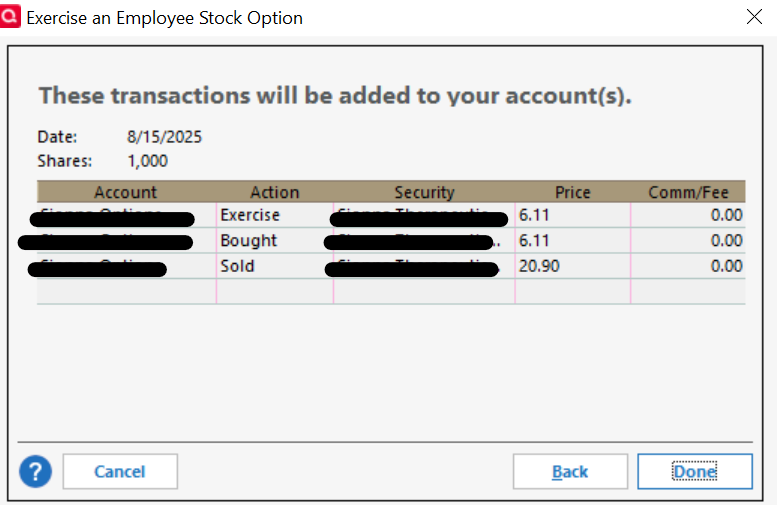
Creates these line items (I used slightly different prices when I was grabbing screen shots)

This would reflect the appropriate amount of ordinary income 20,897 (sale price) minus (6,110) exercise price.
I can't change the data in the wizard. However once the transaction lines were created, I manually edited the exercise and bought lines with the appropriate exercise price.
-Janet