Latest Quicken Update Fail...Online Billers

Currently on R63.21. Been following the saga regarding the Fidelity DC-EWC+ changeover (please keep comments on this to those threads). In one of them, there was a mention of a new version R64.19. Running "Check for Updates" revealed I was already on the latest version. So off to the Mondo patch page and get R64.19. Among a number of "improvements" and "fixes" Quicken is using a new eBill provider and will require reconnecting online bills after the upgrade.
So I apply the update and it goes downhill from there. I get the prompt about reconnecting my online bills. I have only 4 (AMEX, SoCal Gas Co, SoCal Edison, Verizon). All other bill reminders have fixed amounts. These online bills are also tied to reminders. I attempt to reconnect them. American Express is simple and flawless. SoCal Gas company required me to fill out an extensive form with my Account number, name, address, etc. I had to logon to the Gas Co site to get my account number. At no time did it as for any credentials. After submitting the form, I watched the swirling circle while @Quicken tried to update my account. After waiting about 20 minutes (never had to wait this long) I killed the task, relaunched Quicken and tried again. This time 30 min until I killed the task. So let's try a different approach.
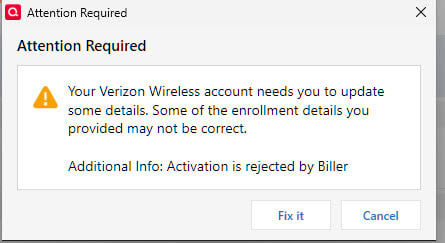
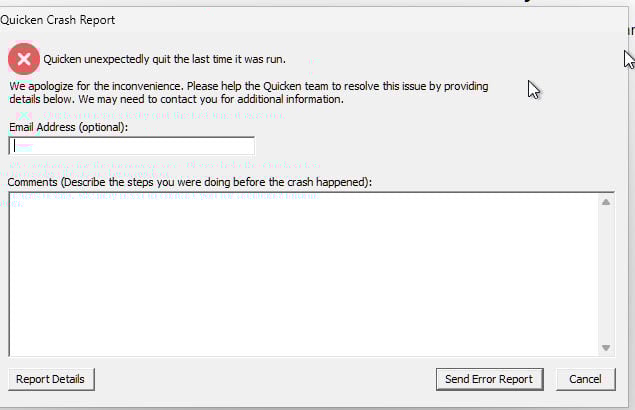
So I relaunched Quicken and deleted the online bills before adding them back. I go to add a new online biller. Turns out Southern California Edison is NOT one of the options. Move onto SoCal Gas Co. Fill out the form again and submit. Now says "pending". Now Verizon, same form, submit. Says Pending. Reconnect AMEX. AMEX good. But now see Verizon shows failed. Go to "fix it". Quicken crashes. Fill out crash form and submit. At this point, I'm done. Uninstall Quicken including hidden folders. Reinstall fresh and hope it doesn't upgrade to 64.19. It doesn't. It's back to 63.21. Check the online bills seems OK. Ran OSU and got another Fidelity issue (posted on the big ZZZ thread).
So bottom line, beware if you upgrade to 64.19. Some of your online billers may not be available using the new provider. Not sure why Amex connected to "old way" but Verizon and SoCal Gas required some new extensive form (no credentials).
Here are the screen grabs:
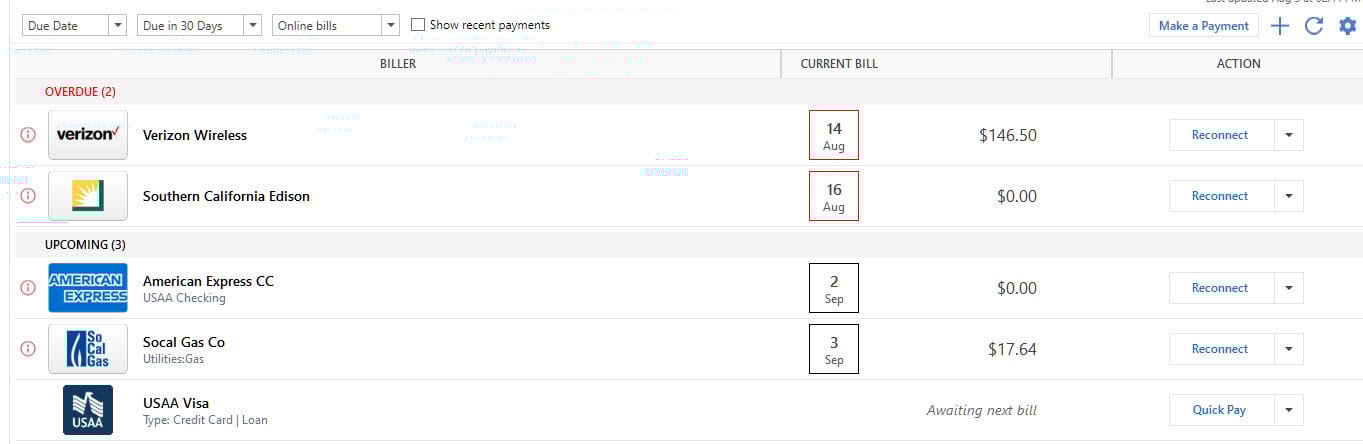
Bills tab after upgrade. Yes it did pull in my USAA credit card (I did not have that linked before)
Here's the form to get SoCal Gas. The Verizon form was the same except for Verizon heading.

After adding Amex, it flagged Verizon as failed.
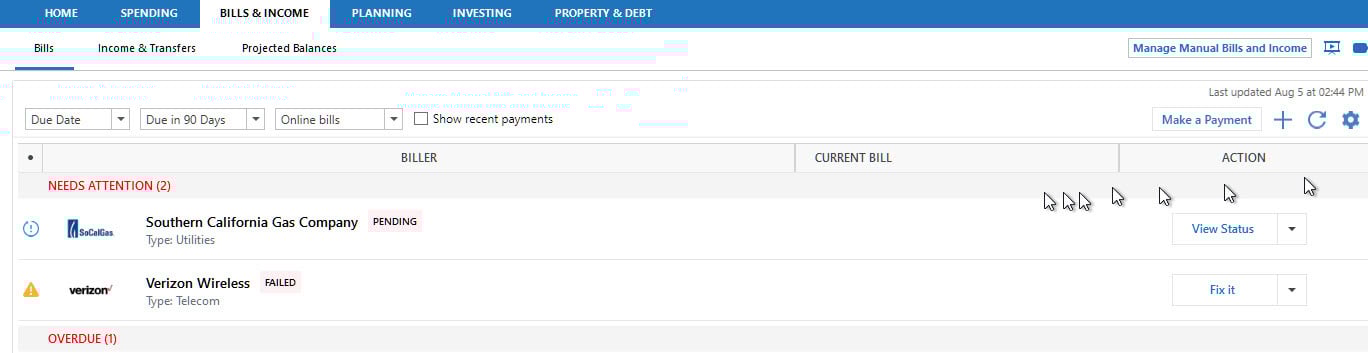
Clicked on Fix it, refilled out the form again and submitted.
Quicken crashed
Comments
-
Reconnecting Online Billers fails for me too: Consumers Energy fails after entering data. DTE Energy says it can't find a match. I have restored my file to pre conversion and will wait for an updated patch before trying again.
0 -
Reconnecting Online Billers fails for me as well: Spectrum fails after entering data. 5 other "non-connected" accounts that existed before this premature update are now gone and absent from the search engine to add them back.
0 -
ME too! I had a few online billers set up to get my current bills (I pay manually), but Quicken doesn't have Tampa Electric (TECO), Columbia Gas of Ohio, or Cleveland Water or Sewer companies anymore!! GONE! They do have my Electric Company First Energy but after 2 days of "pending" after setup…it just disappeared. So yeah…Thanks for the upgrade!
0 -
Hello All,
Thank you for taking the time to visit the Community to report this issue, though we apologize that you are experiencing this.
We will be forwarding this issue to the proper channels to have this further investigated. However, we request that you please navigate to Help > Report a problem within your Quicken program and submit a problem report with log files and screenshots attached in order to contribute to the investigation.
It would also aid the investigation to include a sanitized file when submitting the problem report. A sanitized file is a data file that removes personally identifiable information so you can comfortably share this file with the Quicken team.
While you will not receive a response through this submission, these reports will help our teams in further investigating the issue. The more problem reports we receive, the better.
We apologize for any inconvenience in the meantime! Thank you.-Quicken Jasmine
Make sure to sign up for the email digest to see a round-up of your top posts.
-1 -
@Quicken Jasmine I did report through the crash report above. I heard back from Support asking for more files. I replied saying I deleted/reinstalled Quicken and restored from backup to revert before update so I don't really have anything to send.
My crash may have been "one of those things". I'm more concerned over the loss of billers available under the new vendor. I understand the list will grow eventually. Does the integration with the billers initiate on the billers side or is that the new billing vendor (or Quicken/Intuit) responsibility? As I understand with FI's, it's the FI's responsibility to initiate/maintain the integration.
1 -
Question… Does the new billing vendor have to be set up in Quicken as a "connected account"? I had 5 billers that disappeared with the R64.19 update with no way to add them back. Note… the 5 billers that disappeared were not set up as connected accounts.
0 -
I have NEVER used bill payer due to its never-ending hangs and malfunctions. Given Quicken's track record for conversions, there no way this conversion to a new eBill provider will go smoothly.
0 -
This content has been removed.
-
I would never use Quicken's bill payer feature either. By "connected account", I was referring to an account in Quicken that is set up in OSU (one step update) for the purpose of downloading transactions and balances (i.e., checking, savings, or credit card) , not for a bill reminder.
So, does anyone know whether or not this new billing vendor requires you to be set up in Quicken as a "connected account" or will my 5 "non-connected" billers (used for the sole purpose of bill reminders) be lost forever?
0 -
Normally upgrades go smoothly, but I upgraded a couple of days ago to R64.19 and had numerous problems. The program now frequently locks up requiring me to END using task manager. It seems to occur when saving or updating a transaction withing the register. I also had to delete some billers and set up new at the time of the upgrade, and since cannot find AT&T Mobility to add back for QuickPay.
0 -
Followup to my previous message - Validated file and opened preferences. Program locked up again before I could check anything.
0 -
Hello All,
Thank you for joining this thread and for sharing that you are also experiencing this issue.
This has been reported and is currently being investigated further. In order to assist the investigation, please use the instructions in my previous response to submit a problem report.
Let us know once you have done so!
(CBT-777)
-Quicken Jasmine
Make sure to sign up for the email digest to see a round-up of your top posts.
1 -
This content has been removed.
-
Having the same problems with my billers. Verizon doesn't work, can't find AT&T in the list, Discover will not retrieve. I believe Amex is the only account I have that still works.
0 -
As an update, I'm currently on 64.25. There's been no improvement with my online bills.
Verizon still fails. SoCal Gas Co never gets past "Pending". SoCal Edison is not available.
My AMEX CC and USAA Visa seem to be working.
0 -
[Removed - Violation of Community Guidelines]
0 -
In addition to online billers not updating or reconnecting, it seems that the linked reminder is being advanced a month at a time into due dates of next year. I have corrected it multiple times and it just keeps moving the due date farther out when updates are performed. I had emails today from QUICKEN that I have 3 ne bills yet none of them update in the actual app. I have lost all confidence in QUICKEN to help me stay on top my my bills after 20+ years of using it.
0 -
@Kerry Many of my monthly bills have a fixed payment. Things like Netflix, my cell phone/internet, insurance premiums, etc. These all have manual bills scheduled on their due date, the added to the proper register a few days before due.
So the only online bills were the ones that vary month to month (utilities, credit cards, etc.). Given my gas and electric co are not functioning/supported, I just created a manual bill and selected to estimate based on past payments. The actual amount will most likely be different, but it will prompt me to login and verify the correct amount, or just wait until the transaction downloads and I'll match them during reconciling.
So not optimal, just how I'm going to manage this until Quicken get's this straightened out.
0


Categories
- All Categories
- 6 Product Ideas
- 34 Announcements
- 249 Alerts, Online Banking & Known Product Issues
- 19 Product Alerts
- 266 Welcome to the Community!
- 60 Before you Buy
- 1.5K Product Ideas
- 55.8K Quicken Classic for Windows
- 16.9K Quicken Classic for Mac
- 1K Quicken Mobile
- 834 Quicken on the Web
- 129 Quicken LifeHub