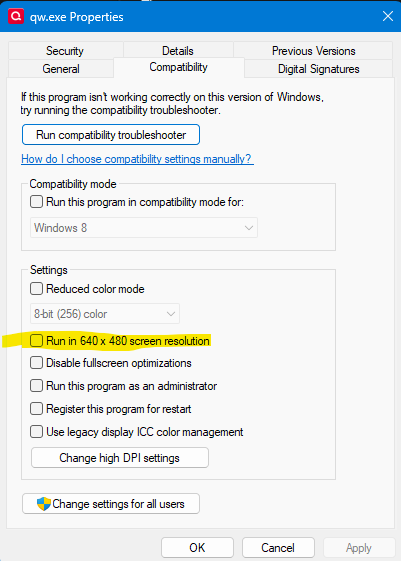
Display resolution issue: One right click on the Quicken Icon in your desktop>Properties>Compatibility>Uncheck the option: Run in 640 x 480 screen resolution.
Thanks for reaching out!
Could you please provide more information? Are you needing assistance or providing other users with help?
Let me know!
If I read this right, @Morataya is pointing out that if you are having display resolution problems make sure this option is off:
Thank you for the information, I was just providing a solution to other users in the case they get the same error. Have a great day!