Why am I now getting "Unidentified Security" transactions, ONLY SINCE I changed the connection method to EWC+. I see Div, Sold and Bought general ledger entries which are resulting in making my Quicken Account inaccurate!
Hello @Dan13,
Thanks for bringing this up!
I’d like to get a little more detail to help pinpoint what’s going on with those “Unidentified Security” transactions since moving to EWC+:
Let me know!
I have also downloaded dividend transactions for two different ETFs which weren't matched with their securities. They downloaded into two different Quicken Roth IRA accounts and two different securities as "Unidentified Security". I'm going to try to answer @Quicken Jasmine's questions above as I walk through what happened.
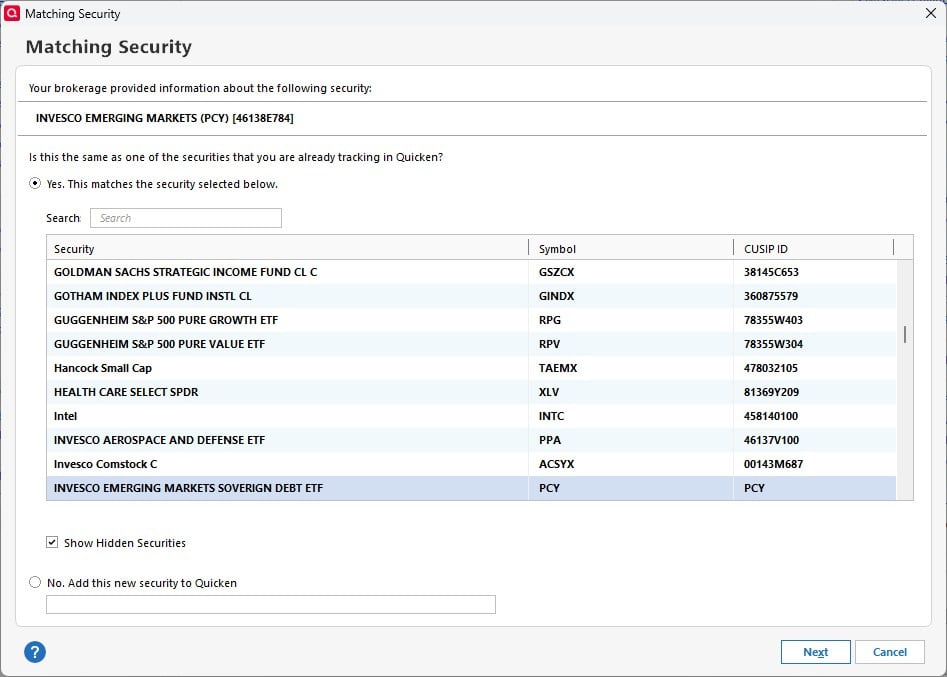
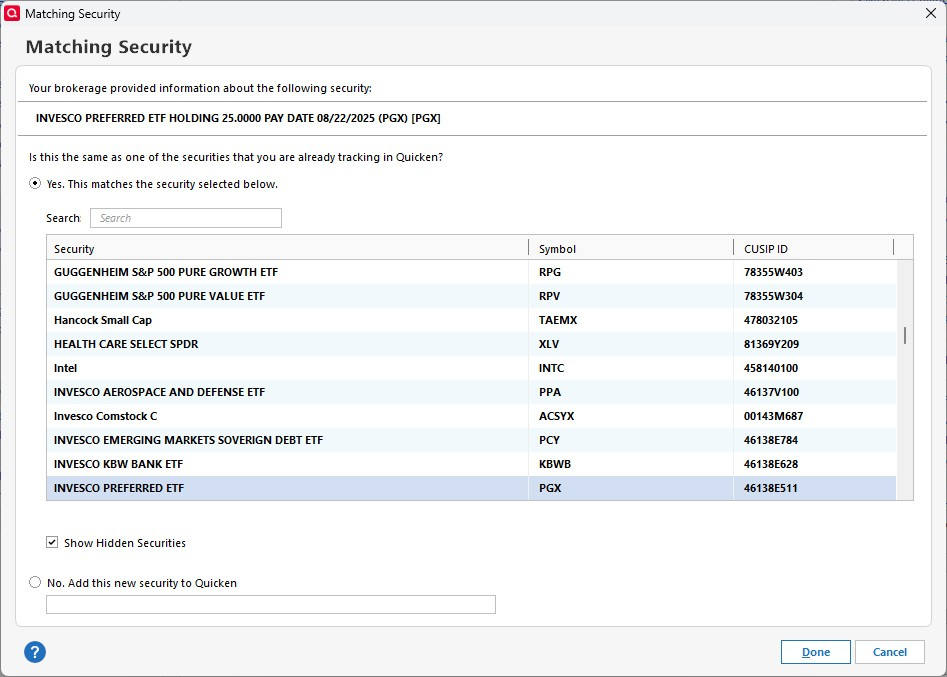
When I downloaded, the two ETFs in question asked for matches with existing securities. I accepted the correct matches as shown below. The two ETF's are PCY and PGX.
There were other prompts for matching other ETFs, but these are the two that caused "Unidentified Security"
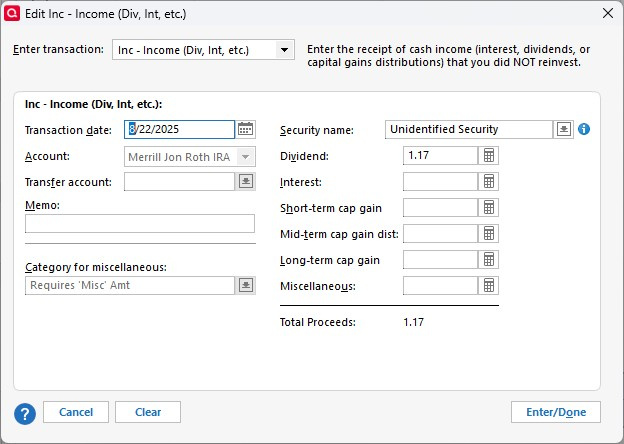
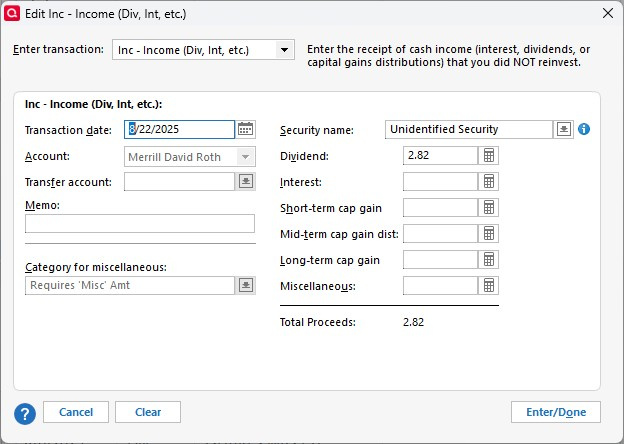
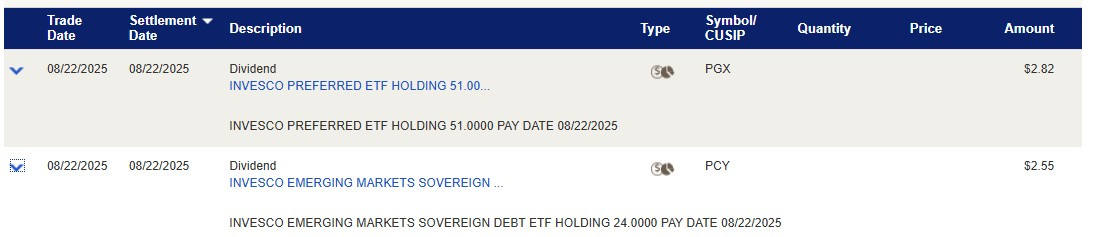
The download completes. In my Roth IRA, a dividend transaction for PCY is downloaded as "Unidentified Security". Here is what it looks like in Quicken, and on the ML website:
So the dollar amount is correct, but there is no identifying information in the downloaded transaction. Of course, I'll eventually fix this by editing the Security Name to the correct ETF.
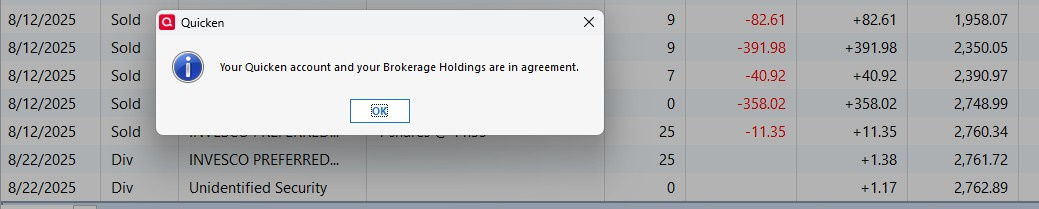
Because I don't reinvest dividends, there is no change to the number of shares in that ETF, hence:
Note that the PGX dividend in the same download (the $1.38) above looks fine. But in my spouse's Roth IRA, the opposite happened: The PCY divided was correct, but the PGX dividend downloaded as "Unidentified Security". Here are the screen shots of that:
Again, the amount is correct, but the download doesn't include the security.
It is very odd that despite matching both ETFs when prompted at the very beginning of the download, a) in my Roth account PCY isn't identified, but PGX is and b) in my spouse's Roth account, PGX isn't identified, but PCY is.
So far, this has happened only to these two ETF's. Other dividends prior to this have downloaded correctly.
I believe this answers all of @Quicken Jasmine's questions. Let me know if you need further information.
This is still a problem as of today. Unidentified Securities, Incorrect CUSIPs, Forced to manually match every security downloaded every download. What a mess. Please get with Merrill to fix this.
Hello @Jeremy Kruse,
Thank you for letting us know you're seeing this issue also. Due to the nature of this issue, I recommend that you contact Quicken Support directly for further assistance, since they have access to tools that we can't access on the Community and they can escalate the issue as needed. The Quicken Support phone number can be found through this link here. Phone support is available from 5:00 am PT to 5:00 pm PT, Monday through Friday (They will be closed on Labor Day).
I apologize that I could not be of more assistance!