Quicken Connect and changing the download settings

2 Questions
1- What is Quicken Connect? I can't find this connection type in any quicken materials
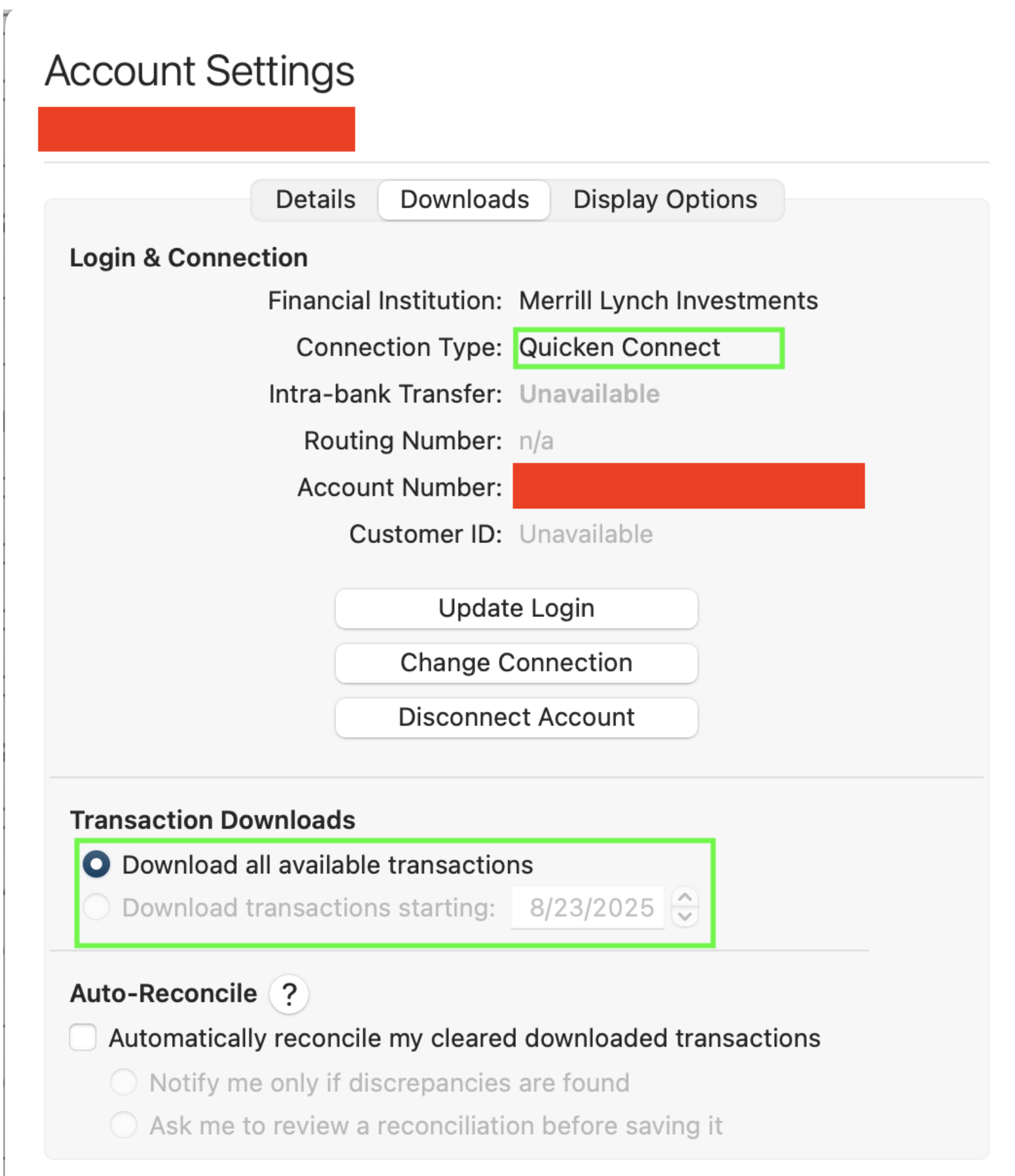
2- Is there a way to change the Transaction Downloads setting? I have tried to click the other button but it seems to be locked. I have never used the Download all available setting for Merrill
Best Answer
-
Here's an explainer on the connection types:
Quicken Connect is what the Mac version calls what is EWC or EWC+ in the Windows version. Many financial institutions are now only supporting QC when they may have previously supported DC. On the Mac side, a Quicken Connect connection type may actually be EWC or EWC+. It's not possible to tell from the account settings which of these is being used behind the scenes, but it is possible to tell by how the connection establishment process proceeds when setting up the connection. (That is, are you taken to the FI's website for validation or not.)
The Download Transactions Starting setting is only applicable to DC accounts and that's why it's grayed out. FI's determine how far back they will provide transaction downloads. This is usually 90 days for most FIs.
Quicken Mac Subscription; Quicken Mac user since the early 90s2
Answers
-
Here's an explainer on the connection types:
Quicken Connect is what the Mac version calls what is EWC or EWC+ in the Windows version. Many financial institutions are now only supporting QC when they may have previously supported DC. On the Mac side, a Quicken Connect connection type may actually be EWC or EWC+. It's not possible to tell from the account settings which of these is being used behind the scenes, but it is possible to tell by how the connection establishment process proceeds when setting up the connection. (That is, are you taken to the FI's website for validation or not.)
The Download Transactions Starting setting is only applicable to DC accounts and that's why it's grayed out. FI's determine how far back they will provide transaction downloads. This is usually 90 days for most FIs.
Quicken Mac Subscription; Quicken Mac user since the early 90s2 -
Adding to what @RickO posted:
The decision about which connection method(s) a financial institution will support is solely owned by the financial institution. There is nothing we can do to change a connection to one that is not supported by the financial institution.
Some will support 2-3 connection methods while others will support just 1 connection method. None support all 4 connection methods because a financial institution can support Express Web Connection (EWC) or Express Web Connect Plus (EWC+) but not both.
Many financial institutions are replacing DC, EWC (QC) and WC with EWC+ (QC) although some are continuing to offer DC and/or WC. Unfortunately, as he mentioned, QMac applies the "Quicken Connect" name to both EWC and EWC+ which can make it somewhat confusing for some because EWC and EWC+ not only have different account set up processes but they employ different security protocols, as well. So paying attention to the connection set up process is important if you want to know which QC method is being set up.
It is my understanding that Merrill is migrating their downloading support to EWC+. If a different download connection is supported by the financial institution you should be able to see that in Quicken but if no other option is provided then it means the download connection shown is the only one that is supported.
One last comment: In general, the financial institution determines the data time frame to be downloaded. Quicken then filters out the newly downloaded data that was previously downloaded so duplicate transactions are not entered into the account registers.
Quicken Classic Premier (US) Subscription: R66.28 on Windows 11 Home
2 -
I appreciate the answers. I know the connection type was changed in July, I had to redo the connection and went to ML site when asked. That's when downloads starting sending messed up data. The most recent issue is that when ML sells a fractional share, alll that shows up is the income amount. The fractional share isn't removed. On ML I can see the sale amount, share price and shares fraction. The data is there but isn't being downloaded properly. Sounds like a Quicken problem to me. I am going to see what happens in the next week and then decide whether to switch to manual downloads.
0
