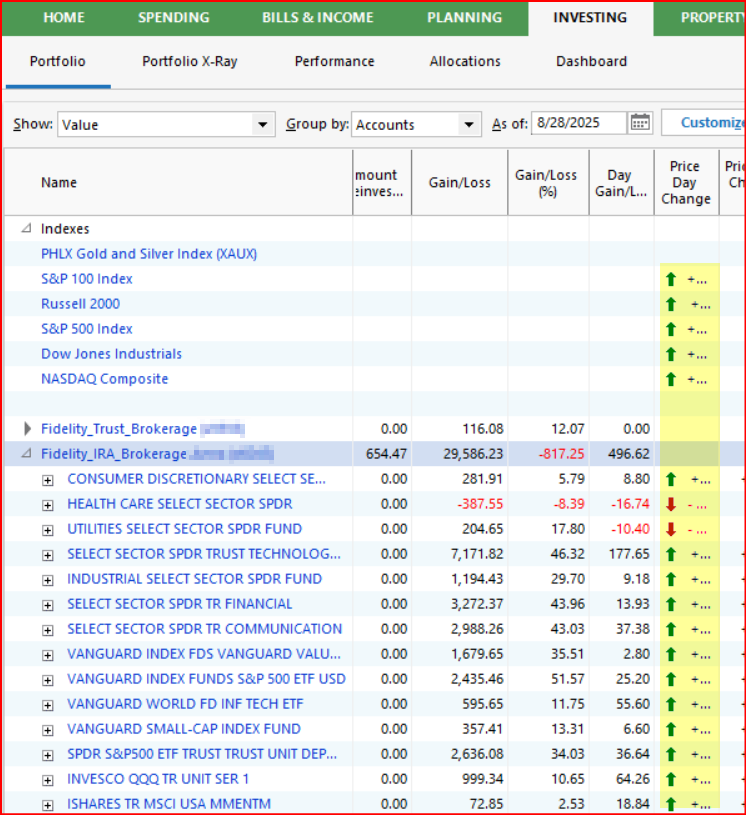
On the Investment Portfolio screen, the Price Day Change does not show the amount.
I have Windows 11. Quicken was installed in 2017 and updated ever since.
I was using Quicken on Windows 10 and everything worked perfectly, but purchased a new computer earlier this month using Windows 11 and then transferred the Quicken files to the new computer. Everything works fine except on the Investment Portfolio screen.
The column for Price Day Change does not show the amount. It shows the Up or Down Arrow and the + or - sign, but no amount, such as 0.12. If I hold the cursor over an entry, it will show the amount. Unless I hold the cursor over each entry, it just show three dots.
Can you help me correct this? Thank you in advance.
Answers
-
If your Portfolio view looks like this:
then that Price Day Change column is too narrow. Widening the column should fix that.
0 -
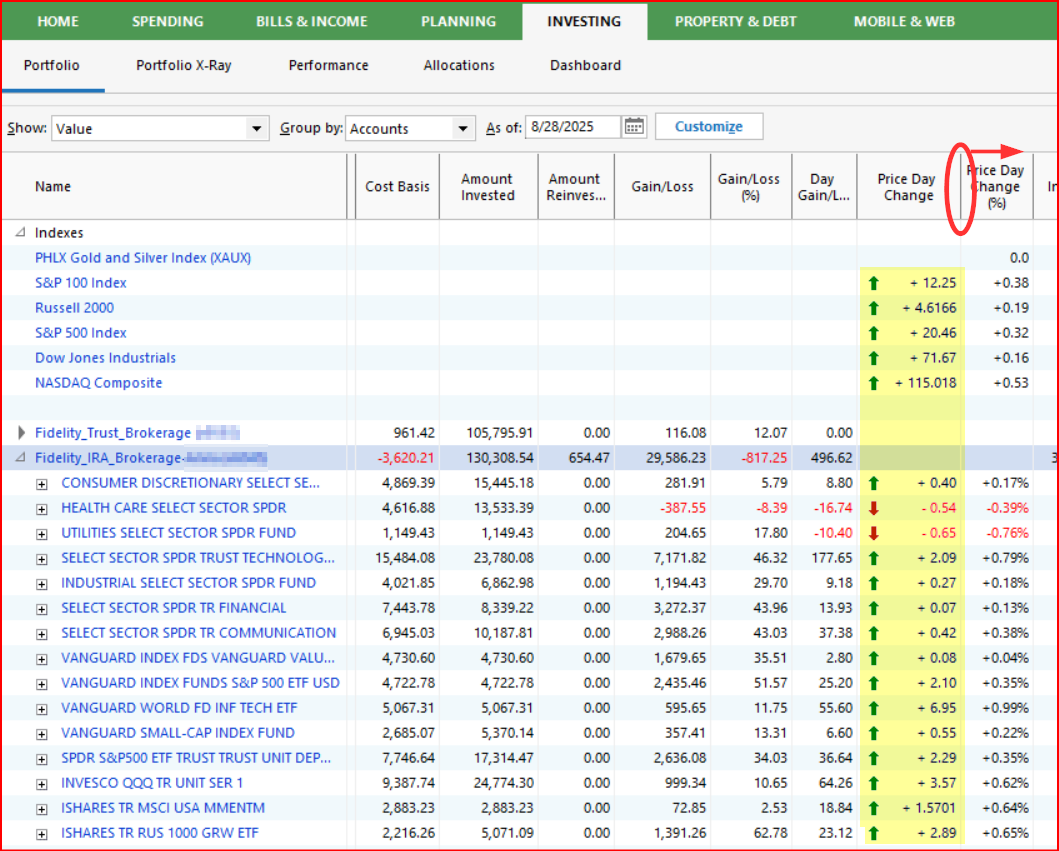
Is this what you are referring to?:
If so, this is what happens when the column width is too narrow. To fix this, click and hold on the column divider to the right of "Price Day Change" and move the cursor to the right. This will expand the column width and you will be able to see all of the changes in the column beneath the header like this.:
Quicken Classic Premier (US) Subscription: R65.15 on Windows 11 Home
0
Categories
- All Categories
- 56 Product Ideas
- 36 Announcements
- 225 Alerts, Online Banking & Known Product Issues
- 22 Product Alerts
- 702 Welcome to the Community!
- 671 Before you Buy
- 1.2K Product Ideas
- 53.7K Quicken Classic for Windows
- 16.3K Quicken Classic for Mac
- 1K Quicken Mobile
- 812 Quicken on the Web
- 111 Quicken LifeHub