estimated payment not working with secondary currency
I have a secondary currency (COP) and a banking account (Bancolombia) to track regular payments for utilities, etc. It appears that the 'Manage Bill and Income Reminders' only works for fixed amounts for my COP transactions. Yet it works correctly for my US $ transactions, where. I usually make it the
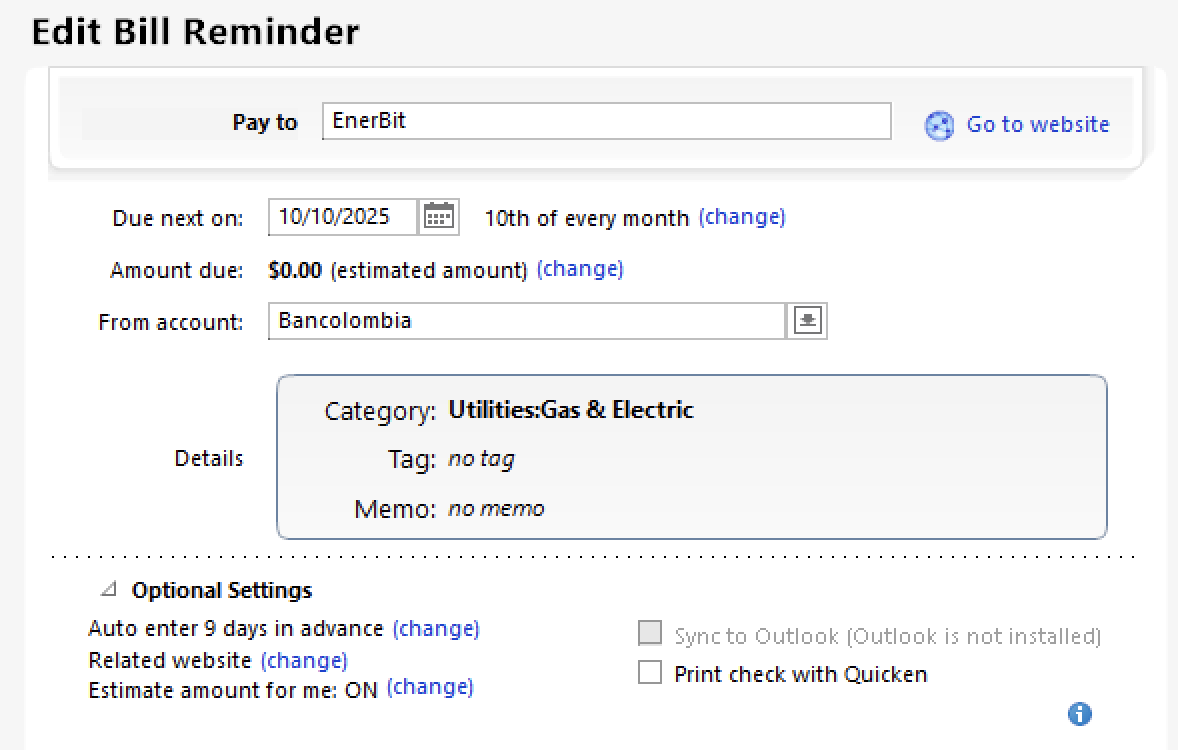
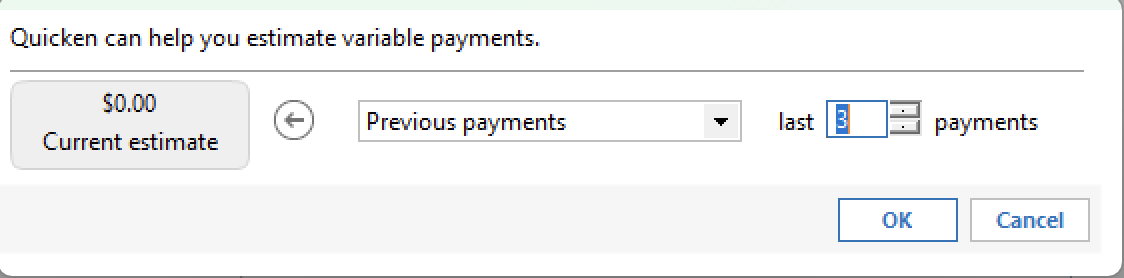
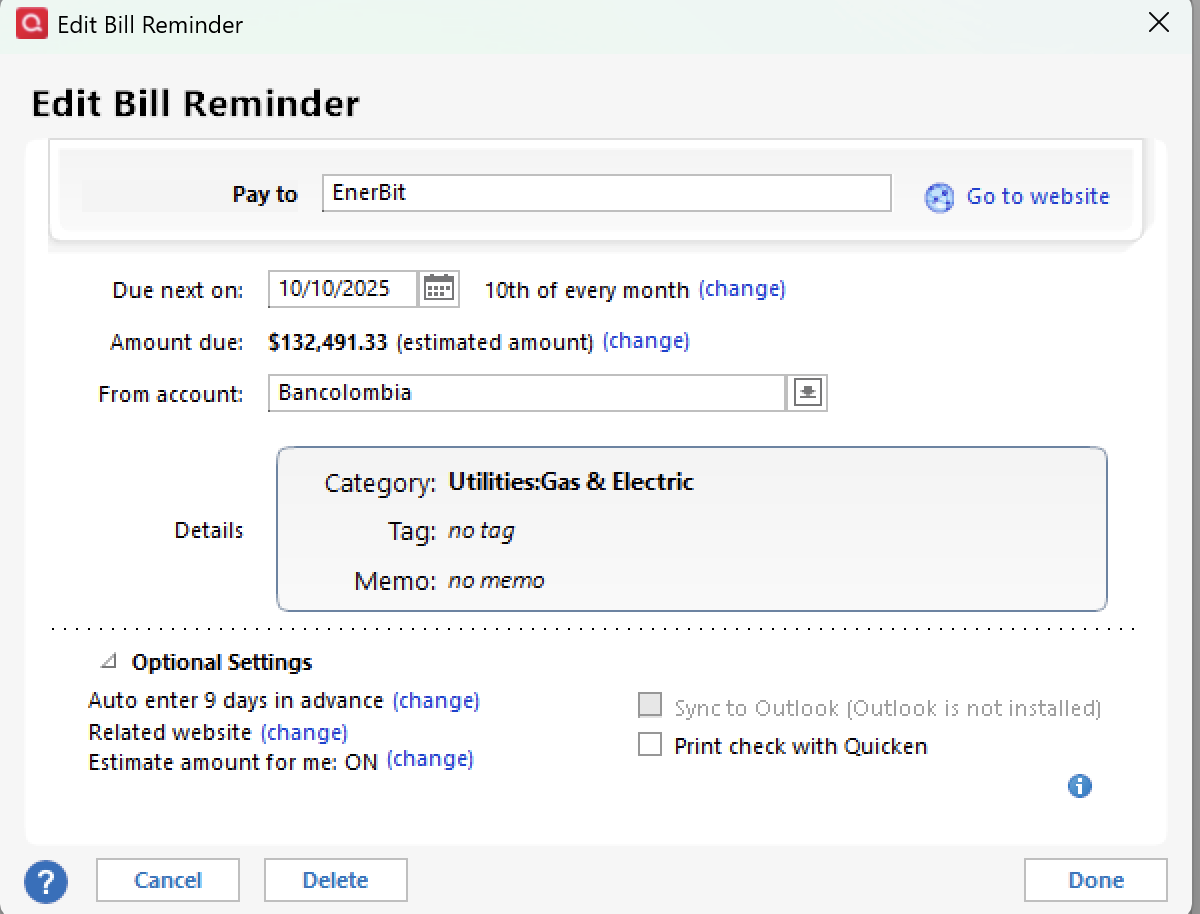
Attached are 4 screenshots where I try to change the estimated amount. It correctly calculates an amount, but clicking 'Done' reverts to COP 0.

When I collect 'Done' in the last window, the '$132,491' is not applied.
I currently ignore this problem but it would be nice it it worked correctly.
Best Answer
-
I thought I updated this … but I can be forgetful
worked with quicken support. at the end of the session, 'Fredy' wondered if I could try to delete/add the Bill Reminder.
That fixed the problem. I'm guessing that there may have been a Quicken update that added more meta-data to the Bill Reminder to make it work. And I had an 'old' Bill Reminder.
1
Answers
-
Just checking, since I'm not familiar with the issue.
Is your Bancolombia account, in Q, set up in COP?
And, have you reported this to Q Support, via the link at the top of this page (although they're closed on 9/1)?
Q user since February, 1990. DOS Version 4
Now running Quicken Windows Subscription, Business & Personal
Retired "Certified Information Systems Auditor" & Bank Audit VP0 -
Yes, my Quicken Bancolombia account is in COP.
Edit → Preferences → Calendar and Currency → check Multicurrency support
When I created the new account, it asked what currency to use and I selected COP.
And when I transfer some money (say $1000) from my US checking account, a pop-up asks what the currency equivalent is.
But to your point, I haven't reported this to Q support. I thought I would see if the answer was already known. I will report it today.
I think that the process to calculate a'Bill Reminder' estimated amount is currency-agnostic.
And it's only when clicking 'Done' that something is currently breaking.Thank you for your input.
0 -
I thought I updated this … but I can be forgetful
worked with quicken support. at the end of the session, 'Fredy' wondered if I could try to delete/add the Bill Reminder.
That fixed the problem. I'm guessing that there may have been a Quicken update that added more meta-data to the Bill Reminder to make it work. And I had an 'old' Bill Reminder.
1
Categories
- All Categories
- 56 Product Ideas
- 36 Announcements
- 225 Alerts, Online Banking & Known Product Issues
- 22 Product Alerts
- 703 Welcome to the Community!
- 671 Before you Buy
- 1.2K Product Ideas
- 53.7K Quicken Classic for Windows
- 16.3K Quicken Classic for Mac
- 1K Quicken Mobile
- 812 Quicken on the Web
- 111 Quicken LifeHub