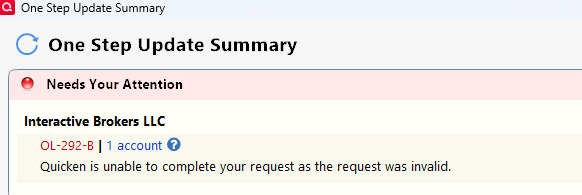
OL-292-B Interactive Brokers
Hello. I recently started getting OL-220-A errors when downloading transactions from Interactive Brokers:
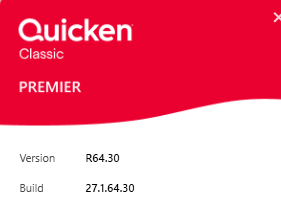
1. I updated to the latest version/build. This didn't help.
2. Next I tried de/reactivating transaction downloads which was also no help.
3. I attempted to reset the account which failed.
4. After de/reactivating I now receive OL-292-B attempting to download transactions
Any suggestions or information on what this could be?
Thank you.
Comments
-
Hello @cfo175
Thanks for sharing the details of what you’ve already tried—that’s very helpful. Since you’re now receiving an OL-292-B, I’d recommend reviewing our OL-292 error support article as it walks through the standard troubleshooting steps for this error.
In general, OL-292 indicates a temporary communication issue between Quicken and your financial institution. Because you’ve already reset and re-added the account, the next steps would be:
- Wait and retry later (as these issues sometimes resolve within a business day), or
- Contact Interactive Brokers directly. Since Quicken doesn’t have access to their servers, their support team will be in the best position to help. When reaching out, it may help to request a supervisor or Tier 2 agent, as they’re often more familiar with third-party connections like Quicken.
Thank you!
-Quicken Anja
Make sure to sign up for the email digest to see a round up of your top posts.0 -
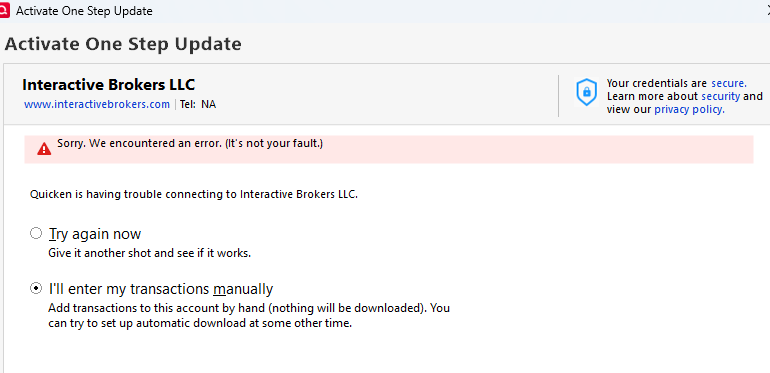
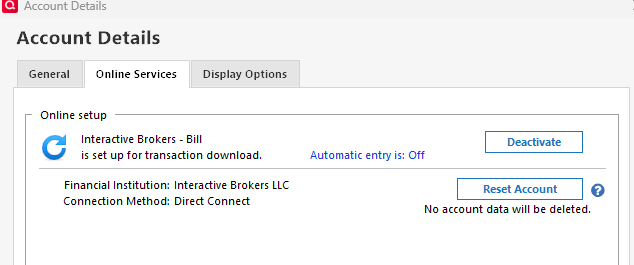
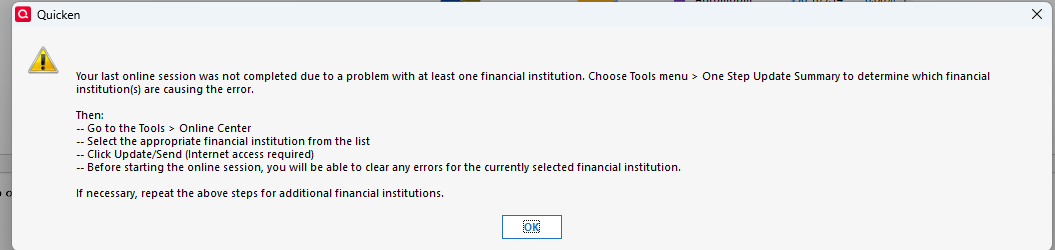
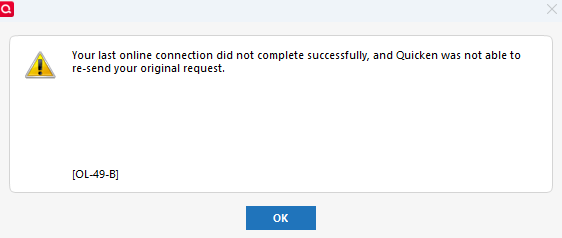
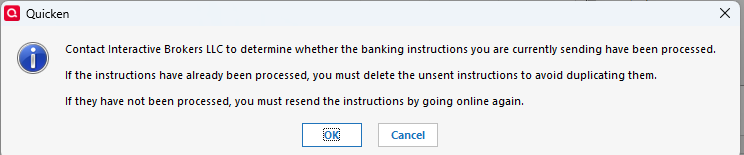
Thanks I did take a look at that article. Right now, my IBKR>Quicken Online Services is in a strange state. When I attempt to de/reactivate online services it fails with below error. However, if I check under Quicken Account Details for IBKR it indicates it is activated.
See below screens.
0 -
@cfo175 Thanks for following up! That is odd. Since it shows as connected in the Account Details > Online Services tab, what happens if you just run a normal One Step Update? Is that when you’re receiving the OL-292 error? Or does something else occur?
Thank you!
-Quicken Anja
Make sure to sign up for the email digest to see a round up of your top posts.0 -
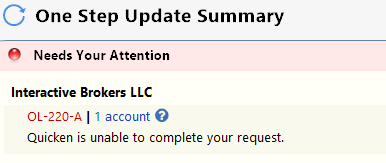
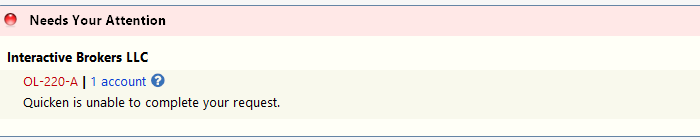
It prompts me for a password for Interactive Brokers to do error recovery. I utilized the token assigned by IBKR and the recovery process ends with an error OL-220-A - see below
Thank you.
0 -
@cfo175 Thanks again for following up. The OL-220-A error usually indicates an issue with the file Interactive Brokers is sending to Quicken, even if you can log in to their website without any problems.
This type of error can sometimes be caused by temporary server outages, file format changes, or even interference from a VPN. Following the steps in this OL-220 support article can help refresh the connection and ensure Quicken is receiving the latest file from IBKR.
If the error still continues despite waiting and refreshing, the next step would still involve contacting Interactive Brokers’ online services team, as I mentioned previously for the other OL-292 error, since resolution depends on their server and file format.
Hope this helps!
-Quicken Anja
Make sure to sign up for the email digest to see a round up of your top posts.0 -
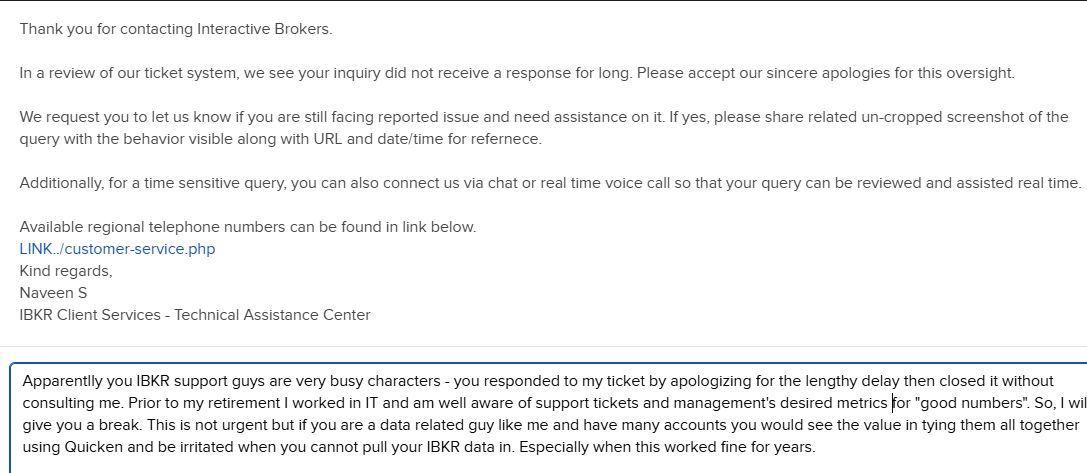
Hello zero progress on this issue with Interactive Brokers but maybe some humor -
0 -
So far, no luck with IBKR but I dd update my Quicken and now the error is OL-220-A. Screen shots are below. I did follow the suggested actions with no success.
0 -
Hello @cfo175,
Thanks for keeping us updated and for sharing all the details and screenshots. Since you’re now consistently seeing OL-220-A despite updating Quicken and attempting the troubleshooting steps, the next step is to work directly with Interactive Brokers.
As noted in the OL-220 support article:
You will need to contact your financial institution to resolve this issue. Quicken does not have access to the financial institution's servers to correct the problem. This may require you ask to speak with an online services specialist that handles transaction download issues at the financial institution.
If your financial institution states they can't assist, an escalation with the financial institution may be necessary.
Because OL-220-A usually indicates a problem with the file or data being sent from Interactive Brokers, their support team is best positioned to investigate and correct it. When you contact them, it’s often helpful to request a Tier 2 or online services specialist, as they are more familiar with third-party connections like Quicken.
Thank you!
-Quicken Anja
Make sure to sign up for the email digest to see a round up of your top posts.0 -
Hi, I am having trouble connecting to IBKR. Since last month, there has been no connection. I went to the IBKR website, reactivated Quicken, and saved it. However, the connection error is the same. The error prompts you to review your login and password.
0 -
Hello @Juliano,
Thanks for adding to the thread. To help us determine next steps, could you clarify which specific error code you’re currently receiving when attempting to connect to Interactive Brokers? If possible, please include a screenshot of the message you’re seeing (you can blur or cover any personal information).
If needed, please refer to this Community FAQ for instructions on how to attach a screenshot. Alternatively, you can also drag and drop screenshots to your response if you are not given the option to add attachments.
Once we know the exact error code, we’ll be able to provide more targeted guidance.
Thank you!
-Quicken Anja
Make sure to sign up for the email digest to see a round up of your top posts.0 -
Hello, since I originally reported this issue, I just wanted to advise that Interactive Brokers has been zero help . They generated a new query ID/token for my account, and the problem remains even after I deactivate/reactivate online updates to my account. The closed my original web ticket and referred me to the "Reports Integration Team", email: reportingintegration@interactivebrokers.com
The one person on this team last responded to me three weeks ago so I assume this team doesn't have many members, or they dump troublesome tickets to it and forget them.
Perhaps Quicken's tech team has some back channel to this team?
Anyway, below is my error
0
Categories
- All Categories
- 56 Product Ideas
- 36 Announcements
- 223 Alerts, Online Banking & Known Product Issues
- 22 Product Alerts
- 701 Welcome to the Community!
- 671 Before you Buy
- 1.2K Product Ideas
- 53.7K Quicken Classic for Windows
- 16.3K Quicken Classic for Mac
- 1K Quicken Mobile
- 813 Quicken on the Web
- 111 Quicken LifeHub