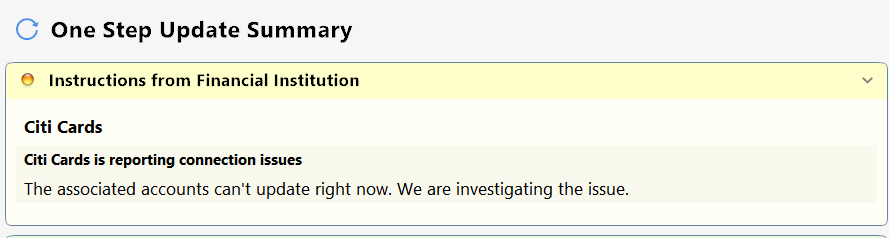
Citi Cards seem to be downloading OK now, but the yellow warning remains from when the downloads were failing. Is there a file to edit to get rid of the yellow warning?
I am assuming you may have already seen prior reports of the yellow warning, like this one?
Hello @Rocket J Squirrel,
Thanks for reporting this!
Several users in the past few months have reported that the steps below have resolved this error for them:
📌 Note: The ProgramData folder is hidden by default. If you need help accessing it, Microsoft's support site has instructions on how to unhide folders.
Additionally, this is also considered a known issue, particularly with Citi, and has been escalated internally. To assist in our investigation, please provide the following and let us know once you have done so, so they can be added to the open ticket:
Thank you! (CTP-14158)
@Rocket J Squirrel ,
Unfortunately there is no solution yet to this sporadic issue and many of us have reported it multiple times. The good news is that for most (or all?) users, the data does get downloaded. So it is just a sporadic cosmetic message and for me it shows up maybe 40% of times. There are a few posts on this and here is a 4 page post where other SUs have participated as well.
FYI I disconnected my Citi account, deleted the authorization on the Citi website and then did a complete and "clean" uninstall and reinstall of Quicken, added my account to a new Quicken file and the message came right back up! So my testing suggests that the issue is not on our end. I have experienced it for about two months and most of us have given up and just live with it.
We suggested multiple times to the Quicken team to add this to their product alerts and nothing so far.
That would not be a good assumption. I don't know how I missed the previous threads.
Using Windows File Manager to rename the runtime.dat
Renaming runtime.dat did not work for me. Strangely, subsequent OSUs failed to update any EWC+ accounts. I had to revert to my previous runtime.dat.
Searching inside runtime.dat does turn up a block of info containing the warning message. I don't feel confident deleting that text, though.