How to add Discover credit card in the monthly bills due to automatically update without adding it as and account with my bank.
Hello @DMH532,
Thanks for reaching out!
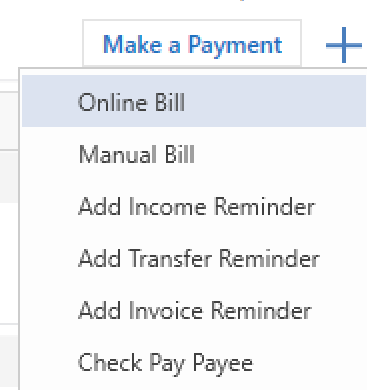
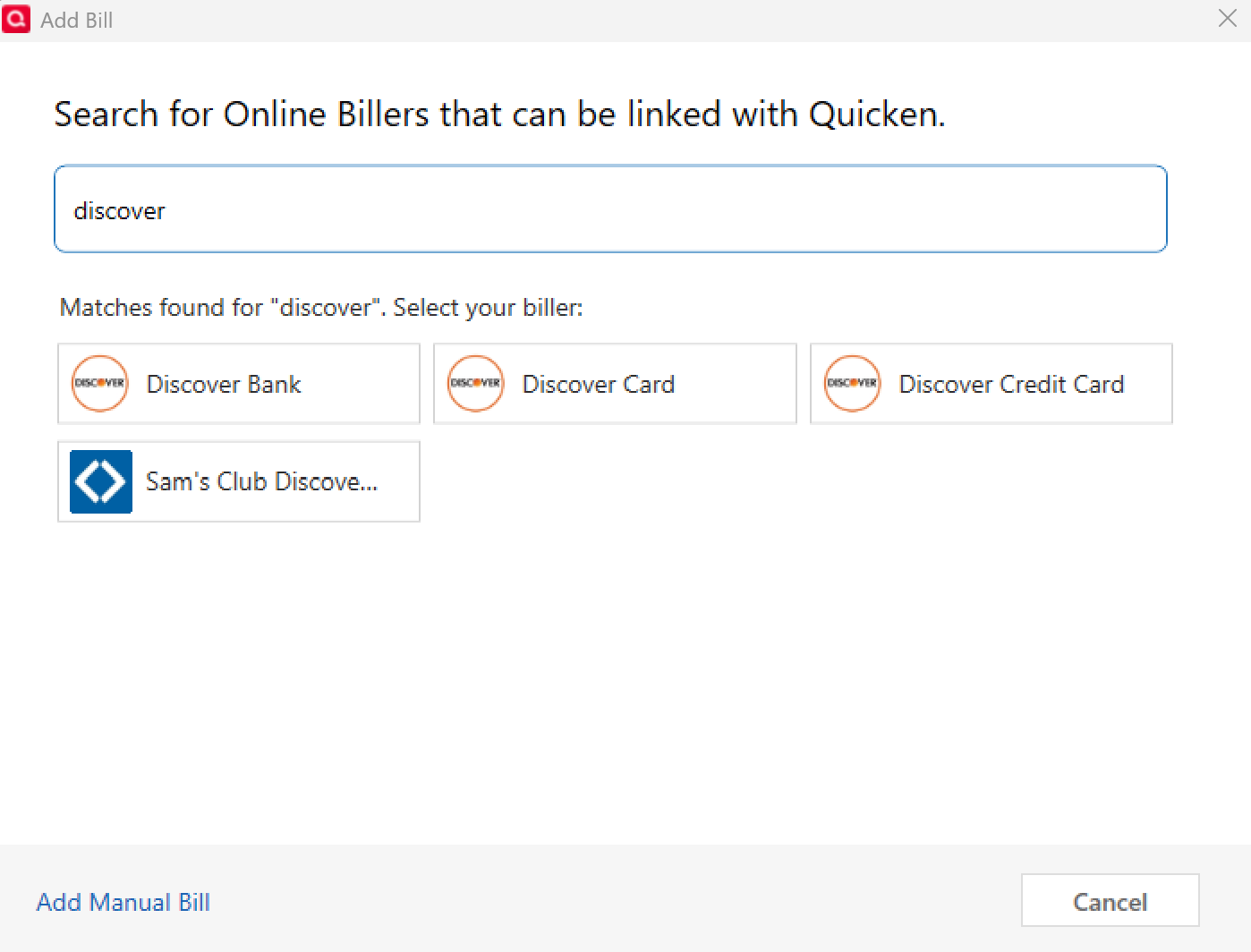
To set this up, please follow the instructions provided below:
This should allow you to link your Discover credit card so that the bill updates automatically in Quicken without needing to add it as an account set up for transaction downloads.
Hope this helps!
It still adds it as an account
@DMH532 Thanks for your follow-up! To better understand what’s happening, could you please provide a screenshot of what you’re seeing after adding Discover as an Online Biller from the Bills & Income tab?
Specifically, I’d like to see where it appears to be creating an account so I can confirm whether it’s being added as a biller only or linked as a financial account.
If needed, please refer to this Community FAQ for instructions on how to attach a screenshot. Alternatively, you can also drag and drop screenshots to your response if you are not given the option to add attachments.
This will help me pinpoint what’s going on and guide you with the right steps.
Thank you!
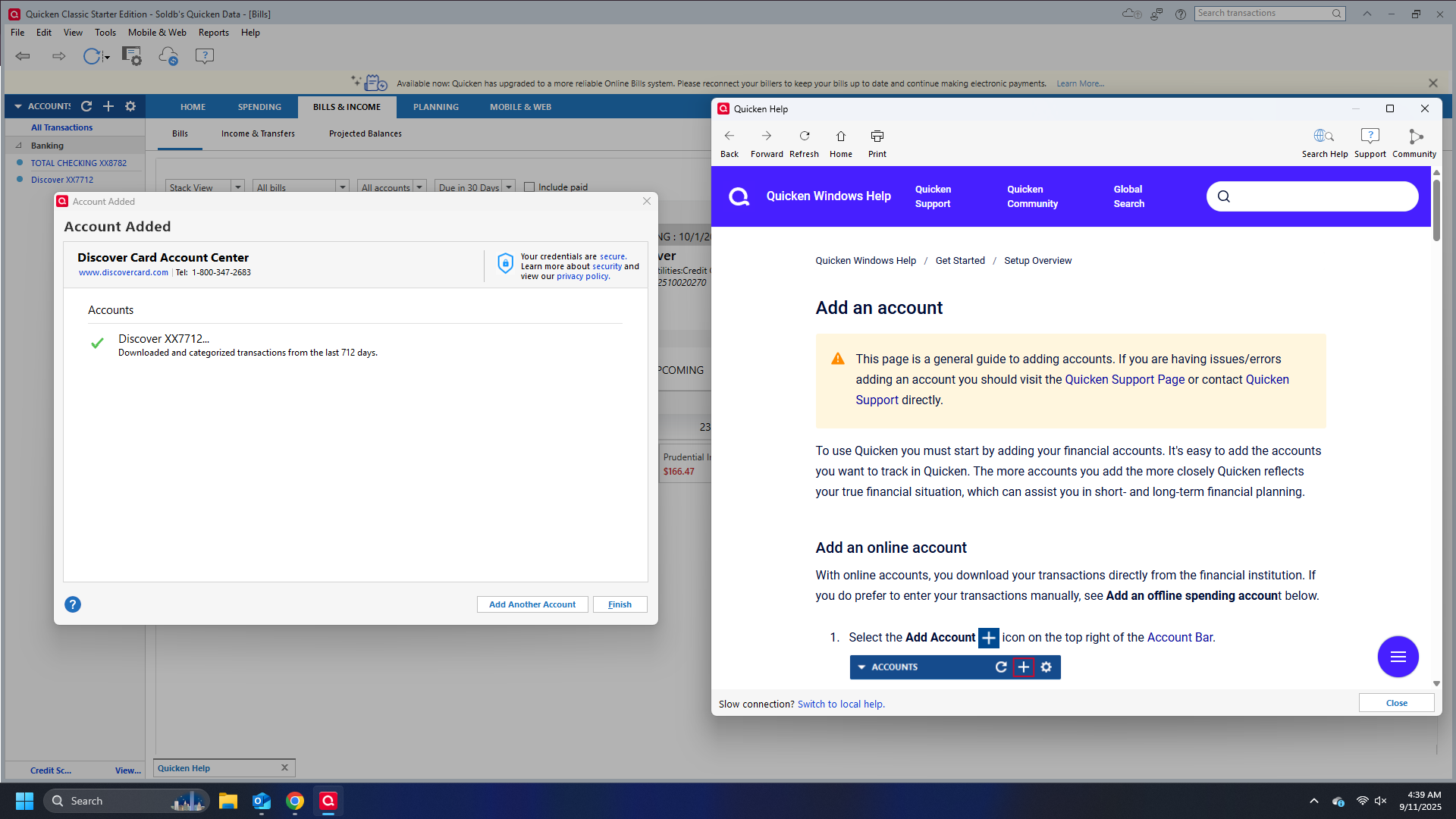
This is what happens when I link to biller on the bills and income also when I create a bill. I get the same results on the left.
@DMH532 Thanks for sharing the screenshot—that’s very helpful!
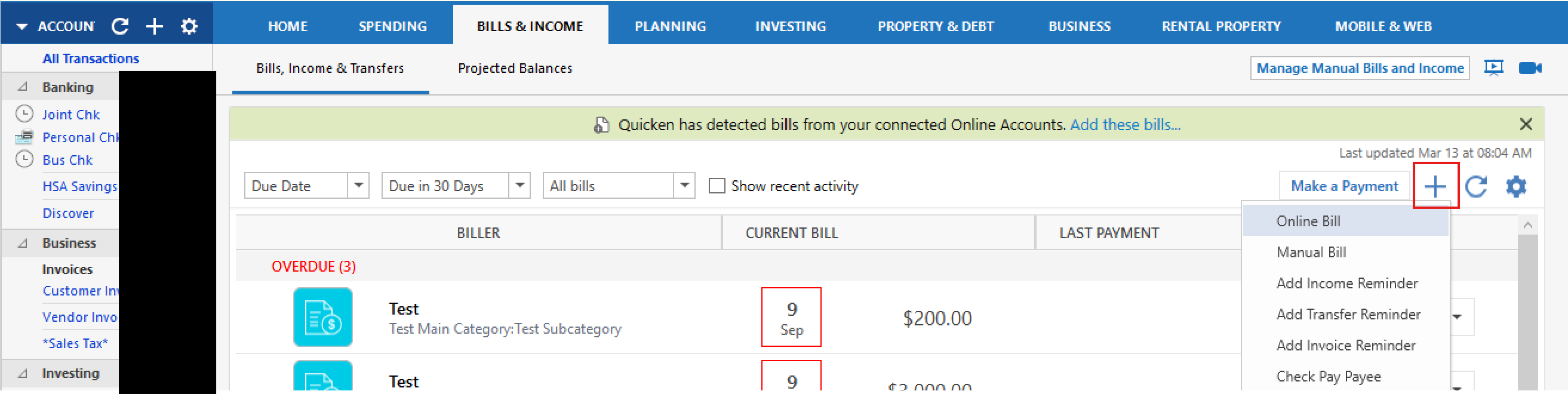
Just to double-check we’re on the same page: when you’re adding Discover, are you clicking the + sign on the top-right of the Bills & Income tab and then choosing Online Biller from the dropdown menu? That specific option should take you through the Online Biller setup flow without creating a new account.
If instead you’re clicking the + sign on the top-left, that one opens up the list of financial institutions, which will try to add it as a connected account instead — and that could explain the screen you’re seeing.
Could you confirm which + sign/menu you’re using? That’ll help me narrow this down further.
Thanks again for working through this with me!
Yes I am using the one on the income and bills. It has three discovers to add. I pick the Discover credit card and it still adds it to the accounts.
It is putting the balance on the left. I only want the bill reminder.
Hi @DMH532,
Thank you for your patience while I investigated this further. It turns out that for Discover, Quicken requires the account to be added for transaction downloads in order to set it up as an Online Biller. There isn’t an option to add it as a biller only if the account hasn’t already been set up for downloads.
I didn’t notice this initially as I already had my own Discover account set up for online downloads—so when adding it as a biller, it didn’t prompt me to create a new account. Once I deactivated the account from transaction downloads and then attempted to add it as a biller, it prompted me to add it as an account exactly as you’re experiencing.
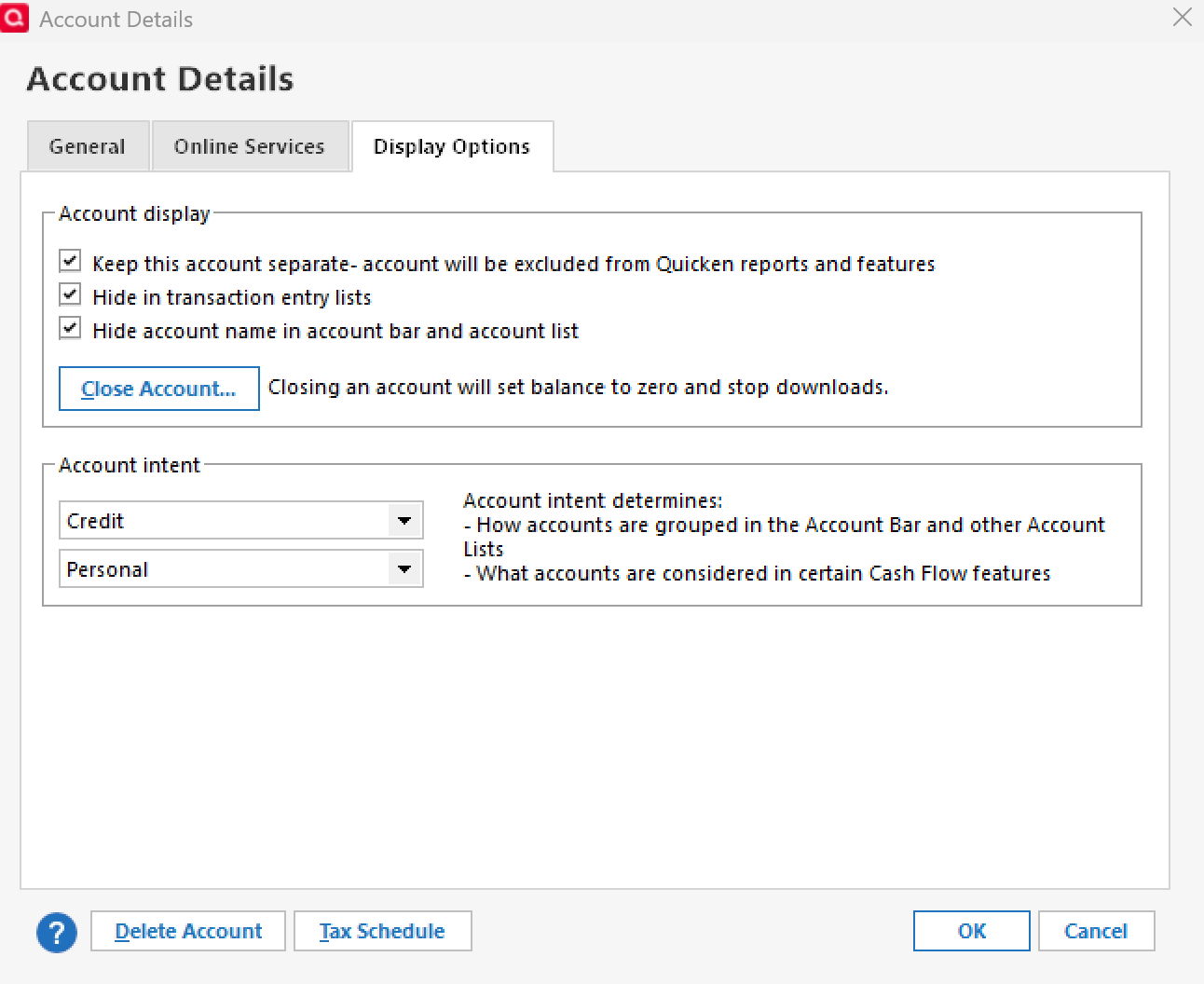
As a workaround—you can keep the account set up for transaction downloads so the Online Biller can be added, and then hide the account in your account list if you don’t want it visible. This way, your bill reminders will work properly without cluttering your account view. To hide the account:
I know this isn’t the workflow you were hoping for, but it’s how the current Discover integration works. Thanks again for working through this with me!
Thanks
You're welcome!