Add a note field to Bill and Income Reminders

Tom-R
Tom-R Member ✭✭✭

Some bills are automatically paid and some are not. I would like a way to identify which is which on the Bill and Income reminders box. I don't want to use the auto enter on Quicken because I want to be sure the money is available in the account before it is entered. Having a note field would be useful for this along with any other identification I would use for a bill. The memo field on the bill does not display on Bill and Income Reminders.


2
2 votes

Reviewed · Last Updated

Comments

  • Jim_Harman
    Jim_Harman Quicken Windows Subscription SuperUser ✭✭✭✭✭
    edited September 13

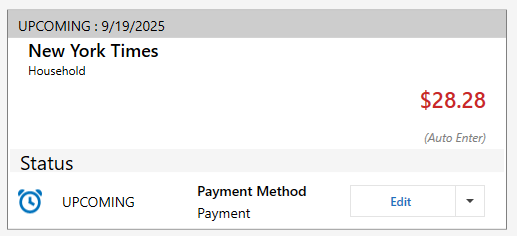
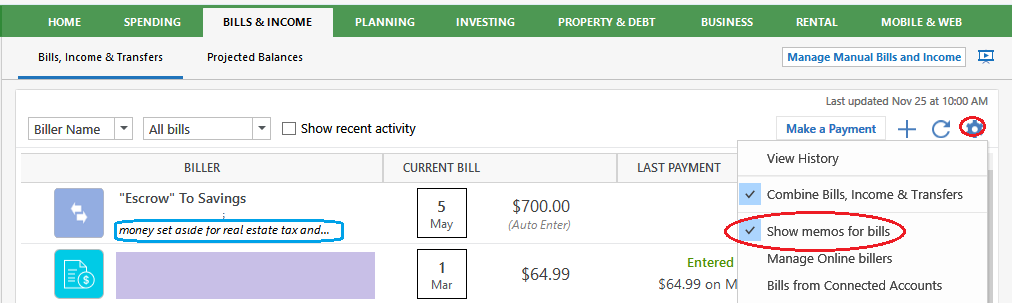
    Have you tried the Stack view on the Bills and Income page? That shows whether a Reminder is auto entered and also shows the Memo if there is one.

    I wish it also showed the account that it will be paid from or deposited to.

    image.png
    QWin Premier subscription
  • Philip107
    Philip107 Quicken Windows Subscription Member ✭✭✭✭
    edited September 14

    I have asked for this same thing, but it dies on the vine and then disappears from the Community.

    I use the Bill and Income Reminders widget that can be added to a Home tab customized view. I think Quicken needs to start adding more user options to select what fields are displayed in many of their views. The Comment or Note field from a payment or bill is quite reasonable to want viewable.

    Good luck.

    ----Quicken User since 1998 ----