Windows Quicken Deluxe: Ver. R64.25 Build 27.1.64.25
Mac Quicken Deluxe: Ver. 8.3.1
Windows QDF File size: 35MB
Figured I would reach out to the community to see if anyone has ever come across this error before. I am including a copy of the error.
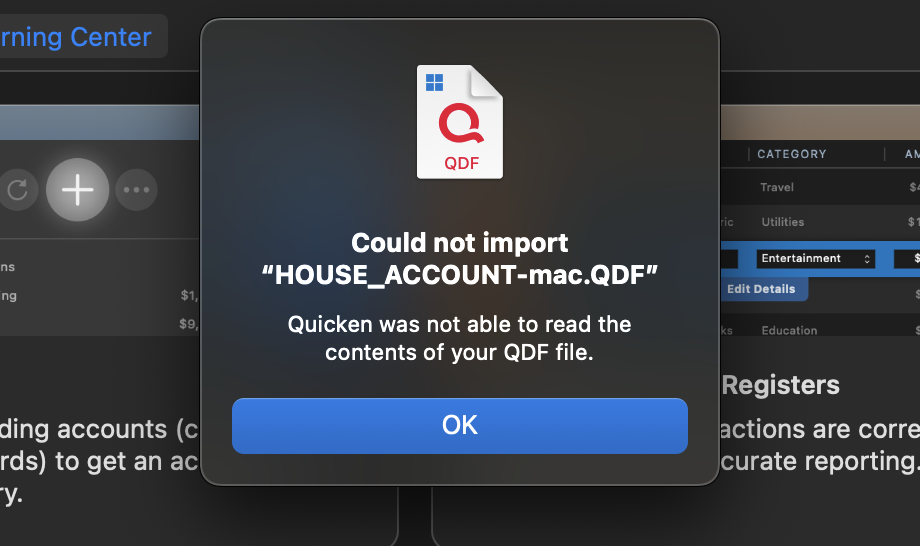
I have followed all the instructions provided on the support page. I even went through the process on my Windows file of doing a "Validate" and then doing a "Super-validate" (holding CTRL+Shift when you click Validate), and each have no errors returned under the logs.
I also tried all of the following:
- Unhide the accounts I originally had hidden
- Tried to use the backup file to import into Quicken for Mac instead of using the original file
- Tried to create a new "copy" of the file through the Copy feature in Windows Quicken. Even tried the "Super-copy" version of this (i.e. using CTRL+Shift when click Copy/Backup)
- I tried to create a smaller version of my file with just 2025 data in it.
- I tried creating a QFX export, and I received the same error as above, just having the QFX replaced as the file name
- I tried the import process by double clicking the windows quicken file on the Mac;
- I also tried the other way of doing the import process by opening Quicken on the Mac then choosing File—>New—>From Windows file
Nothing I tried would allow me to convert my Windows Quicken File to Mac. A couple of additional interesting facts:
- My brother, who has the same version of Windows Quicken as me on his own computer, is having the same problem when he tries to convert his file to Quicken Mac. He has his own MacBook Air M4. He gets the same errors.
- We have tried moving the file from the Windows computer to the Mac via USB Drive, iCloud, and OneDrive; all produce the same size file on the Mac, and the same issue.
- As far as we can tell, the Quicken Windows file is not corrupt. It opens fine in Quicken on multiple PC. I can even open his file, and he can open my file. We could open the file on a backup PC that I have at my home.
I reached out to support, but they indicated they had not seen this error before. They are going to get back with my mid-week, but I figured I would start here in the community to see if anyone else has had this issue before.
A couple last pieces of information that I am not sure if it matters or not, but trying to give all the details:
- Both my brother and I enter all of our transactions manually. We do not allow the transactions to download from the bank.
- We typically do not mark the transactions as "cleared" or reconciled. But we DID go back and do this across all accounts, but still got the same errors as above.
- I have the balance (not specific transactions) of my 401k account with Fidelity download to my file, but he does not have anything download to his file
- I use the Cloud/Mobile App to view my file data, which works perfectly with no errors on that side with the uploads that come from this Windows Quicken Data file. (I did delete my cloud file prior to trying the migration to Mac)
- Neither of us use a VPN for internet connection.
Anyone seen anything like this? Any thoughts? I really would prefer to run Quicken Natively on Mac and not have to deal with Parallels or any other emulator tool just for this one app. Thanks!


