I have 4 Vanguard brokerage accounts. Need help. One does not work w/one step update
Environment: Windows 11 Dell laptop; Classic Quicken; Direct connect.
The problem began in Feb 2025 with a two-week Vanguard outage OL-295-A. After quite some flail (very involved following mention in Quicken Community pages), I was able to reconnect and resume one step update except for Individual (taxable) Brokerage. With this account, two of ten security prices update on one step maneuver. I do manual update transactions from the Account gear wheel in order to establish a full set of last done prices. However, to download new transactions for this brokerage, I must log on to VG web and do the OFX download procedure there. How to fix this and get full use of one step update? I tried reset. I tried deactivate and reactivate and had a nightmarish case of losing transaction view (but I was able to restore that). Back in Feb when this first went south, I used a Windows 10 laptop but at long last switched in Sep 2025 to the present Windows 11 machine. Hence, my delayed timing of questions. Not sure, but part of the problem MAY be that old mutual fund account numbers changed to different brokerage account numbers some years ago - still need the old account number for reactivation. In any event, this seems too hard.
[Edited-Readability]
Answers
-
Hello @Chuck M,
Thanks for reaching out to tell us about this issue!
To better assist you, could you please provide the following details?
- Where is your Quicken data file stored—on your local hard drive (e.g., C: drive), or on a cloud/external drive (such as OneDrive, Dropbox, or USB)?
- Is your file being synced by any third-party cloud services like OneDrive, Dropbox, or iCloud?
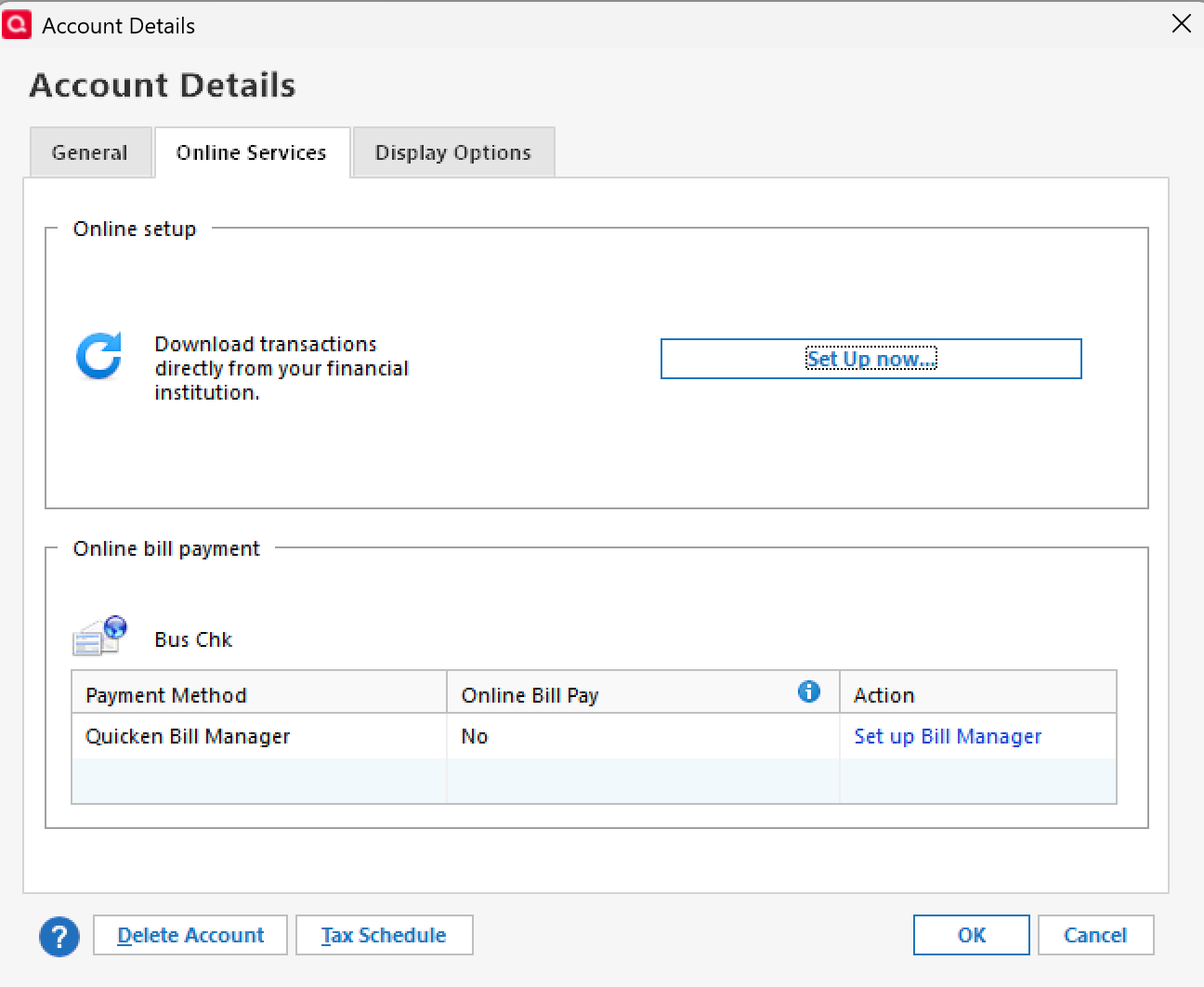
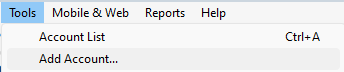
- Do you use Set up Now in the Online Services tab, or Tools > Add Account?
- Set up Now
- Tools > Add Account
Your answers will help us diagnose the issue more effectively.
Quicken Alyssa
Make sure to sign up for the email digest to see a round up of your top posts.
0 -
Storage - current Win 11 machine on One Drive. Formerly on C drive or external hard drive (Win 10).
Sync question - not sure I understand - possibly.
Set Up Now? The VG/Quicken account in question dates from 2006. I don't remember all steps I took to restore after VG outage in Feb 2025 but I had baseline work to do for all four accounts and had to research old mutual fund account numbers. If memory serves, the one essential hangup was with the Individual account. After making sure I had full transaction data (no apparent errors), I saw that One Step Update was not functioning as I previously indicated. My layman's assumption is the Individual account file sustained limited damage affecting update communication with VG. I took liberty recently of doing file repair/validation procedure. Nothing changed; no clue from that. This morning I noticed/confirmed that One Step Update report cumulative number of transactions across all four accounts accurately but the Individual Account transactions simply do not drop - I have to go up to web and pull them. The other three accounts seem wll behaved in Quicken terms. Is my trouble something that VG needs to fix at their end?
Thanks for your help.
Chuck M
0 -
Hello @Chuck M,
Thank you for following up and providing more information.
My first thought is along the same lines as what you mentioned, that maybe the file is damaged. It could just be that account alone that is damaged. You could try adding that account as new and seeing if that fixes it. That would help rule out whether it is a Vanguard issue or a Quicken issue.
In general, if the file has any damage, we want to make sure we identify what could be causing it, so we can prevent it from happening again.
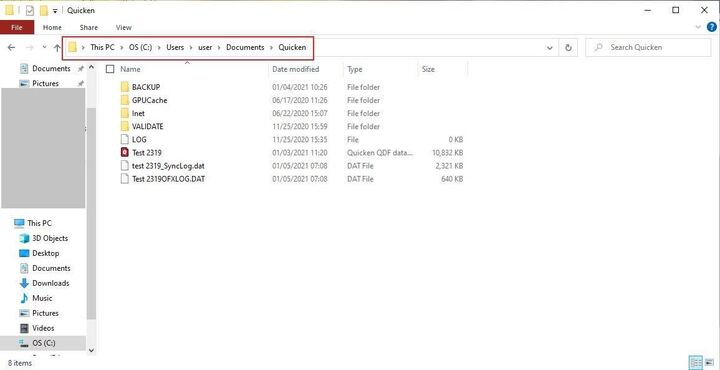
I think a good place for us to start is by having you move your data file off of OneDrive and back onto your hard drive, specifically the C drive. The default path for a Quicken data file on Windows is C:>Users>username>Documents>Quicken, and that is where we recommend keeping it.
That being said, you can really store it anywhere that is local, and not being synced or backed up by a third-party service. I know that portion was confusing to you when I mentioned it in my last response, too, so let me try to explain.
Many people now use cloud services to back up their files; this is not specific to Quicken at all. Sometimes people have their entire computer backed up. It's basically a safeguard and a convenience. This way, you can log in on another computer and have access to everything from the first computer. However, when Quicken files are handled this way, damage can occur.
Once the file is moved and no longer being synced, if that applies, check to see if the problem still exists. It likely will, so then we move on to more data file troubleshooting steps. Those steps can be found this this Support Article. We have this Support Article as well, if the steps in the first one don't resolve it, but I think they will.
Let me know how it goes!
Quicken Alyssa
Make sure to sign up for the email digest to see a round up of your top posts.
0
Categories
- All Categories
- 56 Product Ideas
- 36 Announcements
- 223 Alerts, Online Banking & Known Product Issues
- 22 Product Alerts
- 701 Welcome to the Community!
- 671 Before you Buy
- 1.2K Product Ideas
- 53.7K Quicken Classic for Windows
- 16.3K Quicken Classic for Mac
- 1K Quicken Mobile
- 813 Quicken on the Web
- 111 Quicken LifeHub