PNC bank not accepting check information from quicken
PNC Bank accounts linked to quicken via direct connect.
Windows classic is correctly transferring account transactions, but when I create a check information quicken to send to the bank, the check does not transfer.
After the one step update, the check shows in the register, but no errors are displayed.
PNC says the checking information is set to be accepted.
Comments
-
Hello @rhm3421,
Thanks for the details. To help narrow down what’s happening, could you clarify a few things?
- Do you have Bank Bill Pay set up for the payment account? You can check by going to Tools > Account List > Edit > Online Services tab.
- How are you inputting the check information into the register?
- Do you see the transactions in the Online Center (under the Payments tab)?
Thank you!
-Quicken Anja
Make sure to sign up for the email digest to see a round up of your top posts.0 -
Hi Anja,
- Bank bill pay is set to yes for both accounts
- I don’t know how the information got into the register. It shows an open envelope in the first column, the date, then the word send in the third column
- Yes the transaction shows up in the payments tab of online center. This is where I entered the information.
- I updated the DATE on the transactions since the old date passed. I tried again, same result.
- I noticed that an October 1 transaction did not get downloaded.
-Rich
0 -
Thank you for your reply,
The transaction would be automatically entered into your register when you create it in the Online Center. What is happening when you try to send the payment? Are you trying to send it while running One Step Update? Are you using the Update/Send button in the Online Center? Are you seeing any evidence that the payment is scheduled with PNC, or is the financial institution not receiving the information from Quicken? Are your PNC accounts updating in Quicken?
If you have not closed and reopened your Quicken program recently, I recommend that you close Quicken, wait about 5 seconds, then open Quicken and try sending the payment again.
I look forward to your response!
Quicken Kristina
Make sure to sign up for the email digest to see a round up of your top posts.
0 -
I have tried sending transactions via one step and via update/send button no difference in result.
I have closed quicken and rebooted PC several times with no change in result.
I see no evidence of the check requests on the PNC website.
The only indication that everything is not wonderful is that quicken asks if I want to send the checks before exiting. I have tried yes, but get same result— checks not transferred to PNC
0 -
Thank you for your reply,
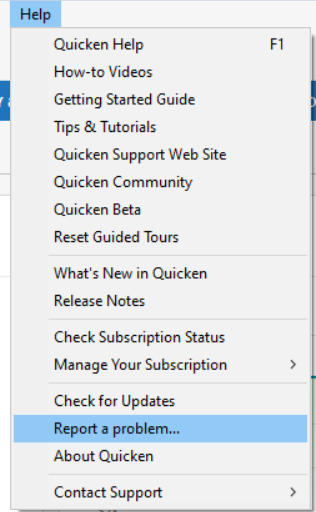
Since that troubleshooting did not resolve the issue, I'll need to review the OFX log to see if there is any additional insight into the problem. So that I can review that log file, please navigate to Help>Report a Problem and send a problem report with the OFX log attached (it should be pre-selected, along with other log files).
Please post to this discussion to let me know once you've sent the OFX log.
Thank you!
Quicken Kristina
Make sure to sign up for the email digest to see a round up of your top posts.
0 -
the problem report has been sent. PNC and Kristina are in the subject line.
Working on the PNC side as well, they say I need a quicken support case number for them to continue working on the problem. How do I get one of those? I’ll try the support number listed above the problem report.
0 -
Thank you for your reply,
Yes. If you need a case number, you would need to contact Quicken Support directly by phone or chat.
I can see that you did contact Quicken Support earlier today, and they gave you instructions on how to locate the OFX log. If they didn't provide you with the information, it looks like it's case number 11987245.
When I checked the OFX log that you sent with the problem report, it does not look like the transaction information is being sent.
Has PNC been able to assist?
Thank you!
Quicken Kristina
Make sure to sign up for the email digest to see a round up of your top posts.
0
Categories
- All Categories
- 56 Product Ideas
- 36 Announcements
- 223 Alerts, Online Banking & Known Product Issues
- 22 Product Alerts
- 701 Welcome to the Community!
- 671 Before you Buy
- 1.2K Product Ideas
- 53.7K Quicken Classic for Windows
- 16.3K Quicken Classic for Mac
- 1K Quicken Mobile
- 813 Quicken on the Web
- 111 Quicken LifeHub