Disable Quicken From Grabbing Paid Bills for BofA
Hello,
I have all my bills manually entered, and suddenly Quicken is not pulling the paid bills automatically. Now I have two entries in the bill and income reminders section. One for paid bills with a green flag and another for due bills. Can you please tell me how to disable Quicken from auto grabbing these bills?
Thank you
[Edited-Readability]
Answers
-
Hello @SpiritedUsual,
Thank you for your question. I know issues with billers are frustrating.
To unlink a bill, please, follow the steps below:
- Go to the Bills & Income tab
- Click on the dropdown arrow next to Enter(this button could say other things depending on how this bill is set up.) for the bill you want to unlink
- Click on Unlink from "name of biller"
Doing this only removes the bill's online connection, but not the reminder itself.
I hope this helps! Let us know if you have any additional questions!
Quicken Alyssa
Make sure to sign up for the email digest to see a round up of your top posts.
0 -
These bills are not linked via quicken. I am using the bank of america bill pay and quicken is grabbing them from that service automatically.
0 -
Hello @SpiritedUsual,
Thank you for those additional details.
To clarify, you would like to disable the bank bill pay option so that Quicken doesn't automatically update these as paid?
If so, you can disable bank bill pay by doing the following:
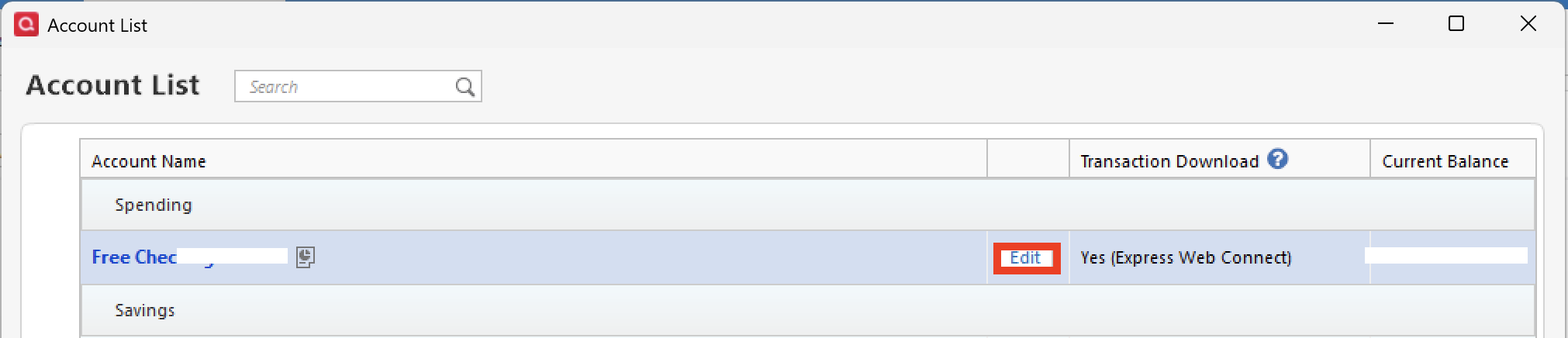
- Go to Tools.
- Select Account List.
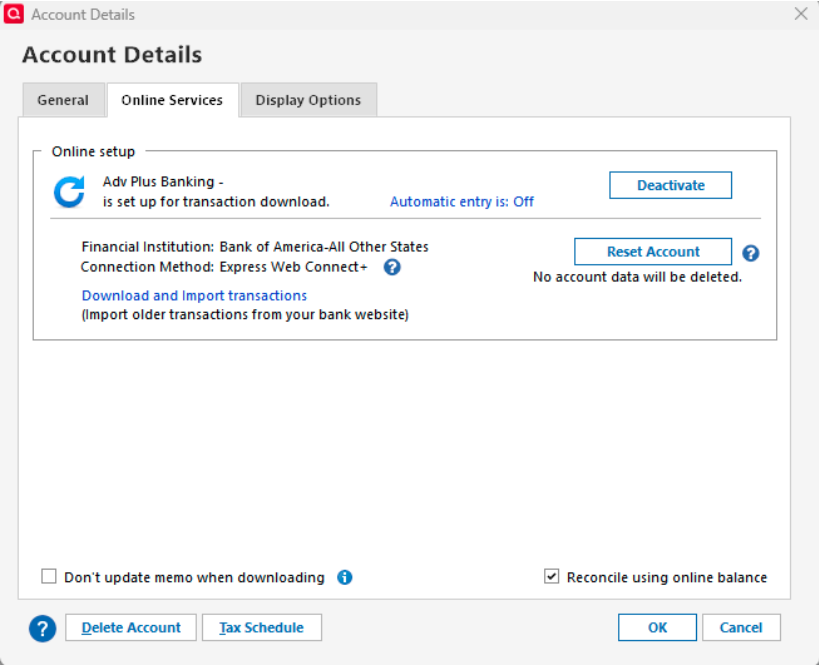
- Click Edit next to the account with bank bill pay enabled.
- Open the Online Services tab.
- At the bottom, there should be an option to disable bank bill pay.
Let me know if that accomplishes what you were wanting.
Thank you!
Quicken Alyssa
Make sure to sign up for the email digest to see a round up of your top posts.
0 -
Hi thanks for the follow up. Quicken is not updating my bills as paid. It is creating a totally new reminder marked as paid and leaving the manually created reminder as due or unpaid. But yes I want to disable this behavior. I also do not have the disable bank bill pay option.
[Edited - Removed partial account number]
0 -
Hello @SpiritedUsual,
Thank you for following up with additional details.
It sounds like your reminders are duplicating, which is strange. I have a couple of things I would like to check.
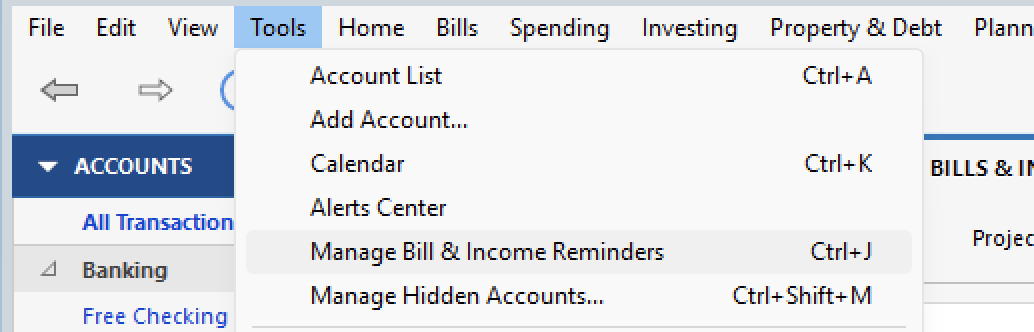
Can I have you go to Tools>Manage Bill & Income Reminders?
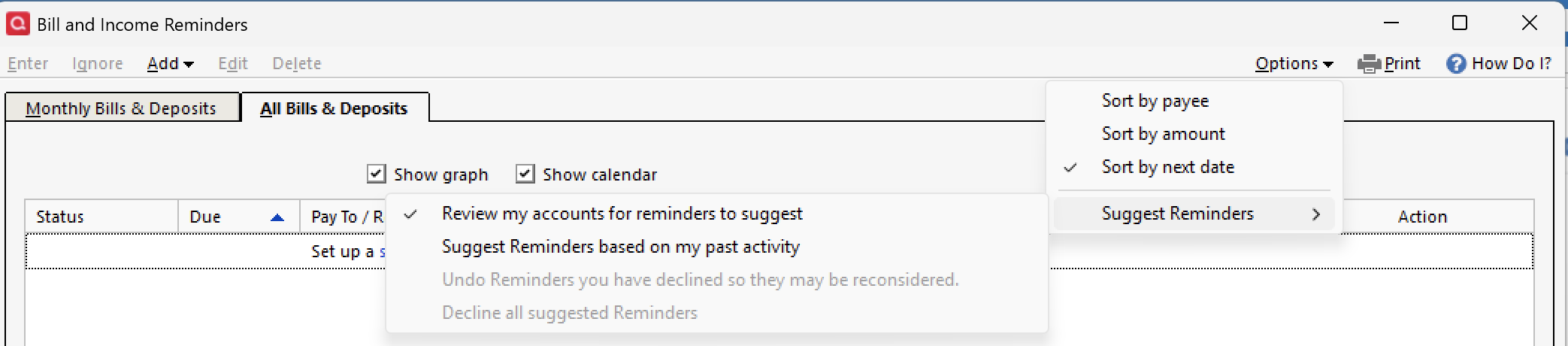
From there, go to Options in the top right, and then Suggest Reminders.
What options do you have checked off there? Also;
- Where is your data file located?
- Is your file being synced/backed up by any third-party services like Carbonite, OneDrive, Dropbox, or Norton?
Looking forward to your response.
Quicken Alyssa
Make sure to sign up for the email digest to see a round up of your top posts.
0
Categories
- All Categories
- 56 Product Ideas
- 36 Announcements
- 225 Alerts, Online Banking & Known Product Issues
- 22 Product Alerts
- 703 Welcome to the Community!
- 671 Before you Buy
- 1.2K Product Ideas
- 53.7K Quicken Classic for Windows
- 16.3K Quicken Classic for Mac
- 1K Quicken Mobile
- 812 Quicken on the Web
- 111 Quicken LifeHub