Does ExpressWebConnect+ require storing your financial information with Quicken???

Kipa
Kipa Quicken Windows Subscription Member ✭✭

I have Quicken Classic Deluxe for Windows (subscription). Apparently, I can no longer use Web Connect for downloading transactions with Bank of America (recent change I found out from another thread here). That thread states that the solution is to switch to ExpressWebConnect+ to download transactions from BofA.

Looking at the details around how Quicken implements DWC+, it seems that they require you to agree to have your financial data stored on Quicken servers (see below) to use that service. I do not want my financial information stored on Quicken servers. Is there another option for downloading transactions that doesn't require me to agree to store my financial information with Quicken?
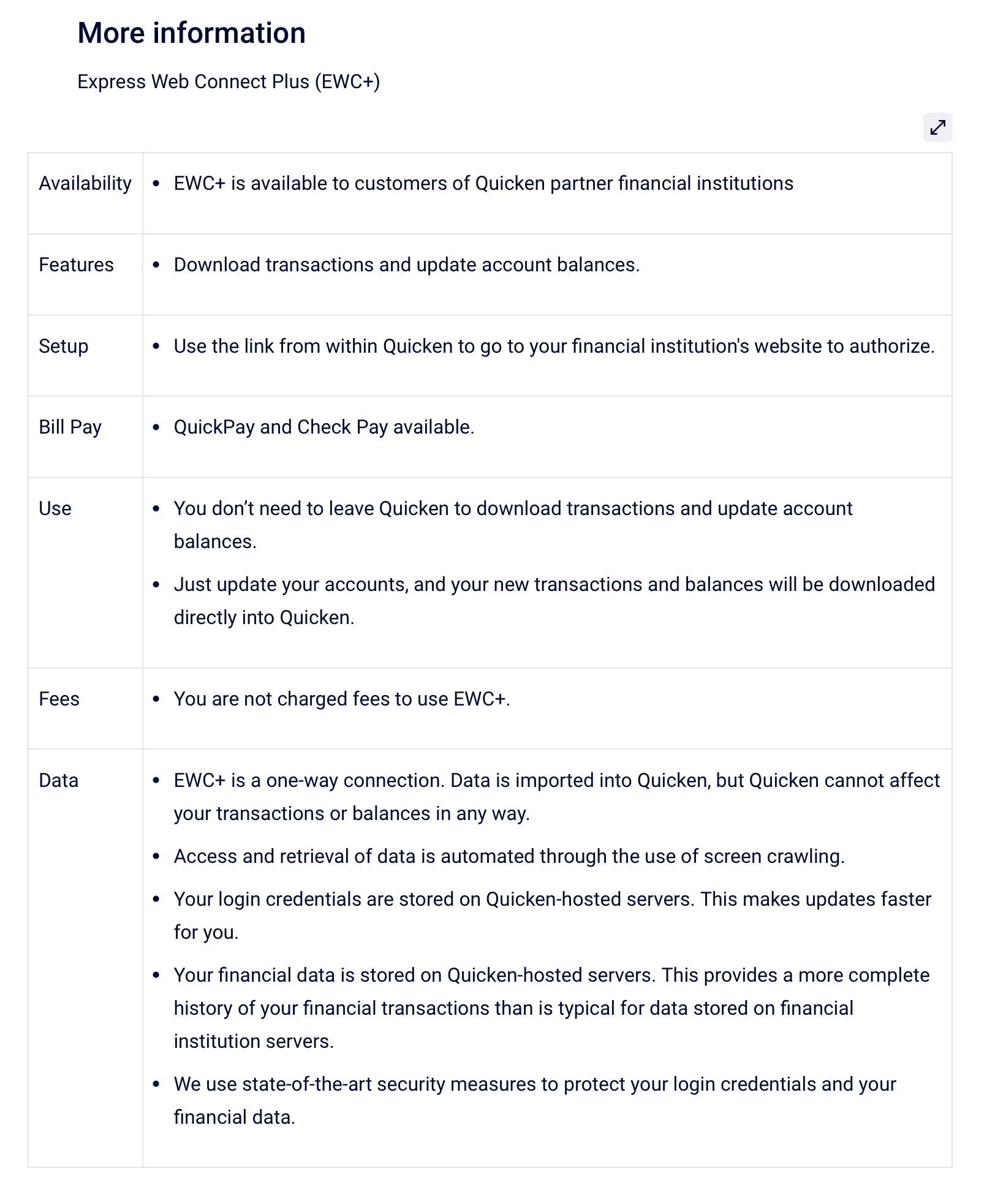
Screenshot 2025-10-03 at 4.11.49 PM.png

Best Answer

  • NotACPA
    NotACPA Quicken Windows Subscription SuperUser ✭✭✭✭✭
    Answer ✓

    Nope, no other option since BofA NOW only supports Express Web Connect+.

    Changing banks is the only other thing you could do.

    Q user since February, 1990. DOS Version 4
    Now running Quicken Windows Subscription, Business & Personal
    Retired "Certified Information Systems Auditor" & Bank Audit VP

Answers

  • NotACPA
    NotACPA Quicken Windows Subscription SuperUser ✭✭✭✭✭
    Answer ✓

    Nope, no other option since BofA NOW only supports Express Web Connect+.

    Changing banks is the only other thing you could do.

    Q user since February, 1990. DOS Version 4
    Now running Quicken Windows Subscription, Business & Personal
    Retired "Certified Information Systems Auditor" & Bank Audit VP

  • Kipa
    Kipa Quicken Windows Subscription Member ✭✭

    Found a workaround by downloading a .csv file from the bank, formatting it to be able to upload into Quicken (instructions here: https://info.quicken.com/win/import-transactions-from-csv-file), then uploading the file into Quicken.

    Downsides include: 1) it took several extra minutes to format the *csv file, 2) the formatting of the data sucks (Payee info in all CAPS from BofA), 3) you have to ensure you are picking up the right transactions to upload - the system won't help you here, transactions upload directly into the register, can no longer reconcile to an "online balance" as Quicken isn't talking to BofA at all here.

    Not sure I like this as a long term work-around. Another "first world problem".

This discussion has been closed.