VISA download changed amount of existing transaction

I saw something odd when I downloaded transactions yesterday: I had a VISA transaction that I had manually entered, which was for an Amazon order. I create the transaction for the entire order, but of course Amazon breaks it up in multiple shipments, individually billed.
In the past Quicken would have created a separate transaction, because the amount and date didn't match mine. But this time it changed my transaction: changed the total amount, and added a fictitious split to make the total equal to that amount. It also changed the date of the transaction, despite having "Use posted date for matched transactions" de-selected in the Settings.
Is this change in Quicken behavior on purpose? I don't think Quicken should be messing with what I've entered.
Comments
-
Hello @Michael Schmitt,
Thanks for your question — I can imagine how confusing it must be to see a previously entered transaction suddenly change like that.
One thing to check is whether a QuickFill Rule might have been applied automatically and updated the amount. Could you take a look and see if that might be the case?
- With Quicken open, go to Window, at the top of your screen.
- Select Payees & Rules from the menu options.
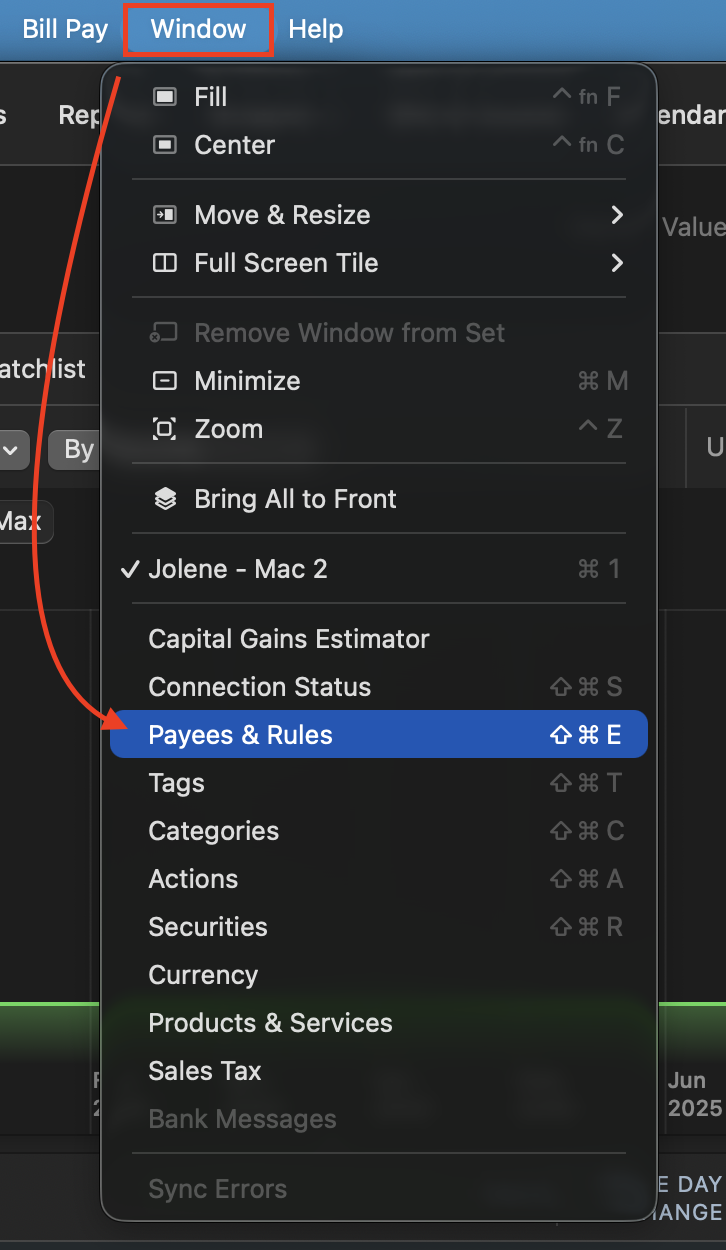
3. Click on the QuickFill Rules tab.
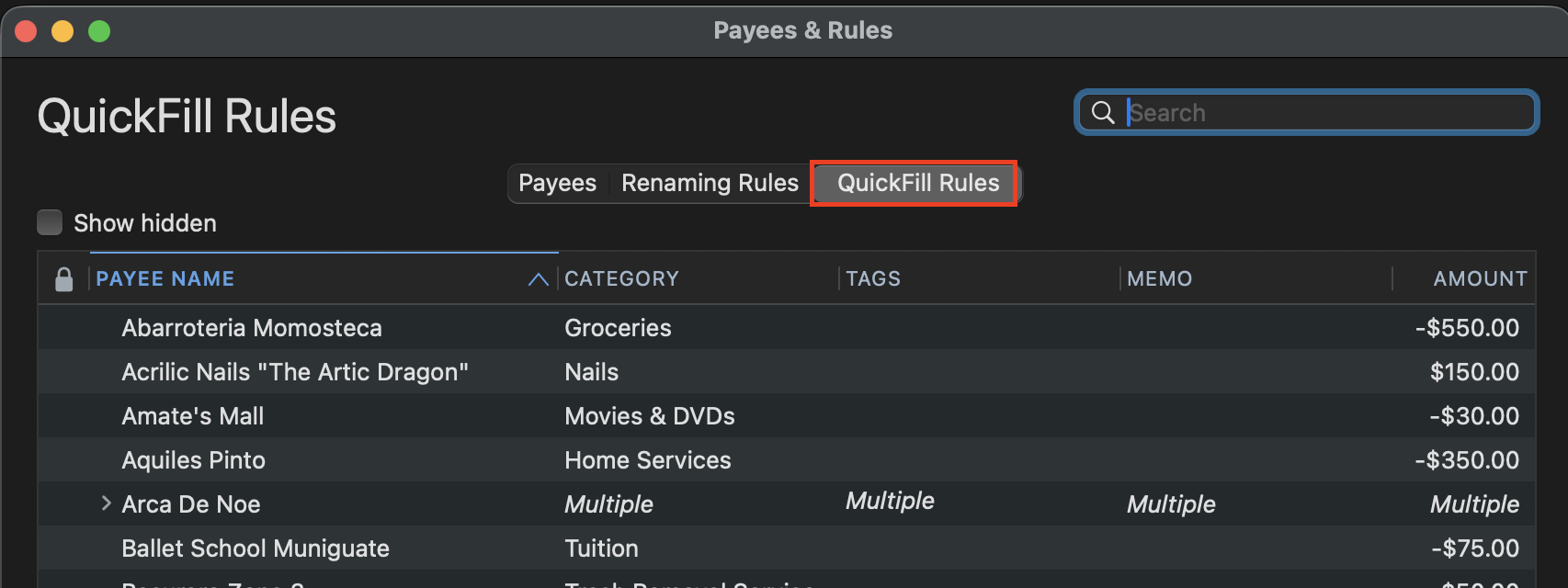
4. Check to see if you have any of these rules for Amazon.
Let's start with this. Let me know what you find.
Quicken Alyssa
Make sure to sign up for the email digest to see a round up of your top posts.
0 -
Yes, the QuickFill rule that was created when I manually entered the Amazon transaction!
0 -
Hi, @Michael Schmitt
I manually enter my transx and download to match as well. The behind the scenes logic is that if the difference downloaded differs by a smaller amount from what you entered (which I suspect), it will 1) (for non split transx), retain all your data, but use the amount downloaded, or 2) (for split transx), update the parent line to the downloaded amount, and add an adjusting child line for the difference which is what you are seeing.
Being that the date is showing as the posted date, I suspect that you really are looking at a downloaded transaction and not a matched one, and it used your QF rule based on the saved one for the entire order. And it entered the adjustment.
For merchants such as Amazon that might bill in separate transactions as various parts ship, I I have a rule with no splits and lock that to make it the default for that merchant.
Moreover, if Amazon is billing in separate transactions, you need to keep it that way in Quicken and not a split for the entire order. (Sometimes we don't know this before the order actually ships.) Otherwise, you won't be able to match correctly/reconcile.
0 -
That's what it sounds like it did, but I've never seen this behavior before. What I've seen is that the download doesn't match, even if it is only different by a small amount.
0 -
Hello again @Michael Schmitt,
Thank you for following up.
I would try deleting that QuickFill rule to see if it resolves the issue. To do that:
- Go to Window.
- Select Payees & Rules.
- Click on the QuickFill Rules tab.
- Select the rule you want to delete.
- Click the minus sign(-).
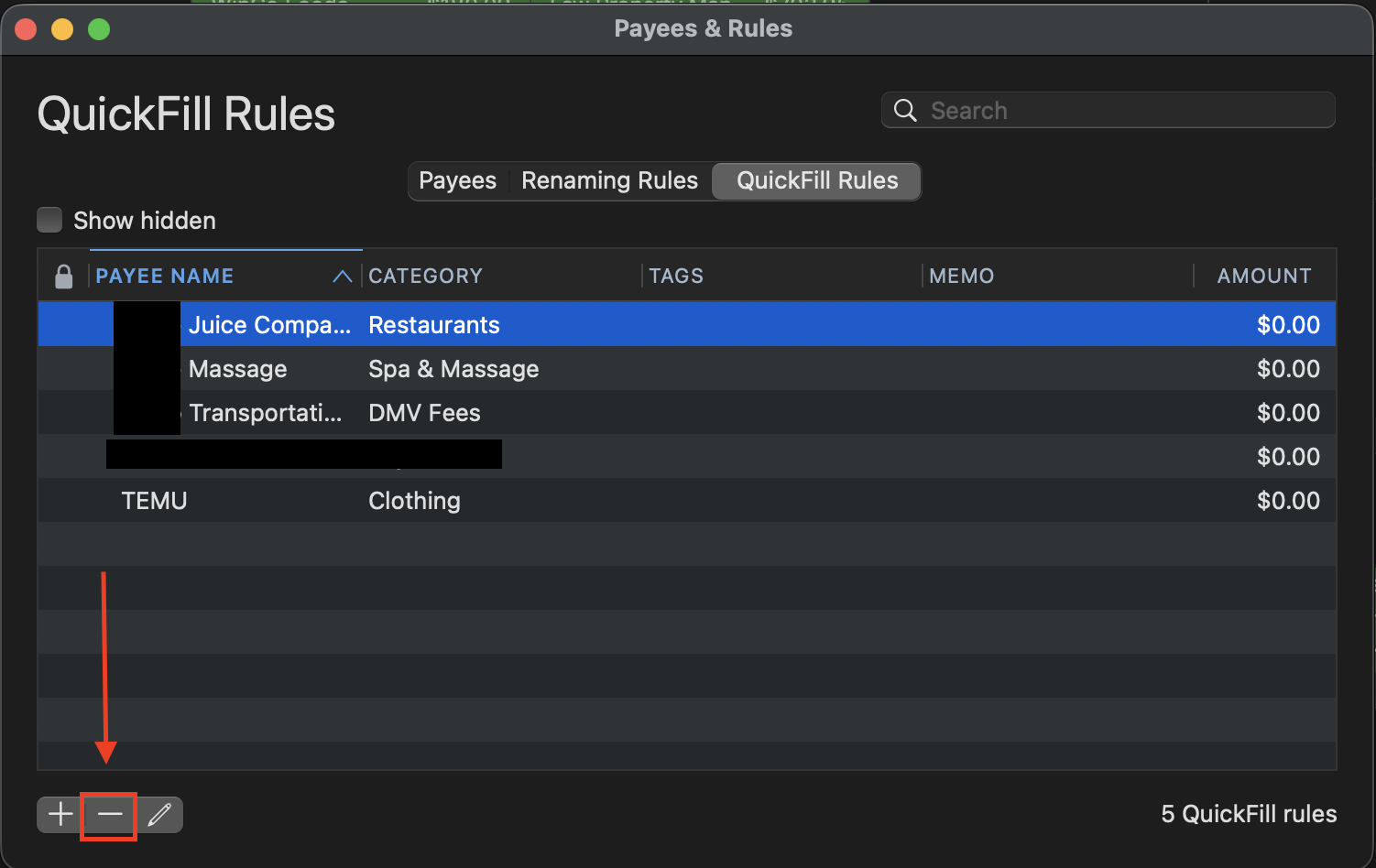
Let us know if this resolves it!
Quicken Alyssa
Make sure to sign up for the email digest to see a round up of your top posts.
0 -
For merchants like Amazon that might have irregular splits/billing in separate transactions, I found that it is best to create a $0, no Cat, no tag, no memo Locked rule for that merchant and make it default for downloaded transx:
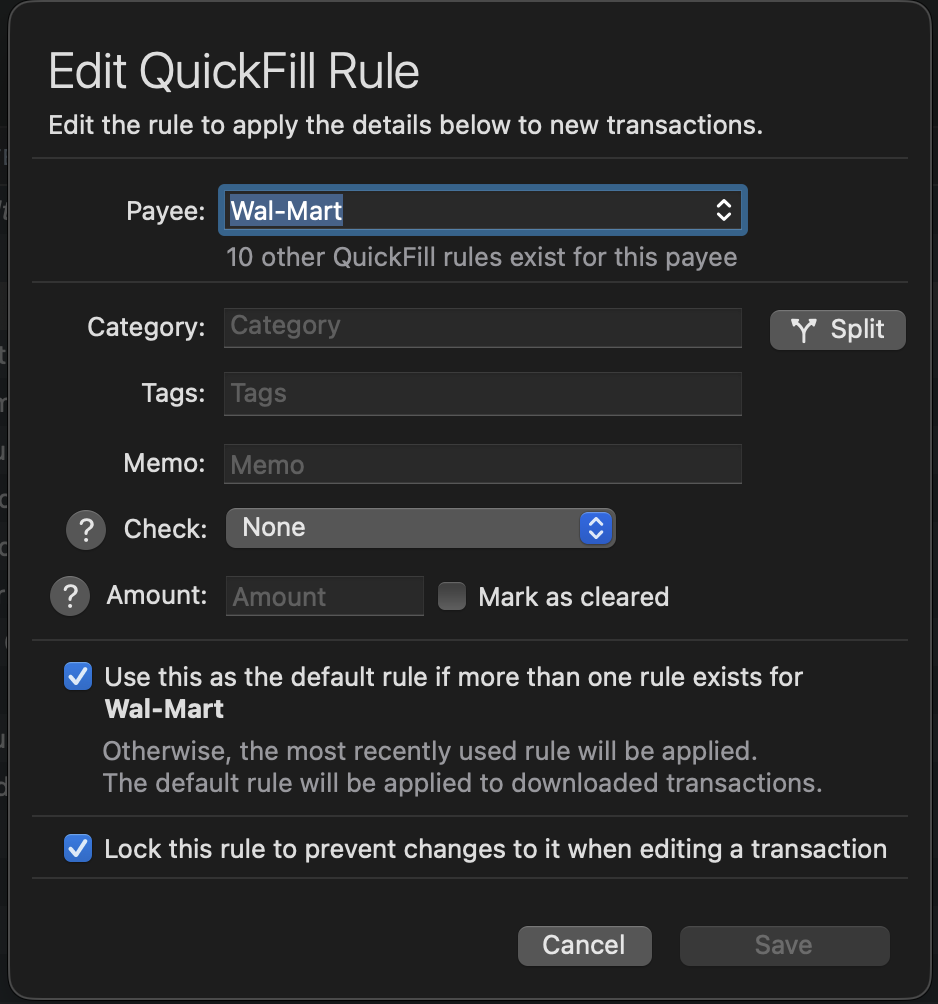
While I prefer to manually enter all transx beforehand, sometimes this isn't possible with online merchants as estimated taxes, possible shipping charges, etc. change from the estimates. And, like you noted, sometimes things are charged separately.
My online Amazon or Walmart orders are infrequent, but typically consist of multiple items requiring a convoluted split. Instead of trying to clean up a messed up split, I find this easier to edit the single line untarnished transx as they come in.
0 -
When I was reconciling my VISA account yesterday, I found a problem. Now I think I know what happened, which if I'm right, means it was user error.
- To create the original transaction, I searched for a previous transaction that was similar and duplicated it.
- I updated the splits and total for this transaction. But, I think I forgot to change the date! The duplicated transaction was from May.
- Download finds no match, creates a transaction. It models it after the QuickFill rule that was created when I saved my modifications in step #2.
- I saw that modified transaction and thought it was modifying my transaction, becuase there was no other transaction with those splits, at (close to) the right date.
But actually all it did was create a brand new transaction.
0 -
I'm glad you figured it out.
What happened was my suspicion from the second paragraph in my initial response: you were dealing with a NEW, downloaded & split based off a QF rule from a prior transaction. And the totals didn't match, so you got the adjusting child line.
That is why I use my later mentioned $0 forced non-split transaction for certain merchants. It's easier to split out a single line transx than it is to clean up a screwed up, incorrect one.
Thanks for the update!
0

