With so many broken online billers, should we start a thread for each one?

So, since the new biller, I am unable to connect to Commonwealth Edison, Allstate Insurance, and The New York Times, even though each is "supported". As far as I can tell, there are no logs available, and nothing we can do locally to troubleshoot. Should we open a thread for each and every online biller? This is not operable.

image.png

[Edited-Readability]

Comments

  • Quicken Alyssa
    Quicken Alyssa Quicken Windows Subscription Moderator mod

    Hello @Dave N,

    Thank you for your question — we understand how frustrating it can be when online billers aren’t working as expected. You don’t need to create a separate thread for each one.

    Have you had a chance to try using the “Fix It” button? If so, what happens when you do?

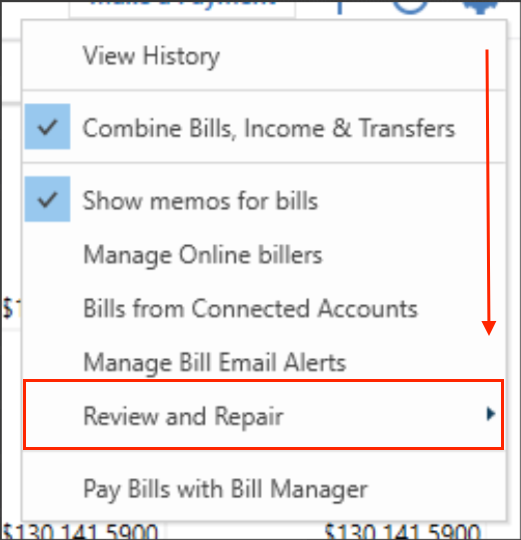
    Alternatively, you can try reviewing and repairing your online billers:

    1. Go to the Bills & Income section.
    2. Click the gear icon ⚙️.
    3. Select Review and Repair > Review and Repair Online Billers. Review and Repair.png

    This process can often help resolve connection issues.

    Please let us know how it goes!

    Quicken Alyssa

    Make sure to sign up for the email digest to see a round up of your top posts.

  • Dave N
    Dave N Member ✭✭

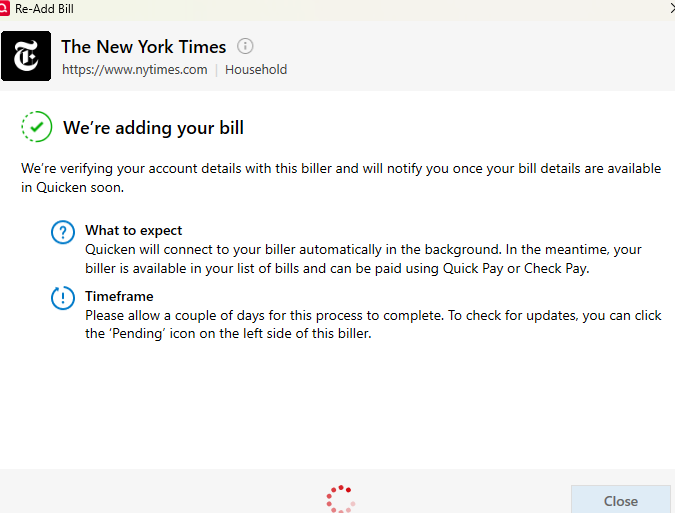
    I've tried multiple times to Fix it. Nearly every time it says pending and on the next update it goes back to "fix it"

    This is what I meant about little to no feedback available to troubleshoot these issues.

  • Dave N
    Dave N Member ✭✭

    At 7:16 PM

    image.png

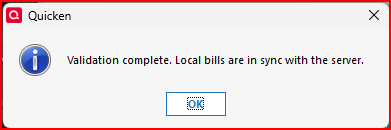
    At 7:20 PM

    image.png
  • Elfred
    Elfred Quicken Windows Subscription Member ✭✭
    edited October 21

    I have been tracking this online for several years. After this update I get this message for 7 of my longtime online billers including Geico and Progressive. Review and Repair is useless.

    [Removed-Rant]

    Screenshot 2025-10-11 042321.png image.png
  • UKR
    UKR Quicken Windows Subscription SuperUser ✭✭✭✭✭

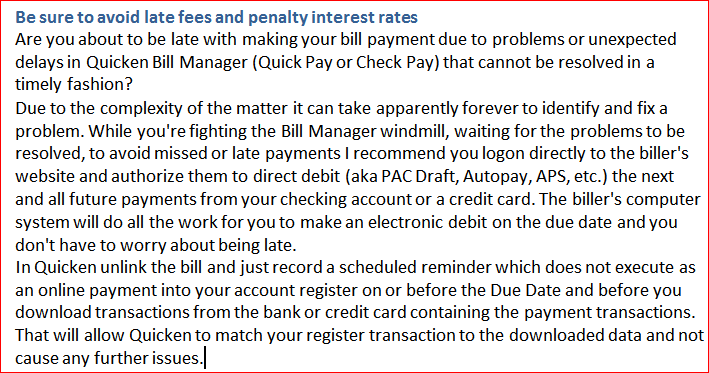
    Please consider using this alternate solution

    cap71 avoid late fees.PNG
  • Quicken Alyssa
    Quicken Alyssa Quicken Windows Subscription Moderator mod

    Hello All,

    Thank you for taking the time to add to this discussion.

    You can take @UKR's advice and pay the billers directly from the biller's website, that is one option.

    If you wish to continue using Quicken Bill Manager, please contact Quicken Support directly to report the issues with these billers. Further investigation and escalation may be needed.

    Thank you!

    Quicken Alyssa

    Make sure to sign up for the email digest to see a round up of your top posts.

  • Bione
    Bione Quicken Windows Subscription Member ✭✭✭
    edited October 16

    [Removed-Rant]

  • TopShelf Investing
    TopShelf Investing Quicken Windows Subscription Member ✭✭

    its beyond disappointing that the "solution" is to not use the product I am paying for and to go and setup things outside the system.

  • Quicken Alyssa
    Quicken Alyssa Quicken Windows Subscription Moderator mod

    Hello @TopShelf Investing,

    Thank you for adding to this discussion, though I am sorry for your frustrations with billers.

    What @UKR suggested is an option, not a solution. I apologize if there was any confusion on that.

    If you have already tried the other suggestions and you wish to continue using Quicken Bill Manager, please contact Quicken Support directly to report the issues you are experiencing. Further investigation and escalation may be needed.

    Thank you!

    Quicken Alyssa

    Make sure to sign up for the email digest to see a round up of your top posts.

This discussion has been closed.