Fidelity Reauthorization and Deactivation Clocking
0. I am using Windows 11 Home Version R64.30
1. In September, when you first prompted us to reauthorize our Fidelity connections, I did.
2. Then my cash/money market balances were all messed up so I restored to my latest backup.
3. Since then, when I do my One Step Update, when you say I have to reauthorize, I select "Remind me Next Time" and connect the old way. Usually no issues.
4. Sometimes Quicken gets an error connecting to Fidelity so I assume I now have to reauthorize. When I click Reauthorize, I get this screen telling me I have to log in to Fidelity on my browser
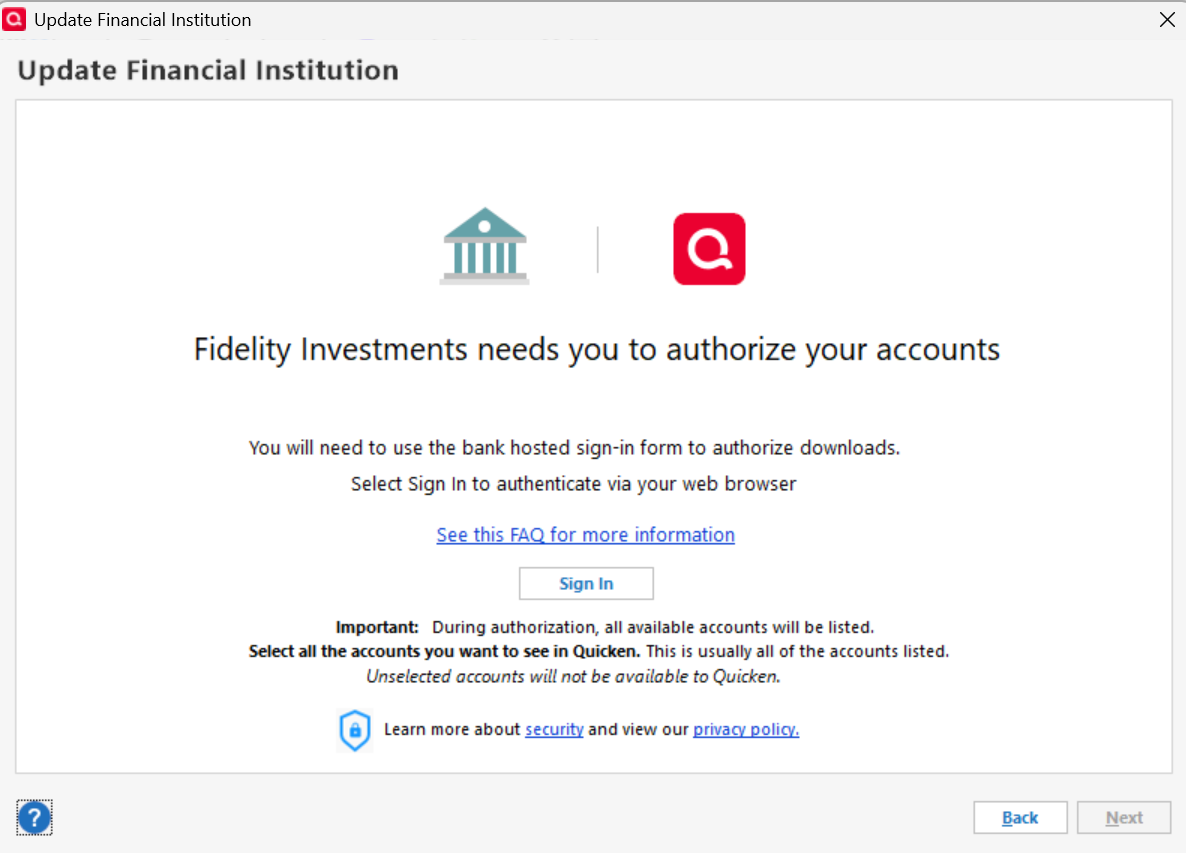
5. I click "Sign-In" and Quicken displays this screen and just clocks indefinitely (no browser pop-up)
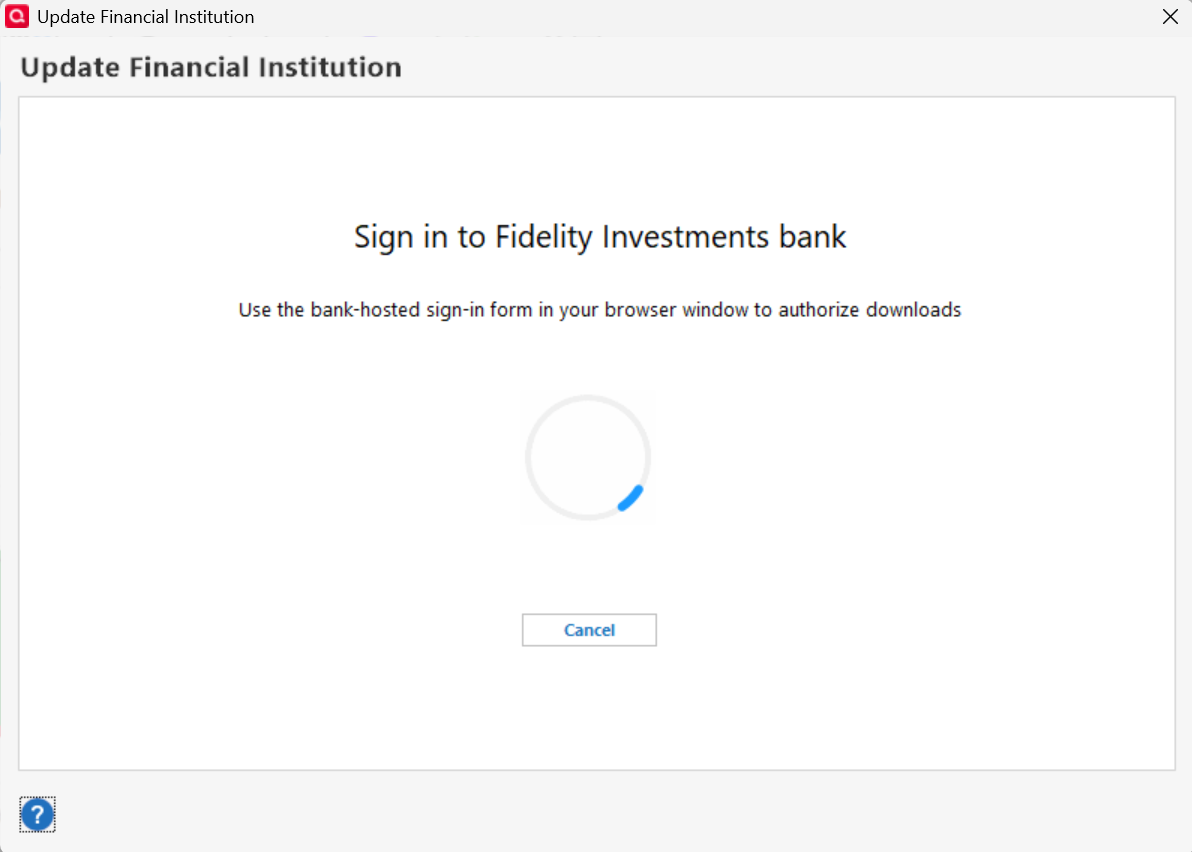
6. I go to my browser myself and log in to Fidelity (because that might be what I did last time and I got a screen in Fidelity to approve the reauthorization) but now I get no screen to reauthorize. (Maybe because I already did it but then went to a backup and everything is out of sync?)
7. I have to force quit Quicken using my Windows Task Manager because it just keeps clocking and that Cancel button does not work.
8. When I try to connect to Fidelity again the next day, I am able to click "Remind me Later" and I carry on until the next time I get an error and repeat the same never ending loop
9. I found this thread for a different issue that explains how to deactivate your accounts, unauthorize on the Fidelity Website, and then reconnect. I can see that my accounts are still set to the old Direct Connect so I assume this is what I need to do.
10. When I try to deactivate my account connection to Fidelity (Tools > Account List > Edit > Online Services > Deactivate), Quicken also clocks/freezes and I can't do anything :( So I force quit and carry on with old connection method in this endless loop.
Any suggestions?
Comments
-
Hello @shannah36,
Thank you for reaching out! When Quicken freezes like that, it could indicate a connectivity issue or a file issue. Do you keep your Quicken file directly on your local hard drive? Is it synced with any cloud service, such as OneDrive, Dropbox, or iCloud? Which web browser do you have set as your default (Chrome, Edge, FireFox, etc.)?
Have you restarted your computer recently? If not, please do so, and check to see if that resolves the issue. If it does not resolve the issue, I suggest that you try validating your data file. Please save a backup file prior to performing these steps.
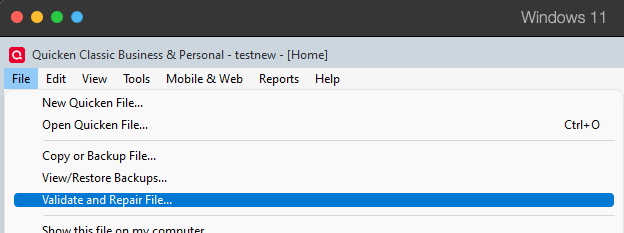
Validate:
- File
- Validate and Repair File...
- Validate File
- Click OK
- Close the Data Log
- Close Quicken (leave it closed for at least 5 secs)
- Reopen Quicken and see if the issue persists.
I look forward to your response!
Quicken Kristina
Make sure to sign up for the email digest to see a round up of your top posts.
0 -
Hello! My Quicken file is directly on my local hard drive and it is synced with OneDrive (as it has been for many years - no change there). My default browser is Chrome. I shut my computer down every night.
I tried validating the file. It did find a couple of issues but the problem did not go away. The software still clocks when I try to re-authorize OR disconnect my accounts. I tried to just move forward and disconnect my accounts, force quitting the program when it clocks and starting again. I managed to disconnect all of my Fidelity Accounts. Then I went in to Fidelity and unauthorized Quicken. I thought maybe that would help and it would magically let me reauthorize but it did not. Same issue and now I can't connect to Fidelity at all :( Probably not wise on my part…
I tried uninstalling and reinstalling Quicken, using Microsoft Edge as my default browser, and turning off my McAfee Firewall and restarting the computer again. The issue persists. Clocking when I try to authorize my Fidelity connection.
—-Update! I set my default browser back to Chrome and turned my McAfee firewall back on. I tried to connect one more time, and then I stepped away from the computer while it was clocking (I usually give up and end the task after a minute or so) and came back 30 minutes later and it had connected to Fidelity and allowed me to sign in and reauthorize. I have no idea what fixed it but I am reconnected to Fidelity with the new method.1 -
Thank you for your reply,
I'm glad to hear that you were finally able to get connected to Fidelity. Since it did finally connect, but it took a while, it's possible that Quicken wasn't completely freezing, but just being slow.
Quicken files are not designed to be accessed by multiple processes at once. I recommend that you either stop syncing your Quicken file with OneDrive, or make sure that OneDrive is paused when you open Quicken.
If you need further assistance, please feel free to reach out!
Quicken Kristina
Make sure to sign up for the email digest to see a round up of your top posts.
1 -
I was able to start with a qdata backup from late September and get up and running. Here's how.
0
Categories
- All Categories
- 56 Product Ideas
- 36 Announcements
- 223 Alerts, Online Banking & Known Product Issues
- 22 Product Alerts
- 701 Welcome to the Community!
- 671 Before you Buy
- 1.2K Product Ideas
- 53.7K Quicken Classic for Windows
- 16.3K Quicken Classic for Mac
- 1K Quicken Mobile
- 813 Quicken on the Web
- 111 Quicken LifeHub