Unable to log into Fidelity Netbenefits after Migration
Ever since Quicken Classic started prompting me to transition my Fidelity Netbenefits account, I have been unable to do so. Now that the migration is being forced, I am still unable to get my account reconnected.
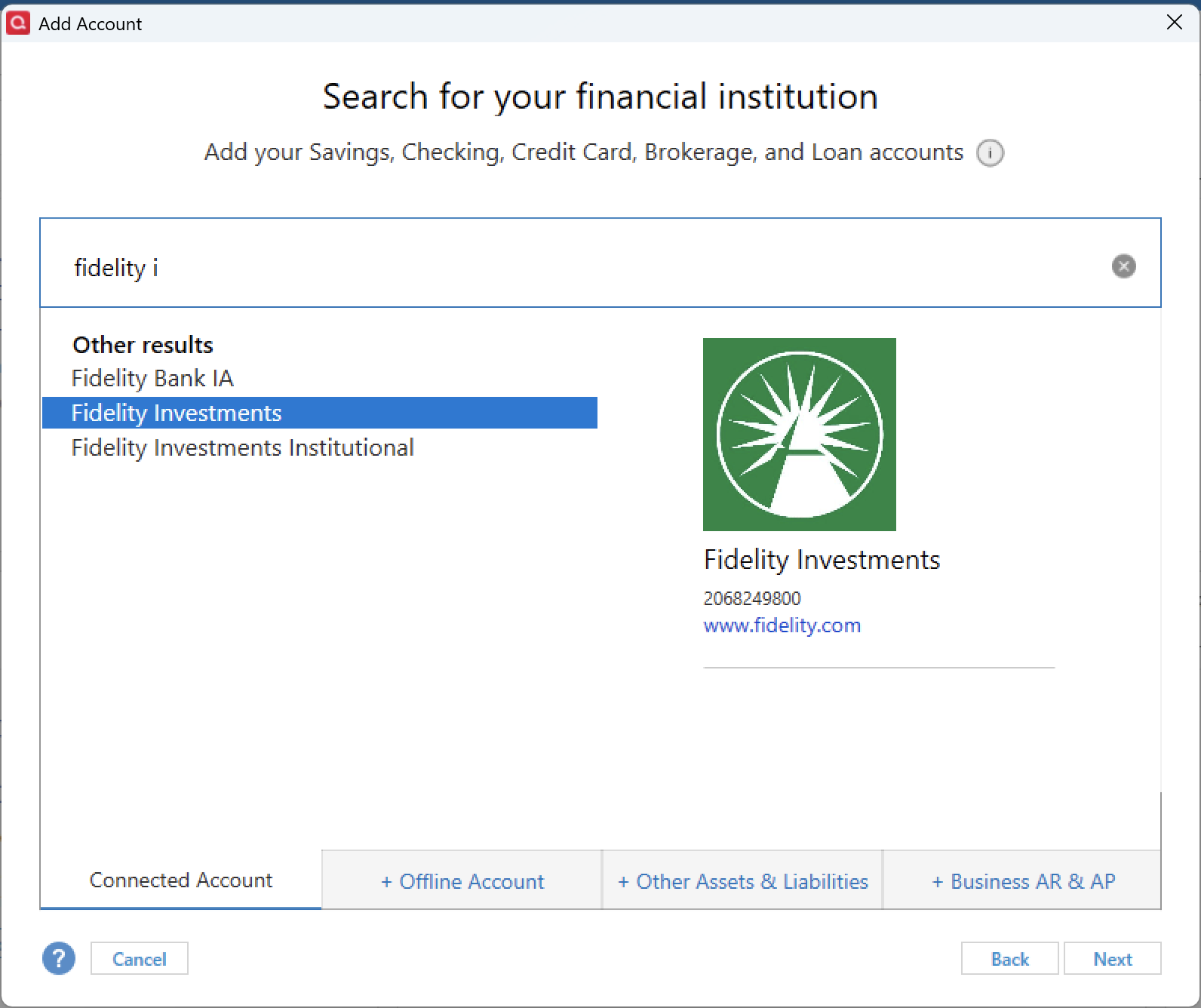
Fidelity support seemed to indicated that the issue resides with the fact that there is no longer a Fidelity Netbenefits institution to connect to, but reading the other information provided in the Community by Quicken, it would appear that may be expected and I should be attempting to use Fidelity Investments as the institution.
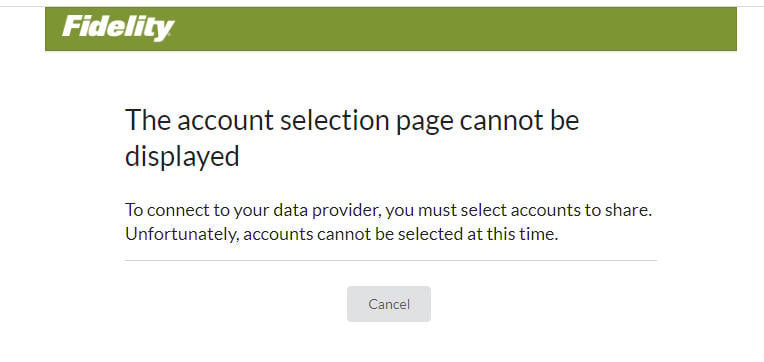
Since the initial prompt to convert and since disconnecting the account and reattempting to establish the connection, I have consistently experienced the same thing. I am able to log into Fidelity, but as soon as I accept the agreement, the following message is displayed.
The account selection page cannot be displayed
To connect to your data provider, you must select accounts to share. Unfortunately, accounts cannot be selected at this time.
Answers
-
Hello @KeithK23,
Thank you for sharing your experience with us, and I am happy to help.
After reviewing your connection attempts internally, I do not see any attempts to connect to Fidelity. Please use the Fidelity Investments instance when trying to connect.
You did mention this instance in your post, but I just want to be sure this is the one you are using.
Additionally, would you mind sharing a screenshot of the message you are seeing after being redirected to the Fidelity website? If needed, please refer to this Community FAQ for instructions on how to attach a screenshot. Alternatively, you can also drag and drop screenshots to your response if you are not given the option to add attachments.
Thank you.
Quicken Alyssa
Make sure to sign up for the email digest to see a round up of your top posts.
0 -
I am having the same issue.
The problem is NetBenefits requires a different login screen then regular Fidelity. Quicken sends me to the wrong login screen. If I login in with my NetBenefits login and go through all the screens, then my account is not listed. When is this going to get fixed?
The correct login page is :
https://nb.fidelity.com/public/nb/default/homeInstead I get sent to
https://digital.fidelity.com/prgw/digital/login/full-page0 -
Hello @robyn2024,
Thank you for adding to this discussion.
In Quicken, the instance of Fidelity NetBenefits has been discontinued. It's no longer something I can see or select from the list of banks to connect to. Those who were previously connected on this instance should see a "zzz-" added to the name. So it would now show as zzz-Fidelity NetBenefits. More on this type of change can be found in this Support Article.
This change is a result of the migration that Fidelity has been undergoing. There is no indication that the Fidelity NetBenefits instance will be reinstated. We recommend that you connect to the Fidelity Investments instance to keep your accounts up to date. After checking internally, I do see you are connected to that instance already, so you are are the right track!
Hope this helps!
Quicken Alyssa
Make sure to sign up for the email digest to see a round up of your top posts.
0 -
So basically before the update I had full access to all my Fidelity accounts and now I don't and never will.
[Removed-Rant]
0 -
Fidelity did not discontinue downloading of NetBenefits accounts. It simply discontinued download via Fidelity NetBenefits.
If you do as @Quicken Alyssa suggested (setting up your downloading with Fidelity Investments)…back up your data file before proceeding…you should be able to download your NetBenefit accounts, again. Just make sure when you have reauthorized with Fidelity Investments and make sure to LINK the downloaded accounts to the accounts you already have set up in Quicken.
Quicken Classic Premier (US) Subscription: R65.15 on Windows 11 Home
0 -
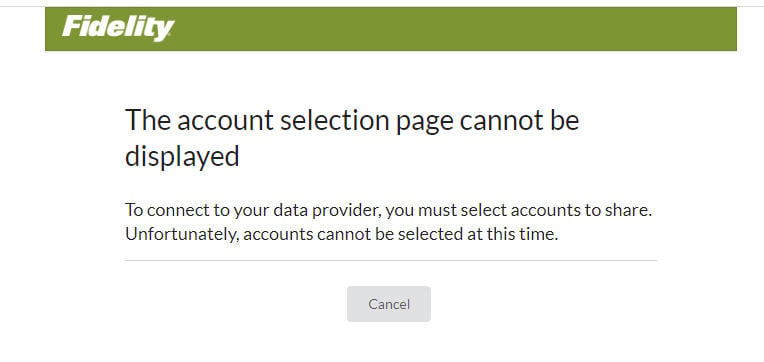
I did as she suggested, this is all I see. Logged in with no accounts to authorize.
0 -
Ah. Yes, that would be a problem. I know NetBenefits is a bit behind the migration curve compared to the brokerage and retirement accounts. I saw a post earlier today from about a week ago saying they had been encountering the same issue but then about a week ago it suddenly started working for them.
Did you first go to the Online Services tab of Account Details for each account and Deactivate it? If not, you might want to try doing that (after backing up your data file) and then doing Add Account for Fidelity Investments to initiate the EWC+ authorization process.
If/when you are able to successfully connect with EWC+ you might encounter a few issues. There is a nice summary of the key issues and what has been done or is planned regarding them at this Support Article.:
Quicken Classic Premier (US) Subscription: R65.15 on Windows 11 Home
0 -
I started a brand new Quicken file with no accounts added, added Fidelity, accepted the usual terms and condition page, and got the same results, "The account selection page cannot be displayed." So no, I cannot access my NetBenefits account.
0 -
Thank you for following up.
Do you have Fidelity NetBenefits account(s) only? We are receiving feedback from users who don't have "regular" Fidelity accounts about being unable to connect their NetBenefits accounts.
Let me know if this is the case for you.
Quicken Alyssa
Make sure to sign up for the email digest to see a round up of your top posts.
0 -
I have a Fidelity NetBenefits account.
I do not have a regular Fidelity account/login.
I cannot link the NetBenefits account to Quicken.
0 -
Out of curiosity:
- When trying to set up downloading for NetBenefits accounts and you select Fidelity Investments as the Financial Institution during Add Account, are you using your NetBenefits login or are you using your Fidelity.com login? If you tried one but not the other, then maybe try the other to see if that works?
- I you do not have a Fidelity.com account: Maybe try setting up an online account with Fidelity.com and then try setting up downloading with Fidelity Investments?
When I had a NetBenefits account many years ago I was able to link my NetBenefits account to my Fidelity.com account. I seem to recall that in order for this to be done I needed to using the same login for both Fidelity.com and Fidelity NetBenefits. Once that was done I was able to view all of my NetBenefits data in my Fidelity.com account. I don't know if that is still the case and I do not recall if I was able to download the NetBenefits data from Fidelity.com. But maybe this is a question that can be asked of the folks at Fidelity.com.
Quicken Classic Premier (US) Subscription: R65.15 on Windows 11 Home
0
Categories
- All Categories
- 56 Product Ideas
- 36 Announcements
- 223 Alerts, Online Banking & Known Product Issues
- 22 Product Alerts
- 701 Welcome to the Community!
- 671 Before you Buy
- 1.2K Product Ideas
- 53.7K Quicken Classic for Windows
- 16.3K Quicken Classic for Mac
- 1K Quicken Mobile
- 813 Quicken on the Web
- 111 Quicken LifeHub