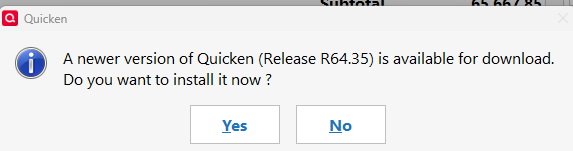
why does Quicken Classic ask if I want to allow this app to make updates with every program opening?
I am an experienced Quicken user, Quicken Classic Premier on Windows.
Version 864.30, build 27.164.30
From what I can tell, this is the latest version and build. Every day, when I open Quicken, I get the popup asking about allowing Quicken to update. This started about a month ago, and is an annoyance.
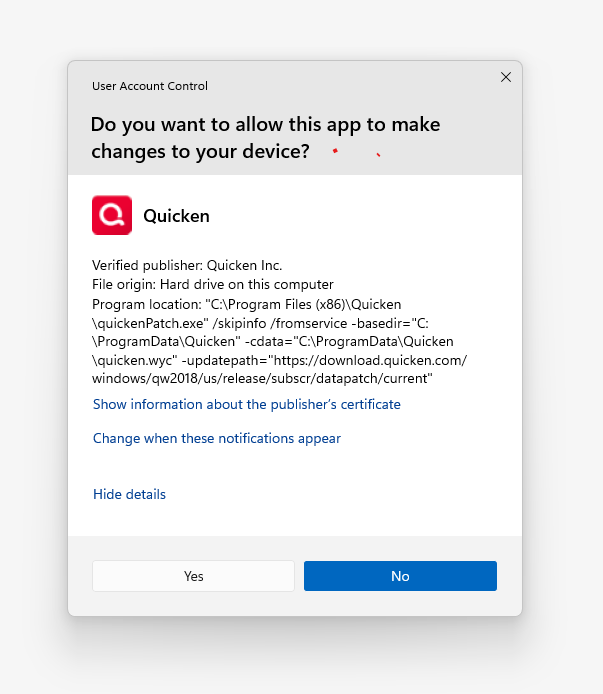
I reply Yes and nothing changes, no update to the Version or build is evident. I reply No, and again nothing changes. Yet, the popup is presented every time Quicken is opened.
Answers
-
That is not for Quicken Updates but to allow Windows to open the program. I have a couple programs on Windows that always ask me that.
I'm staying on Quicken 2013 Premier for Windows.
-1 -
Given that the application being started is: quickenPatch.exe, I do think this is trying to start the patch program every time @Knitgirl starts Quicken. I don't know why that would be true though.
Maybe Quicken always runs the patch program to check if there are new patches.
Maybe the "Change when these notifications appear" link will give some insight of why Windows is asking about running this program.
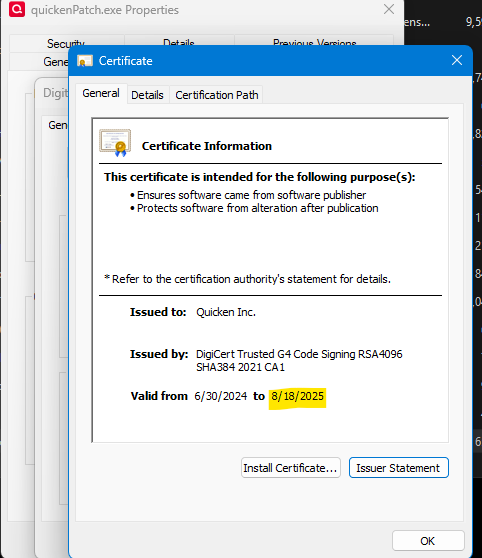
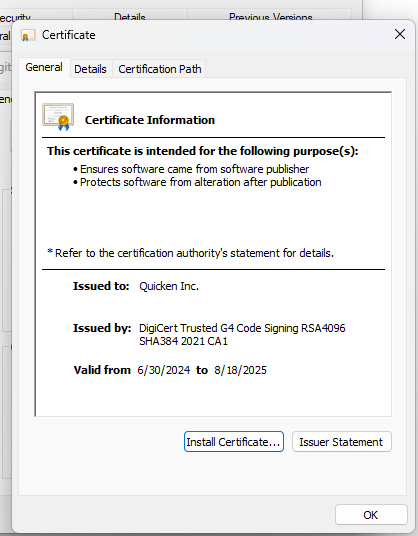
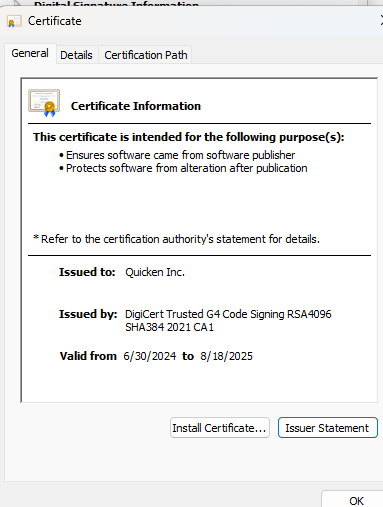
I just had a thought and looked at the certificate for that program (which @Knitgirl you can do by selecting the "Show information about the publisher's certificate" or by right clicking on "C:\Program Files (x86)\Quicken\quickenPatch.exe" and selecting Properties and then the Digital Signatures tab and then the Details button, and then View Certificate)
The certificate for this program has expired. Your Windows must be setup for checking this.
Signature:
This is my website (ImportQIF is free to use):1 -
hi @Chris_QPW
I finally had the time to review the certificate info, and it too shows the 8/18/25 end date.
Now the question is - why would the certificate no longer be valid on an active subscription?
0 -
Because the developers haven't kept up with this. They need to fix it. I would definitely do a Help → Report a Problem and submit this. Be sure to also put in a link back to this thread.
Signature:
This is my website (ImportQIF is free to use):0 -
hi @Chris_QPW
As suggested I reported a problem through the application on 11/3 and included link to this thread. I am not holding my breath, we'll see.
0 -
As of today, 11/15/25, I am still experiencing this problem. The "About Quicken" display has not been updated with the renewal date of the Quicken subscription. Annoyance increasing. Since it is now Saturday, I can't call in to discuss this problem with anyone.
I found another thread about someone who could not get quicken to update. the recommended solution was to 'delete the application and reinstall the application'. That is a counterproductive workaround, where no accountability is taken for failing software.
0 -
About I can suggest is contacting Quicken support when they are open.
Signature:
This is my website (ImportQIF is free to use):0 -
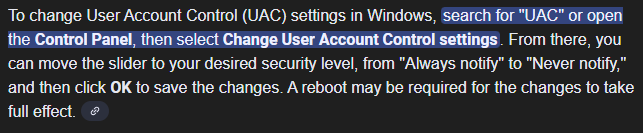
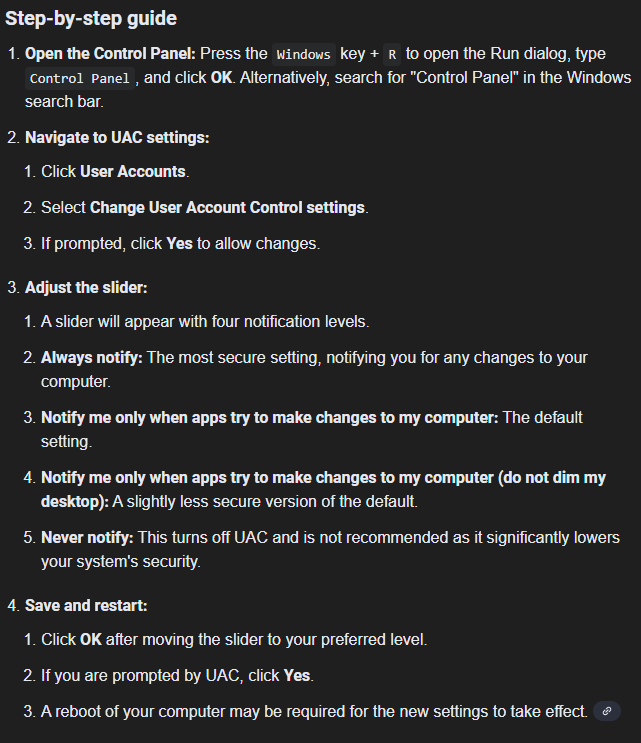
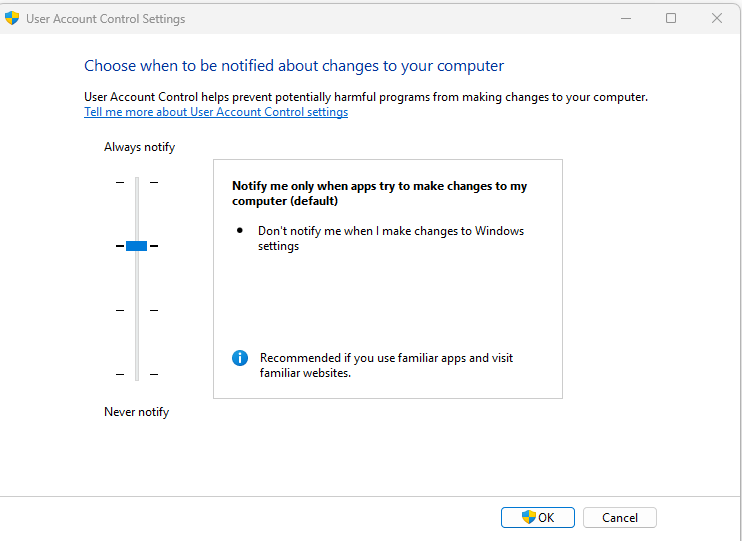
Have you looked at Windows User Account Control and tried diferent settings::
Windows 11 (2 separate computers)..... Quicken Premier.. HAVE USED QUICKEN CONTINUOUSLY SINCE 1985.
0 -
Also my Quicken shows under Check for Update in the Help tab that there is a newer update but I haven't installed it yet…
Windows 11 (2 separate computers)..... Quicken Premier.. HAVE USED QUICKEN CONTINUOUSLY SINCE 1985.
0 -
Yes, I tried various settings on UAC. Changed the setting, restarted computer, restarted quicken for multiple lower settings. There was no improvement; Quicken did not update (stayed original version mentioned in earlier post).
@retird; @Quicken Anja @Chris_QPW
On Saturday 11/15, based on comments for a separate thread (Problem updating Quicken) I followed the recommendation to uninstall Quicken and reinstall Quicken. While this action has resulted in the update to a new version, it has NOT resolved the original problem reported in this thread.
The laptop has been restarted multiple times. When Quicken is opened, the "do you want to allow this app… " popup displays. While the subscription information has been updated, the certificate mentioned earlier in the post continues to show it ended in August.
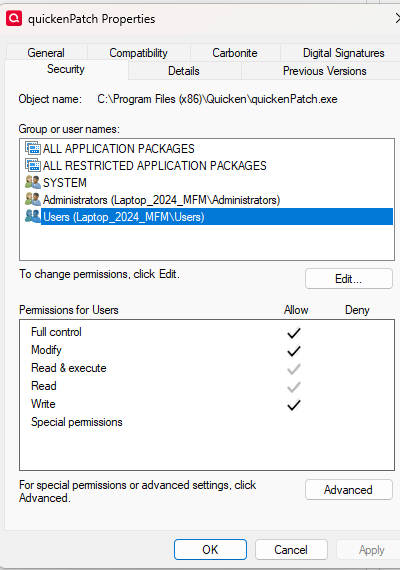
I have checked the permissions for both the admin and user levels are "Full Control".
In conclusion: Uninstall/Reinstall has resulted Quicken now being the most current versions. When Quicken is opened, the popup "Do you want to allow this app to make changes…" continues to display. The original stated problem is unresolved.
[Edit - Removed Personal Information]
0 -
So, you have a current Quicken version and the subscription was renewed as shown in About Quicken under the Help Tab. You have checked many things.
I would contact Quicken Support tomarrow. My guess is the Certificate Information you post should have been updated to the new subscription start date and expiration date. For some reason the certificate you posted is being accessed and acted upon bringing the message every time you start Quicken no matter which UAC you set. I think support can get your issue resolved.
Windows 11 (2 separate computers)..... Quicken Premier.. HAVE USED QUICKEN CONTINUOUSLY SINCE 1985.
0 -
Just to be clear, this certificate not being updated is there for everyone. What is different for @Knitgirl her machine must have a setting that gets Windows to complain about it. I have no idea what that might be since I put the UAC settings to the max security and I don't get the dialog.
It is definitely a mistake on the developer's part not to keep their certificates in each program they release up to date.
Signature:
This is my website (ImportQIF is free to use):0 -
I get a popup occasionally wanting to update but get the option to say yes or no. I have never seen that Certificate Information message and if I click yes it updates and if no it goes away. The popup doesn't return if I update and doesn't return for quite a while if the update hasn't been installed. It will return again at some point (days to weeks later)to allow me the choice again. I would be curious to see the Certificate on my machine but how???
My UAC is always set to
Windows 11 (2 separate computers)..... Quicken Premier.. HAVE USED QUICKEN CONTINUOUSLY SINCE 1985.
0 -
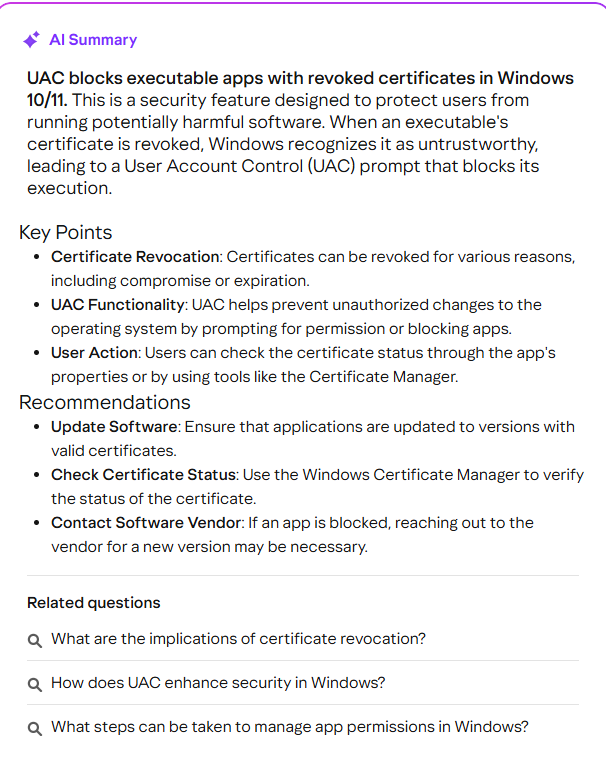
FROM AI:
Windows 11 (2 separate computers)..... Quicken Premier.. HAVE USED QUICKEN CONTINUOUSLY SINCE 1985.
0 -
Yeah, there are two mysteries for @Knitgirl usage. One is why it running QuickenPatch.exe every time.
In "C:\ProgramData\Quicken\config\QUICKEN.INI" the Periodic_last_update gives the last date that Quicken checked for updates. If you set it to one more than 4 days in the past that will force it to do a check. But that date should be updated after the last call for the update. Maybe in @Knitgirl 's case it isn't getting updated because of the error.
As of the UAC settings/message. That is definitely a UAC message, but even with mine set to the Always notify I don't get it. Maybe QuickenPatche.exe runs based on something else. I could certainly see it running every time if your version wasn't up to date but once updated to the latest version it shouldn't do it.
Signature:
This is my website (ImportQIF is free to use):0 -
But what if Quicken expired and Quicken was deleted and installed again before renewing the subscription and the subscription was then renewed??
Windows 11 (2 separate computers)..... Quicken Premier.. HAVE USED QUICKEN CONTINUOUSLY SINCE 1985.
0 -
I don't see any mention of this being the case here.
Frankly dealing with an expired subscription is prone to several things that can mess it up.
Signature:
This is my website (ImportQIF is free to use):0 -
Knitgirl's post Nov. 15
Windows 11 (2 separate computers)..... Quicken Premier.. HAVE USED QUICKEN CONTINUOUSLY SINCE 1985.
0 -
Thanks I didn’t read that one close enough.
I also ran across another thread where @Knitgirl ’s problems included Windows saying that Administration privileges where needed to run the patch program, so clearly the problems run pretty deep.
Signature:
This is my website (ImportQIF is free to use):0 -
YEP….. Hopefully when she calls tech support they can sort it out….. 😉😉
Windows 11 (2 separate computers)..... Quicken Premier.. HAVE USED QUICKEN CONTINUOUSLY SINCE 1985.
0 -
Friday 11/21. The saga continues. I finally had the opportunity to contact Quicken and of course was directed from the website into a chat instead of a phone call. The rep had me download the "latest patch" before discussing the problem.
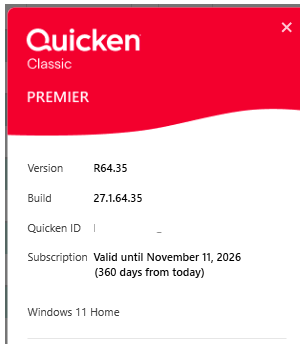
As suggested, I downloaded and installed the patch. I am now on R65.15, Build 27.1.65.15.
This did not resolve the issue. His next suggestion
"Ok, in this situation i can recommend escalating the case, unfortunately, the escalation team is not on shift now. Please contact us back after 9:30 AM PST so we can verify with them and open a ticket for it."
Summary: Pop-up to update displays every time Quicken is opened. Certificate still shows it ended in August 2025.
0 -
Status as of 11/26/2025
Had a chat with Tech Support. First person told me to install R63 from June, and the problem would go away. It did not.
Had a chat with second person, who had me do a number of items including signing out of quicken, removing appdata, upgrading back to R65, etc. I shared my screen a with him, but when the popup displayed at the start of quicken, that overrode the share and the popup was not visible to him. I told him about the Valid dates on quickenPatch certificate, and he believes that is the root cause of the problem. He advised a patch is needed to resolve that, and would take steps to report the issue, and I asked that I also report it through the "report a problem" task. Done.
Problem still occurring, no ETA for fix at this time.
0 -
Well at least it should be getting to the developers and hopefully they will get this fixed for the next release.
Signature:
This is my website (ImportQIF is free to use):0
Categories
- All Categories
- 56 Product Ideas
- 36 Announcements
- 224 Alerts, Online Banking & Known Product Issues
- 22 Product Alerts
- 702 Welcome to the Community!
- 671 Before you Buy
- 1.2K Product Ideas
- 53.7K Quicken Classic for Windows
- 16.3K Quicken Classic for Mac
- 1K Quicken Mobile
- 812 Quicken on the Web
- 111 Quicken LifeHub