At this stage, to keep things organized and allow our team to properly investigate, could I please ask you (and anyone else encountering issues) to start a new separate discussion thread in the Community specifying the exact issue you’re seeing? That way, we can troubleshoot and follow up directly.
Quicken Classic Premier Windows R64.35 Build 27.1.64.35. Saturday I did a full Mondo download to ensure I had all current modules without error, and since that brought me to only R64.30, I then applied the R64.35 update.
I did my cut-over this morning, my first reauth for Fidelity. Miscellaneous comments follow, with my primary issues are at the top of this list:
Transactions downloaded from my Trad Rollover IRA from 9/2 forward. Transactions downloaded for my Roth IRA from 7/31 forward. Curious why the Roth download went further back than the Trad download. The great majority matched or near-matched correctly and I accepted them after reviewing each one.
- NO transactions downloaded for my HSA, which had dividends received and reinvested on 10/10, and SPAXX dividends 9/30 and 10/26.
No issues with the Roth download.
The Trad download had 3 records that did not match
- I received a dividend automatically reinvested on 9/26 which Fidelity apparently posted 9/30 (Garmin). The download includes a Bought record for those shares, plus a download record which has NO action, NO security, and a comment/payee of "Dividend Received As Of 2025-09". When I click Edit for this, then the action shows as a Deposit, not as a Dividend.

- I did an RMD distribution / Withdrawal on 9/2. I received a download record with NO action and a Payee of "Normal Distr Partial Ednnnnnnnn". When I click on Edit this now shows as a Withdraw. I suspect if the download had been flagged as a Withdraw this might have matched, and was not matched because it had no Action.

I am leaving these three records as not-accepted in case @Quicken Kristina or someone thinks I should do something with them. My inclination is to delete them and ignore today's mismatch. I expect I will need to manually correct any and all dividends, reinvested or not, until Quicken or Fidelity fixes this.
Minor issues and comments follow.
- The first time I tried to reauthorize, I got as far as opening a login page to Fidelity. Once I supplied my username and password, I got a mostly blank page with an Agree button at the bottom. I clicked I Agree, and the Fidelity page cleared and went nowhere. The Quicken application received no response from Fidelity and just kept spinning until I hit cancel.
- The second time I tried to reauthorize, I took snapshots of each and every step. When I got to the Fidelity Access User Agreement (which was mostly blank the first time), this time it was filled in, with two check boxes at the bottom I didn't have the first time. I read the agreement, checked the boxes, and clicked I Agree. I selected the four accounts I want to download (It offered me my Pension account, which has no funds but simply pays me a direct deposit monthly, so there's nothing for me to record on the Fidelity side). Fidelity reported "Your accounts have been authorized successfully!" but Quicken then reported "Sign in to Fidelity Investments bank failed. Try again." I suspect this is just because I spent so much time taking snapshots and reading the agreement that Quicken timed out, though it didn't complain until after Fidelity said it had succeeded. The third time the authorization process worked OK.
Cash Representation could be a problem:
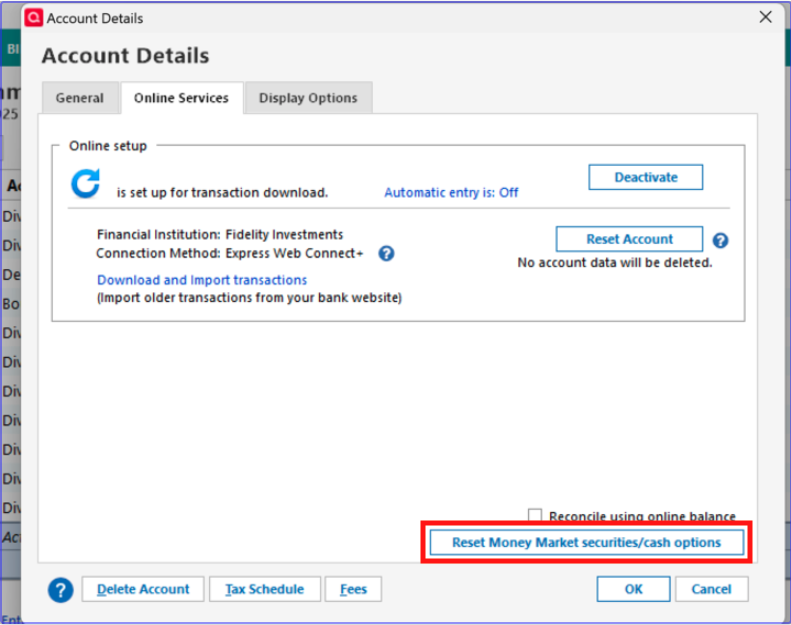
- I received the Cash Representation pop-up window, offering to "Convert this fund into my cash balance (recommended)" four times, once for each account. THERE'S NO INDICATION ANYWHERE ON THE WINDOW INDICATING WHICH ACCOUNT THIS IS FOR. I happened to want it converted for all four accounts, so for me that was not a problem, but for someone else it certainly could be. ANYTIME a prompt comes up that applies to a specific account, it should indicate which account this is for.
Minor Reconciliation issue:
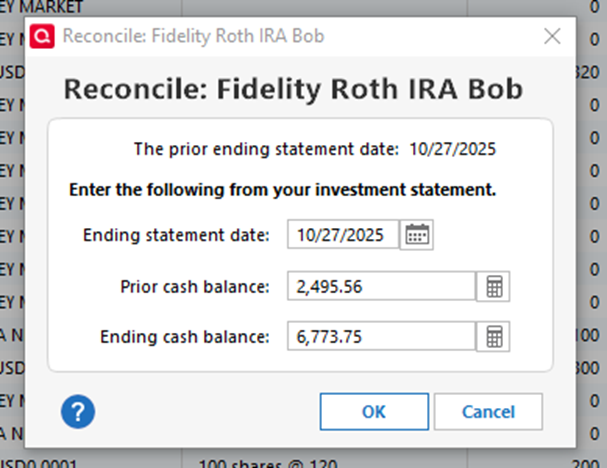
- I had reconciled all accounts before doing this. As each Matched or Near-matched record was accepted, the Clr flag on that record flipped from R to C. There were no download issues with my Roth account, so I did another reconcile for this account. Though the "prior ending statement date" on the Reconcile window showed 10/27/25, the Prior Cash Balance it displayed was the balance that predated the oldest transaction downloaded today (i.e. prior to 7/31/25). The ending balance was correct so I clicked OK, and all records are now flagged R again.
I'm glad I waited until now to do the migration. My thanks and kudos to all the adventurous ones who preceded me.
Bob