My Quicken downloads my sons USAA account on which I am a signatory but it does not show up as an account I can delete.
I don't understand. Downloads happen into Accounts, so that says to me that you do have your son's USAA Account established in Quicken. Is the Account perhaps "hidden" so that you're not seeing that Account in the Account Bar?
You should be able to click on Tools > Account List, click on "Show hidden accounts" and then unlink the Account from downloading. If you really don't want that Account to be included in your Quicken file then close that Account.
If I haven't guessed correctly as to the situation you're facing, please add some detail of what you're seeing and what's going on in the file.
Under account list there is not a show hidden accounts. Under tools there is a manage hidden accounts but I see only my account not my sons.
I do not want to delete my USAA just my sons. How di I find and delete his ytransactions?
Hello @JSNoyes,
Thank you for sharing your experience and following up with more details.
I am confused as to what is actually happening. What are you seeing that indicates to you that your son's account has downloaded into Quicken? If you do not see the account anywhere within your Quicken software, why do you think it is downloading? Are you seeing transactions from his account mixed in with your own?
The more information you can provide to help us understand, the better.
Thanks again.
I originally added both of our accounts, then later deleted his; but his keep downloading and are included in my transactions. I can not find his account in the accounts list, including hidden ones. In hidden accounts all my accounts show up,
My sons transactions show up under my account number.
@JSNoyes,
Thank you for that information.
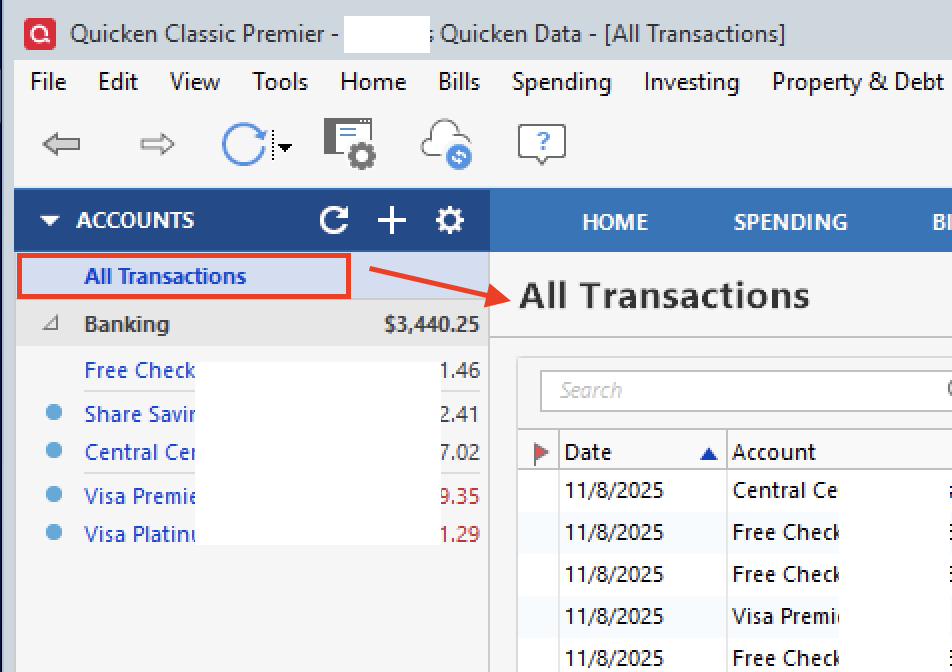
To clarify, when you say that his transactions are included with yours, do you actually see his transactions? Are his transactions showing up in the register for your account? Are you possibly looking at All Transactions rather than looking at one specific account?
Screenshots of what you are seeing may be helpful as well. If needed, please refer to this Community FAQ for instructions on how to attach a screenshot. Alternatively, you can also drag and drop screenshots to your response if you are not given the option to add attachments.
Thank you.
From the sounds of it, downloads into your USAA Account in Quicken includes transactions happening in your son's USAA account at USAA, and your son's Account in Quicken is long gone and doesn't exist anymore in your file.
So, question: Assuming accounts at USAA have some sort of "account numbers", your son's USAA account at USAA has an account number different than your own account as USAA?
If the answer to that is "Yes" then the first thing I'd try is to disconnect your USAA Account in Quicken from downloading. Then, on the General tab of Account Details I'd delete both the Financial institution and Account Number show on that tab. Then do Tools > Add Account, specify USAA as the Financial institution and provide your user name and password. Quicken should come back with a screen showing what USAA accounts it found with that user name and password combination. Then LINK only your account (if both accounts at USAA are found) to the correct Quicken Account. If you son's account at USAA is also shown there select Do Not Add to Quicken, and finish the process.
I think that worked. Thanks much.
Was your son's account at USAA found under your user name and password? Or only your account?