Memorized Payee list shows blank entries

Ducksoup_SD
Ducksoup_SD Quicken Windows Subscription Member ✭✭✭✭

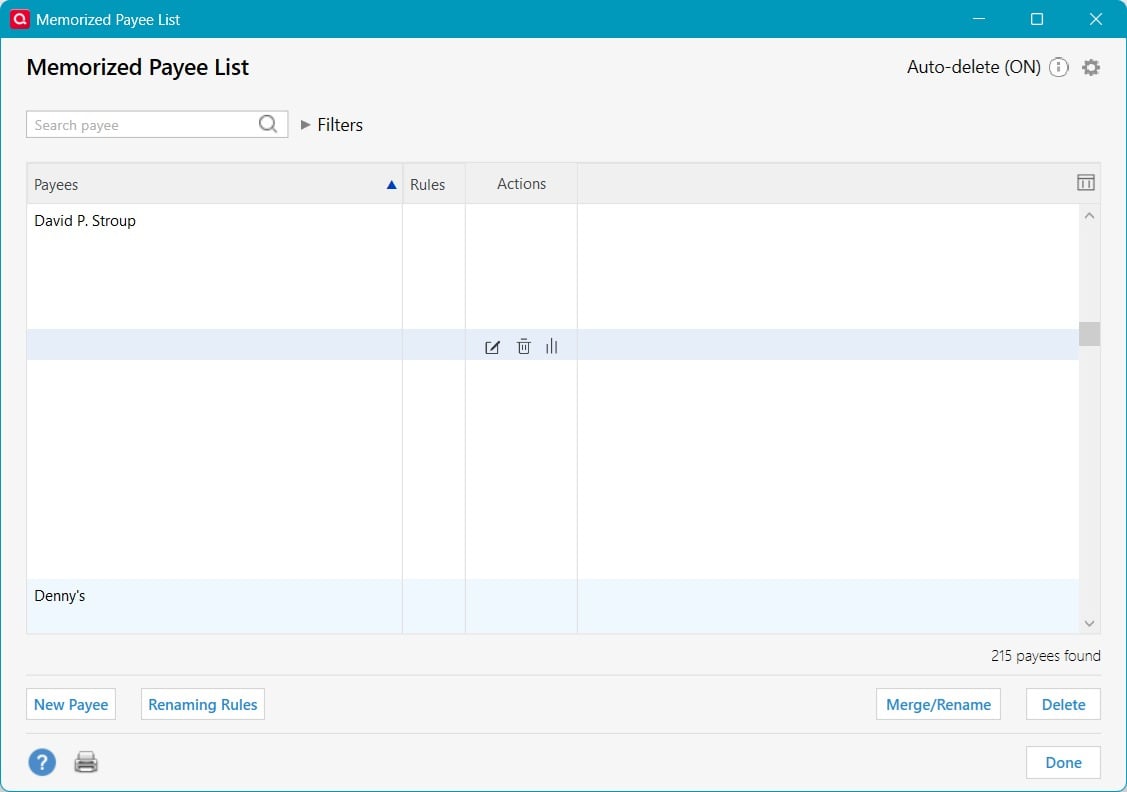
I saw a Memorized Payee that I wanted to delete, so I opened the list. There are no details displayed at all! I have to open each payee entry to see what the amount is and which category it applies to. I used to be able to go to this list and just delete the odd memorized payee so it didn't pop up during future entries.

How can I fix this??? Quicken Build R64.35, Windows 11 25H2
Q Mem payees.jpg

Comments

  • Ducksoup_SD
    Ducksoup_SD Quicken Windows Subscription Member ✭✭✭✭
    edited November 13

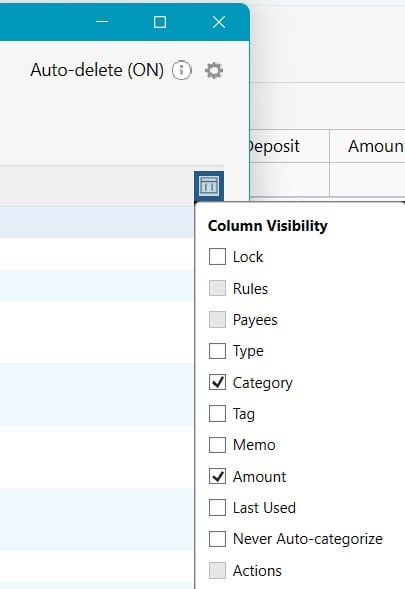
    I found the answer! For some reason, Quicken decided that knowing the Amount and Category of each Memorized Payee is not what most users want, so the columns are turned OFF by default. You have to edit the Column Visibility to see the Category and Amount (see check boxes on image). I can't imagine anyone using this list who wouldn't want to see the Category and/or Amount, but there might be a few people. However, the vast majority would want to see those entries, so, while they can still be user selected, they should default to ON (shaded gray check boxes).

    Q Payee fix.jpg
  • Quicken Alyssa
    Quicken Alyssa Quicken Windows Subscription Moderator mod

    Hello @Ducksoup_SD,

    Thank you for sharing your experience and what you found that fixed it.

    This could be helpful information to other users having a similar issue in the future.

    If you need help, you know where to find us!

    Thanks again!

    Quicken Alyssa

    Make sure to sign up for the email digest to see a round up of your top posts.