Download issue with Fidelity -
I have this issue with my Smartcash account and it doesn't download transactions. Now in Quicken it doesn't even show the option to add the account to online services now- so I'm not sure how that happened given I've downloaded transactions into Quicken from the account for over 10 years to the account. This is the worst issue I've ever had with Quicken in over 30 years of use.
Answers
-
I see postings for this — contacted Fidelity - they said they couldn't help but to contact Quicken. I see instructions to reactivate- - the option is not even showing up now in Quicken — but this account has been able to download transactions for years! This is nuts.
0 -
Hello @skier1226,
Thanks for reaching out! To get a clearer picture of what's happening, could you share screenshots of what you see in Quicken when you try to set up Online Services for the SmartCash account?
If needed, please refer to this Community FAQ for instructions on how to attach screenshots. Alternatively, you can also drag and drop screenshots to your response if you are not given the option to add attachments.
Make sure to blur or cover personal/account numbers before posting.
This will help us see exactly what Quicken is (and isn’t) showing so we can guide you through the next steps.
Thank you!
-Quicken Anja
Make sure to sign up for the email digest to see a round up of your top posts.0 -
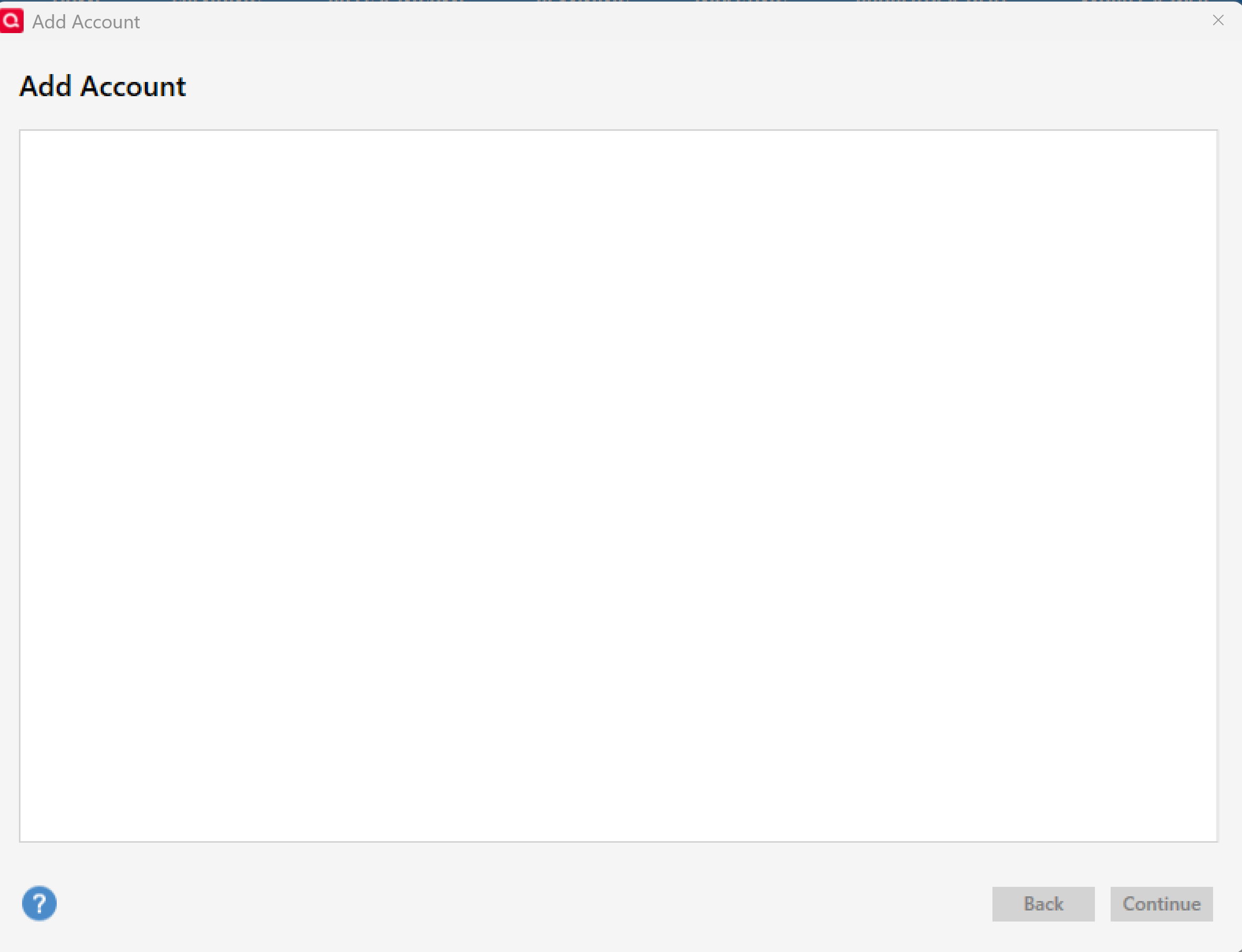
My latest issue after trouble shooting on the phone with Quicken for over an hour — is that no accounts will update I get a blank when I try to "add" an account:
0 -
@skier1226 Thanks for following up!
To help narrow things down, I have a few questions for you:
- Are you using any antivirus, firewall, or endpoint protection software on your computer that might be interfering with Quicken’s ability to display the Add Account window or connect to our servers?
- Have you recently made any changes to your system settings, like Windows updates, display scaling adjustments, or changes to your default browser?
- Where is your Quicken data file stored? Is it on your local hard drive (C: Drive) or a cloud-based/external drive (e.g.: OneDrive, DropBox, USB, etc.)?
- Are you using a VPN while updating your accounts? If so, does disabling it make any difference?
Check back and let us know!
-Quicken Anja
Make sure to sign up for the email digest to see a round up of your top posts.0 -
I haven't made any changes but there are updates that regularly happen to any laptop software. Also, I have had firewall software and it hasn't interfered previously and I know of no changes with that. I am not using VPN as this is my personal laptop. I ask Fidelity about this and they said they work with third parties but they have to work in turn with Fidelity for security. How do I get help with my Quicken? None of my accounts are updating any longer?
0 -
@skier1226 Thanks for the additional details.
To help narrow things down further, I want to circle back to one of the earlier questions since it plays a big role in blank windows and connection failures:
Where is your Quicken data file currently stored?
Is it on your local C: Drive, or is it on a cloud-synced/external location such as OneDrive, Dropbox, Google Drive, a network drive, or a USB device?
(Cloud or external storage can cause exactly the “blank Add Account screen” behavior you’re seeing.)In addition to that, please try the following steps:
1. Temporarily disable your firewall/antivirus
Even if it hasn’t caused issues before, security software updates can start blocking Quicken unexpectedly.
Try temporarily disabling it, then attempt Add Account again. If this fails to resolve it, then please proceed with the instructions below.2. Reset your Quicken registration token (sign out/in)
This can resolve issues where the Add Account window appears blank or Quicken stops communicating with our servers. Before doing so, please be sure to save a backup.
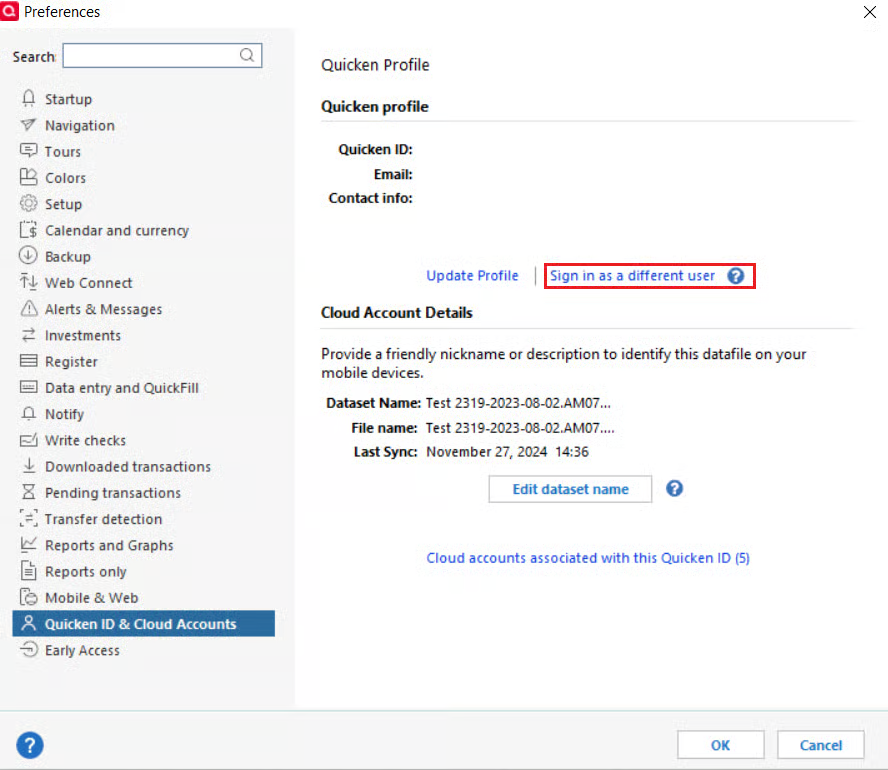
Follow the steps below:- Go to Edit > Preferences
- Select Quicken ID & Cloud Accounts
- Click Sign in as a different user (or it might say Sign in using a different Quicken ID)
- Follow the prompts to Sign Out
- Sign back in using your Quicken ID (email) and password
This does not affect your data file.
Let us know how it goes!
-Quicken Anja
Make sure to sign up for the email digest to see a round up of your top posts.0
Categories
- All Categories
- 56 Product Ideas
- 36 Announcements
- 223 Alerts, Online Banking & Known Product Issues
- 22 Product Alerts
- 701 Welcome to the Community!
- 671 Before you Buy
- 1.2K Product Ideas
- 53.7K Quicken Classic for Windows
- 16.3K Quicken Classic for Mac
- 1K Quicken Mobile
- 813 Quicken on the Web
- 111 Quicken LifeHub