Error Opening Quicken Data File after Updating to 65.17

cjim
cjim Quicken Windows Subscription Member ✭✭✭

I downloaded and ran the manual patch update file for version 65.17.

QW27.1.65.17MPatch.exe

The update executed without error and it converted my Quicken data file and everything looks good with my data.

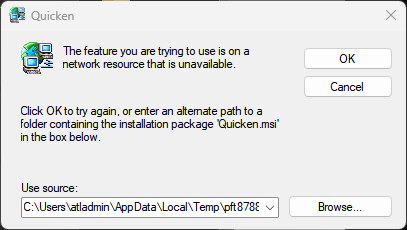
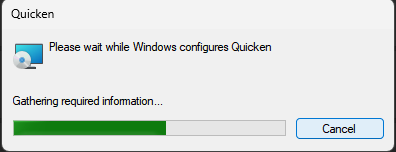
However, I have multiple Quicken data files (.QDF) and I used to be able to double click on a .QDF file and it would open up in Quicken. After installing the 65.17 update when I click on a .QDF file Quicken starts the process of trying installing itself and asks me to find the Quicken.msi file on my system.

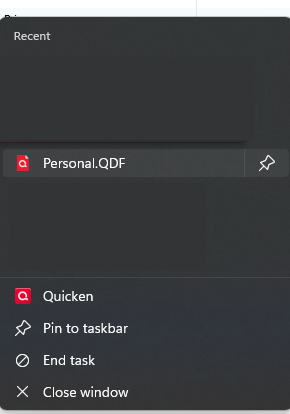
So the only way to open my data file is to open Quicken from the Start menu. This automatically opens the last data file that I had used before and if I want to use a different data file I then have to open it from within Quicken.

Anyone know how I might be able to fix the issue with Quicken trying to reinstall itself when I double click on a .QDF file directly?

Tagged:

Answers

  • NotACPA
    NotACPA Quicken Windows Subscription SuperUser ✭✭✭✭✭

    Double check, in Win, what the full file name, and extension, is. It sounds like you're inadvertently clicking on the install file rather than your data file.

    Q user since February, 1990. DOS Version 4
    Now running Quicken Windows Subscription, Business & Personal
    Retired "Certified Information Systems Auditor" & Bank Audit VP

  • cjim
    cjim Quicken Windows Subscription Member ✭✭✭

    I am double clicking on the .QDF file which is the data file.

  • NotACPA
    NotACPA Quicken Windows Subscription SuperUser ✭✭✭✭✭

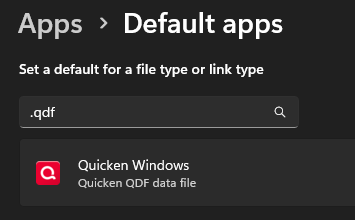
    Then, check your Windows file associations. Because, somehow, your QDF is associated with the Installer … and not the Q program.

    OR, double-check the file properties, which I originally suggested.

    Q user since February, 1990. DOS Version 4
    Now running Quicken Windows Subscription, Business & Personal
    Retired "Certified Information Systems Auditor" & Bank Audit VP

  • cjim
    cjim Quicken Windows Subscription Member ✭✭✭

    I am clicking on accounts.QDF and it is associated with C:\Program Files (x86)\Quicken\qw.exe

    But when it opens it attempts to configure Quicken and says "The feature you are trying to use is on a network resource that is unavailable." and it wants me to to find the Quicken.msi file.

    I only have a Quicken.exe file from when I first installed the subscription version of Quicken back in 2020. I do have a Quicken.msi file from the 2018 version on CD but I don;t think I should go down that route.

  • mshiggins
    mshiggins Quicken Windows 2017 SuperUser ✭✭✭✭✭

    @cjim there are known issues with version 65.17 causing the program to try to install itself. Here is one discussion with the workaround details:

    Quicken user since Q1999. Currently using QW2017.
    Questions? Check out the Quicken Windows FAQ list