How to restore new (Beta) interface- Reports Customization Dialog
Qn Windows R65.10 Windows 10
The old, classic customization screen was highly flawed, very hard to scroll through the categories, as I had many nested sub categories.
Just today there was a new interface that worked much better. I foolishly deleted it and went back to classic, but now want to restore the new version. I think the dialog said it was a beta interface, but I am not certain.
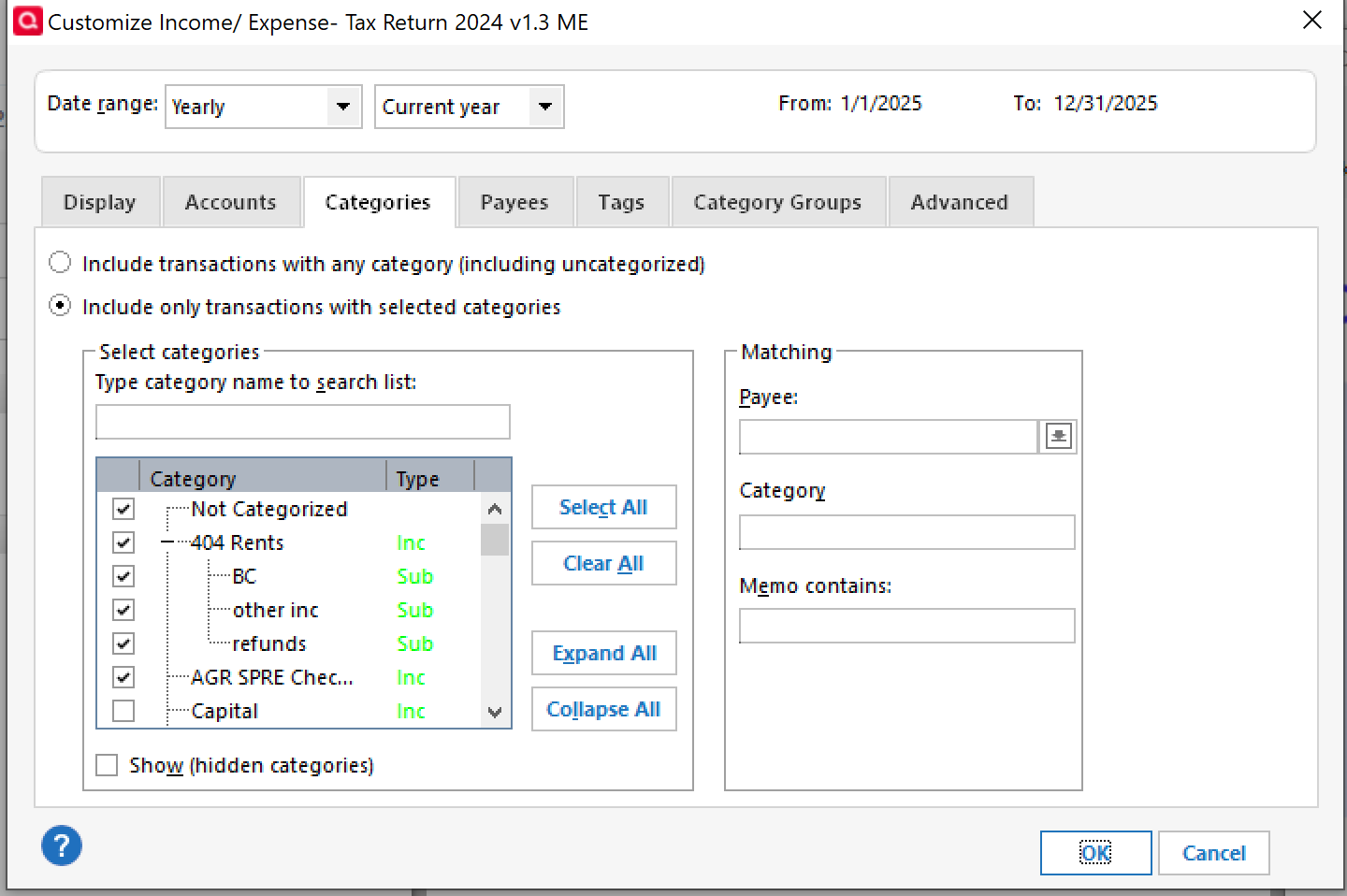
This is the old, classic
Best Answers
-
Go to Edit → Preferences and make sure the selection is NOT selected.
Don't know if this is your problem but it is the first thing I would check.
Quicken user since 1995.
Current Quicken for Windows subscription user. I usually upgrade to the latest version about 1 week after full release.0 -
@glenb. Apologies. I misread the version you wanted.
@Jim_Harman Thanks for the correction.
Quicken user since 1995.
Current Quicken for Windows subscription user. I usually upgrade to the latest version about 1 week after full release.0
Answers
-
Go to Edit → Preferences and make sure the selection is NOT selected.
Don't know if this is your problem but it is the first thing I would check.
Quicken user since 1995.
Current Quicken for Windows subscription user. I usually upgrade to the latest version about 1 week after full release.0 -
Go to Edit → Preferences and make sure the selection is NOT selected.
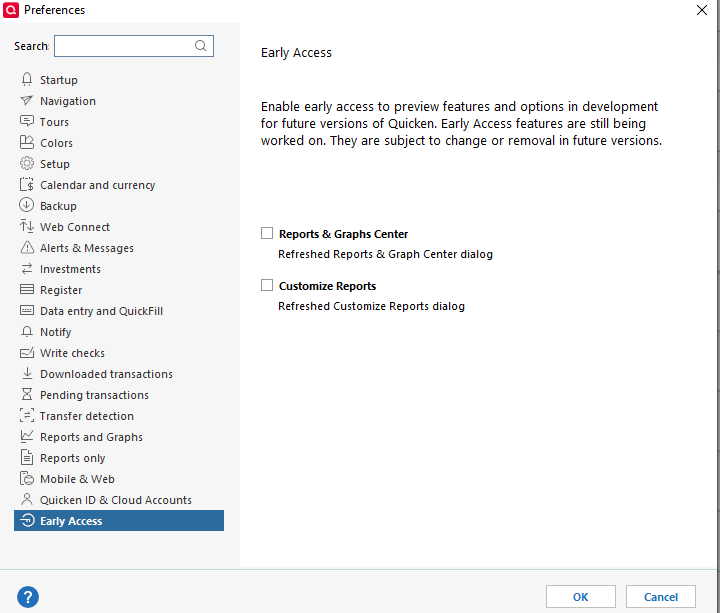
It is the other way around: To enable the new style report customization interface, go to Edit > Preferences > Early Access and check the Customize reports box.
There have been reports (none recently) that the new style interface has bugs, for example that unwanted Categories are sometimes selected. For example, see the link below. I do not know if these have been fixed.
Please let us know how it works for you.
QWin Premier subscription0 -
@glenb. Apologies. I misread the version you wanted.
@Jim_Harman Thanks for the correction.
Quicken user since 1995.
Current Quicken for Windows subscription user. I usually upgrade to the latest version about 1 week after full release.0 -
The early access checkbox cured my problem.
I do like the new report customization interface
There is enough room in the selection box to see nested category discriptions.
I did have a prior issue about modified categories (newly checked or unchecked) not being saved in the report.
0
Categories
- All Categories
- 56 Product Ideas
- 36 Announcements
- 225 Alerts, Online Banking & Known Product Issues
- 22 Product Alerts
- 703 Welcome to the Community!
- 671 Before you Buy
- 1.2K Product Ideas
- 53.7K Quicken Classic for Windows
- 16.3K Quicken Classic for Mac
- 1K Quicken Mobile
- 812 Quicken on the Web
- 111 Quicken LifeHub