Alerus 401k
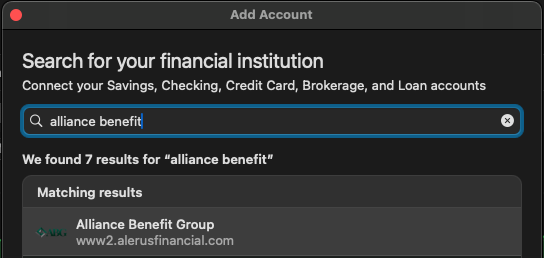
I have a new 401k retirement account with Alerus and can't connect via quicken. There are 3 choices; Alerus, Alerus Business, and Alerus Retirement. All 3 get some sort of error.
Before I go down a rabbit hole does..
- Does quicken connect to Alerus currently and successfully ?
Of course I called Alerus and of course they don't know what I am talking about.
Answers
-
[Removed - Disruptive]
0 -
Hello @frank6,
Thank you for reaching out. To confirm which connection (if any) should allow you to get connected, please provide the URL (web address) that you use when logging in directly through the financial institution website.
Do you recall what error message/code you encountered when attempting to connect using the Alerus Retirement connection option? If possible, please provide a screenshot of the error you encountered (with any personal information redacted). If needed, please refer to this Community FAQ for instructions on how to attach a screenshot. Alternatively, you can also drag and drop screenshots to your response if you are not given the option to add attachments.
I look forward to your response!
Quicken Kristina
Make sure to sign up for the email digest to see a round up of your top posts.
0 -
url:
0 -
Hello
0 -
Thank you for your replies,
I'm not seeing any connection option which matches that URL exactly. The closest I can find is Alliance Benefit Group.
It may be worth trying that connection option in your Quicken to see if you can connect that way.
Please let me know how it goes!
Quicken Kristina
Make sure to sign up for the email digest to see a round up of your top posts.
-1 -
thanks for your reply. Can you find out the official answer to my original question ? I have been using quicken since at least 1993 and to me this is the biggest problem with the software. To me should be such a simple question . This is not directed to you.
0 -
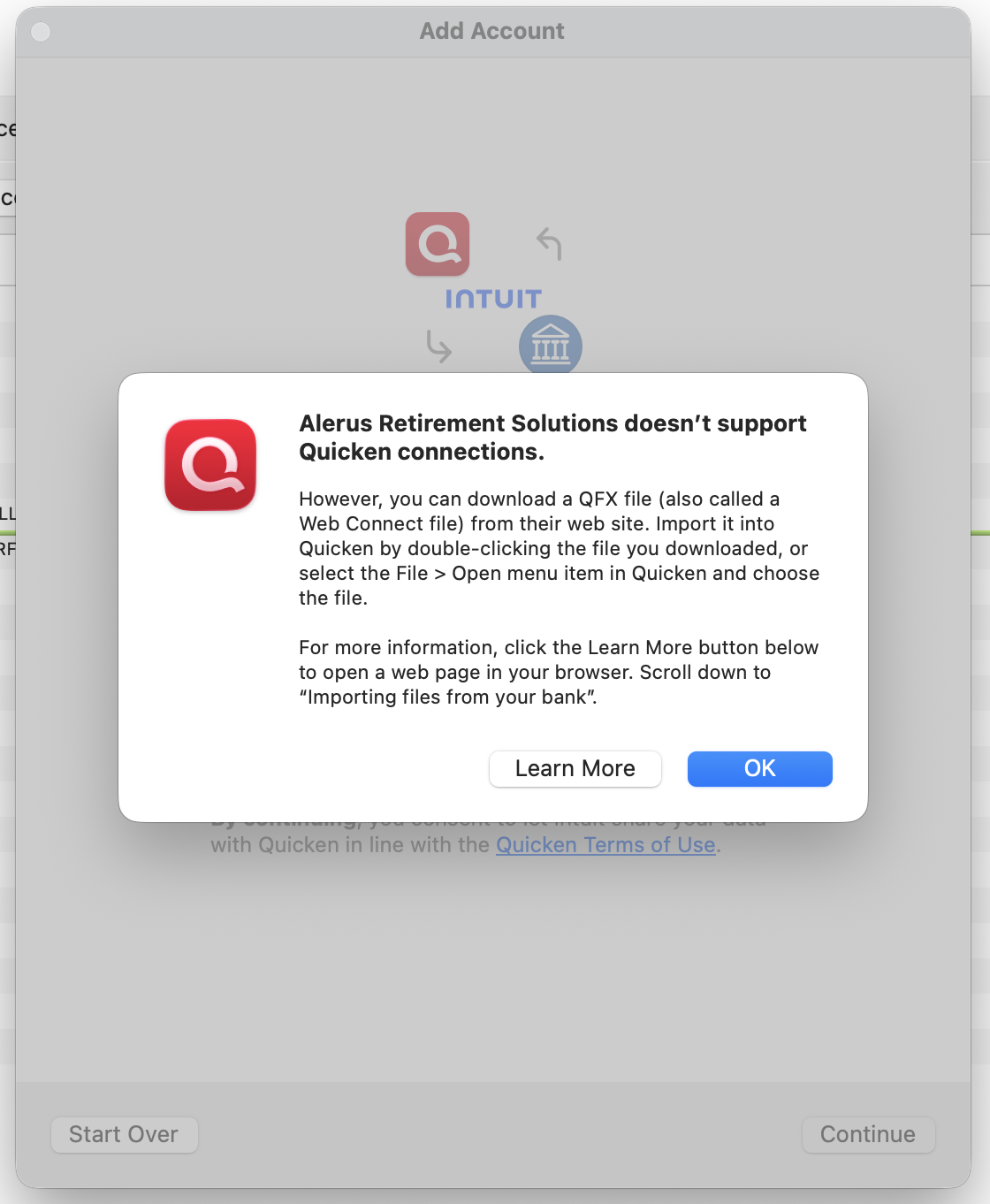
"Alerus Retirement Solutions doesn't support Quicken connections" seems like a pretty definitive answer to the question.
-1 -
Then why does it come up as a choice when you add a new account?
0 -
Thank you for your replies,
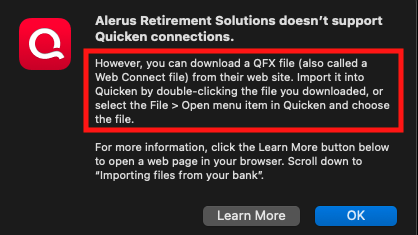
Based on the screenshot you posted earlier, Web Connect/QFX is supported for that connection. To use Web Connect/QFX, you would need to download a QFX file from the financial institution's website, then import that file into Quicken.
Thank you!
Quicken Kristina
Make sure to sign up for the email digest to see a round up of your top posts.
0 -
Something is clear here. Why would Quicken offer this option, then on the next screen say it's not supported? Is there a way to get a real answer instead of a guess? That does seem very helpful, don't all accounts support QFX?
[Edited - Readability]
0 -
Thank you for your reply,
…don't all accounts support QFX?
Financial institutions decide which connection methods they will support. Not all support Web Connect/QFX. According to our FIDIR (list of supported financial institutions), Alerus Retirement Solutions does support information from 401k accounts via Web Connect/QFX only:
Why would Quicken offer this option, then on the next screen say it's not supported?
The financial institution is not completely unsupported. While you can't connect for automatic downloads, you can still import transactions using Web Connect/QFX.
I hope this helps!
Quicken Kristina
Make sure to sign up for the email digest to see a round up of your top posts.
0 -
I think we know this connection supports QFX Web Connect. It is the messaging that needs to be improved-it shouldn't throw a warning that it doesn't support Quicken Connections when it indeed does, albeit via a manual import method.
I can understand why the OP is confused. Please run this up the chain to improve messaging for this FI. Thanks.
1 -
Hello @John_in_NC,
Thank you for the clarification. I forwarded the feedback internally to our teams.
Thank you!
(CBT-964)
Quicken Kristina
Make sure to sign up for the email digest to see a round up of your top posts.
0 -
So I understand…
If I download a qfx from a financial institution and open it and import into quicken, that is called "QFX Web Connect"? To me this is just importing a file, not a quicken connection. Can't this be done with all financial institutions? Back to my original post, when I add this account it offer 3 options for Alerus. If none of them work then they shouldn't be available. So here I am pulled again down a rabbit hole. This is my biggest and only complaint with quicken.
0 -
Thank you for your reply,
If I download a qfx from a financial institution and open it and import into quicken, that is called "QFX Web Connect"?
Yes. That is called QFX and/or Web Connect.
Can't this be done with all financial institutions?
No. QFX is a specific file format, and not all financial institutions choose to offer it.
…when I add this account it offer 3 options for Alerus. If none of them work then they shouldn't be available.
The 3 options support different types of accounts. The Alerus connection supports banking and credit account types. The Alerus - Business connection supports business banking accounts. The Alerus Retirement Solutions option supports 401k accounts. The first two don't work for your account because the account type is not supported by that connection.
Thank you!
Quicken Kristina
Make sure to sign up for the email digest to see a round up of your top posts.
0 -
One additional tidbit:
And while the QFX is simply a text file, it is not an option for all banks: when you go to import, Quicken is going to verify behind the scenes if that bank is supported. If it is, it imports the transactions in the file. If unsupported, then it rejects the file with an error. (Banks have to pay to play with Quicken, and if they don't wish to pay the fees, it will be unsupported.) So, it is a bit more nuanced than "importing a file".
You should login to your Alerus website and see if you can download a QFX (Web Connect) file. If you can, try to import to see if it actually imports. If you can and correctly link to the existing account, it will be "connected" to that account so future imports will automatically flow into that account.
2 -
I don't see anywhere on the website a place to download the file. I will call again today. I called them the other day and as usual with most financial institutions they don't know about quicken. Again this is where quicken fails big time.
0 -
The majority of financial institutions that support Quicken do not support Web Connect - less than 40% do. It's more popular than Direct Connect but much less popular than EWC/EWC+.
1 -
Also, since I had fidir.txt open I took a look at the entries for Alerus. The 401k option is "Alerus Retirement Solutions" and it only supports Web Connect. "Alerus" is for general banking & credit card accounts, and "Alerus - Business" is presumably for business accounts & not personal ones.
Since there's a separate Alerus entry specifically for 401k accounts I wouldn't expect the other two to work with that account type. That would mean that for 401k accounts you're limited to using QFX downloads as your only option.
Edit: And now I see that Quicken Kristina already spelled that out a few comments above.
1 -
If you have the option to download a QFX, it usually can be found in the download/recent transactions area. Often there is pulldown to download in a specific format such as PDF, .csv, .qif, etc.
That said, keep in mind (and to add another shade of gray to this), just because Alerus might be listed as being able to provide QFX doesn't mean all users can do such. Different Alerus 401k plans may or may not support this functionality depending on the plan your employer has setup.
As an example, we see this with different Credit Cards held with the same financial institution. Some card types get quicken support, while others do not.
1
Categories
- All Categories
- 40 Product Ideas
- 36 Announcements
- 222 Alerts, Online Banking & Known Product Issues
- 21 Product Alerts
- 525 Welcome to the Community!
- 674 Before you Buy
- 1.3K Product Ideas
- 54.3K Quicken Classic for Windows
- 16.5K Quicken Classic for Mac
- 1K Quicken Mobile
- 814 Quicken on the Web
- 115 Quicken LifeHub