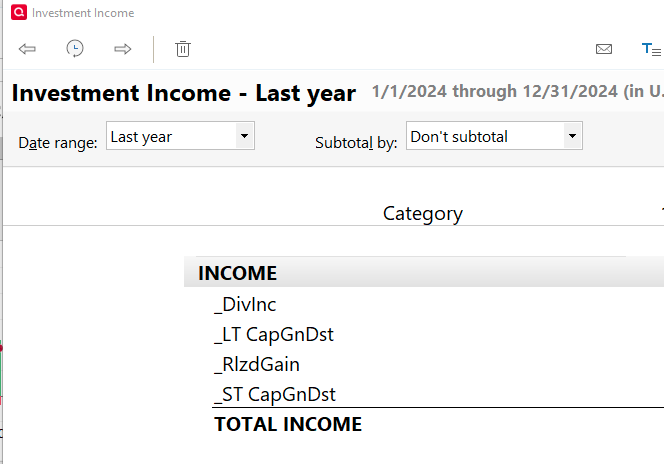
please add Long Term Capital Gains distributions to the report.. I love the format of the report, but I cant find any way to replicate with other reports to have this distribution type shown as well, particularly for mutual fund accounts
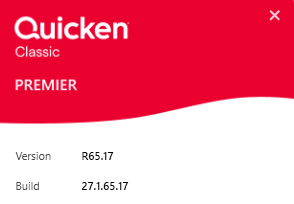
What Q product are you running … and what BUILD of that product?
Because when I click REPORTS, Investing, Investing Income and customize it for last year, I'm seeing LTCGains and I'm NOT seeing the same headers as you're showing.
My graphic is for 1 account only … but when I include multiple accounts I get a separate column for each.
Its the Quicken Standard Report called Income by Security. I can create the report you showed, but then I have to run it by each security.. The report I showed pre-aggregated by account and by security in one nice report. I expanded the image to show the actual report columns. I thought _LT CapGnDst might be included in Other Income, but they are not, so its really missing if you want a full view, This could be a big timesaver.
Two different reports - Income by Security Report and Investment Income. The latter shows the Capital Gains
Correct. The Investment Income report does not meet my need as you cant subtotal on both Account and Security. Plus, it puts securities in columns, which makes it harder to read.
In the Income by Security report, both Long and Short Term capital gains distributions are included in the Realized Gains column.
To see the breakdown of long vs short term gains and gains from sales vs CG distributions, you would have to look at the Tax reports.
OK, now that I know what report you're looking at, I did some exploring. For CG distributions to be displayed, you need to check the "Realized Gains" box.
I have a security which has paid CGLong twice this year, but nothing else, and it didn't even show until I clicked that box.