Sync Issues
I'm having problems with Quicken and syncing. I've changed some scheduled transactions and when I sync, the old schedule comes back after I sync. It appears that the scheduled transactions are coming back from the cloud sync, instead of updating the cloud with the new scheduled transactions.
Hopefully I'm making sense with this.
I have no idea what to do! Can I delete the cloud sync somehow and start over? Is there something else I can do instead??
Thanks
Comments
-
Hello @Rick Milton,
Thank you for sharing your experience and reporting the issues you are seeing.
The issue you are describing could definitely be caused by data "getting stuck" and coming back from the cloud sync. To resolve this, you can Reset the Cloud.
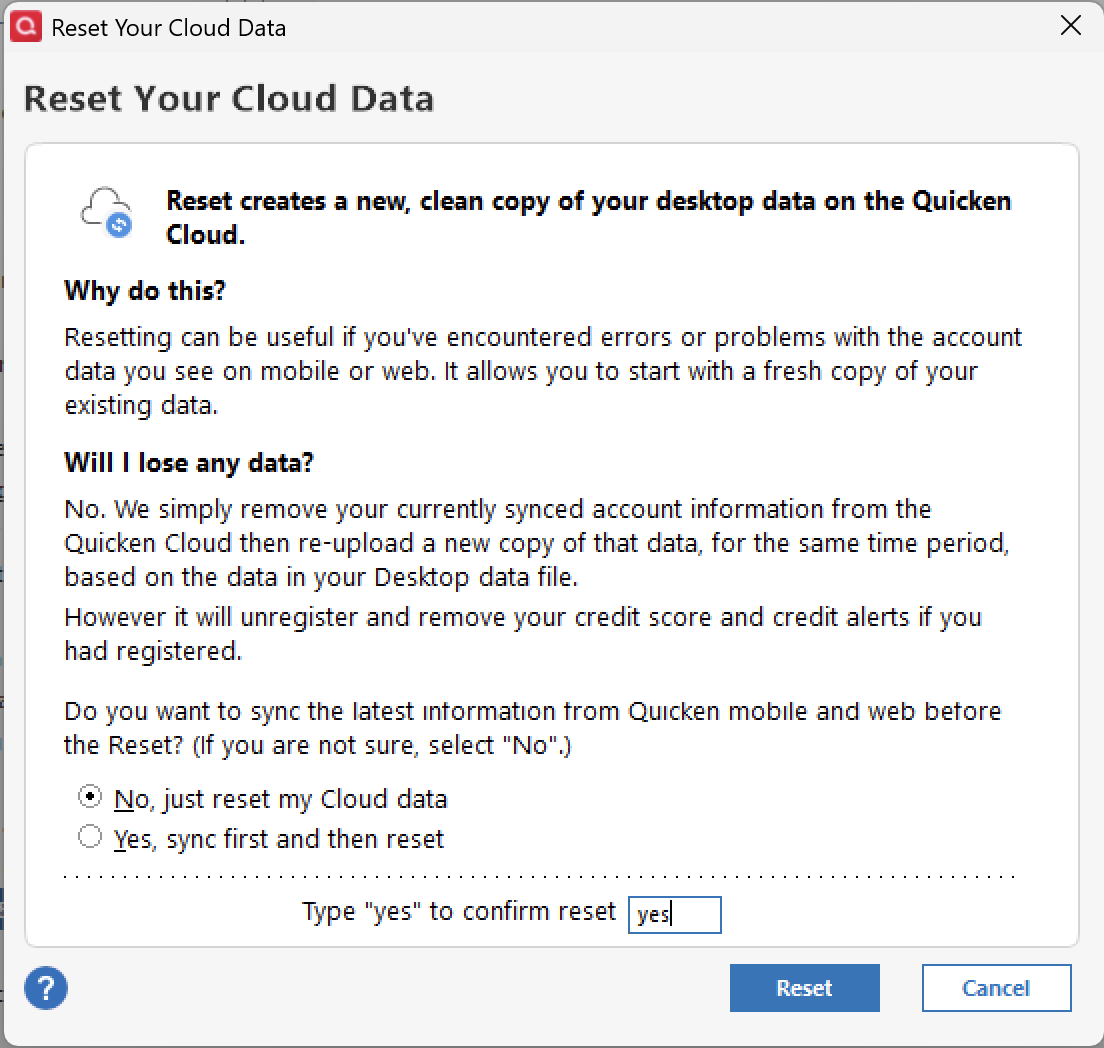
Resetting your Cloud data will erase your synced account information stored on our servers. That same data will become immediately inaccessible on your mobile devices, and all of the alerts you've set up using these accounts will stop. No data will be deleted from your Quicken desktop data file.
- Go to Edit
- Select Preferences.
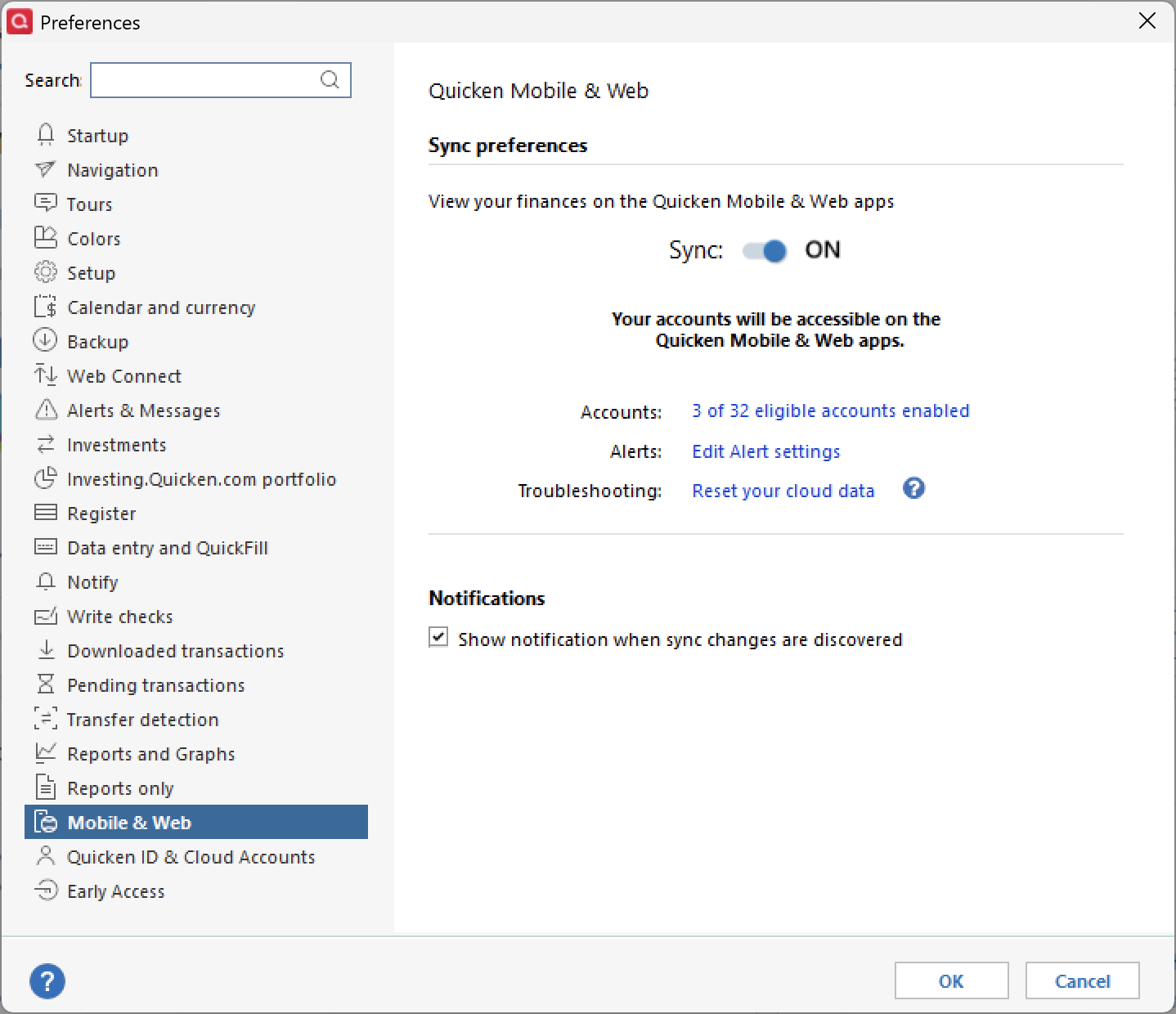
- Click on Mobile & Web.
- Click Reset your cloud data.
- Type "yes" to confirm.
- Click Reset.
Once it completes, check to see if the issue persists.
Let us know how it goes!
Quicken Alyssa
Make sure to sign up for the email digest to see a round up of your top posts.
0
Categories
- All Categories
- 60 Product Ideas
- 36 Announcements
- 219 Alerts, Online Banking & Known Product Issues
- 21 Product Alerts
- 704 Welcome to the Community!
- 671 Before you Buy
- 1.2K Product Ideas
- 53.9K Quicken Classic for Windows
- 16.4K Quicken Classic for Mac
- 1K Quicken Mobile
- 812 Quicken on the Web
- 115 Quicken LifeHub