PNC DC issues still not fixed
I can understand compatibility issues when either Quicken or PNC does software work, But after 6 or 7 weeks I am looking for an honest answer from someone about when this mess will be fixed. I have spent hours on the phone with Quicken and PNC Quicken support. They all agree that there is a problem, that the problem is the other party, and they don't know when it will be fixed. To me, this is an answer driven by a lack of priority by both Quicken and PNC to getting it fixed. I have tried most of the "fixes" shown in the threads here and none of them work consistently. Come on Quicken and PNC - work together. Yes, I am frustrated and have learned a lot about both Quicken and PNC commitments to customers. If it is going to take six months, tell me. Urrr!
Comments
-
Hello @RJL,
Thank you for sharing your comments and concerns.
Here is the Community Alert for the issue you are referencing. Do you have missing transactions with PNC? If so, the last updates told us that deactivating and reactivating your account(s) should resolve this issue.
To Deactivate:
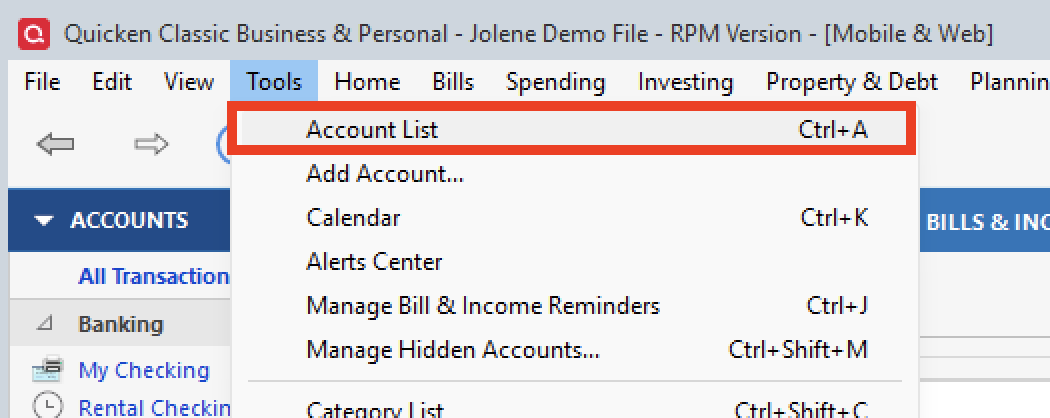
- Select the Tools menu and select Account List....
- In the Account List, select the account you want to deactivate, and then click Edit.
- In the Account Details window, click the Online Services tab.
- Click Deactivate next to the service you want to disable.
- Click Yes to the message confirming if you want to disable this service. Note: If you do not receive this message, additional information is available below.
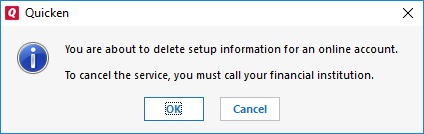
- Direct Connect users: If you are deactivating a Direct Connect account, you may see an additional prompt advising you to contact your bank to cancel the Direct Connect service. This is only recommended if you intend to deactivate an account permanently and need to contact the bank to stop any related fees.
6. Click OK to the confirmation message.
To Reactivate:
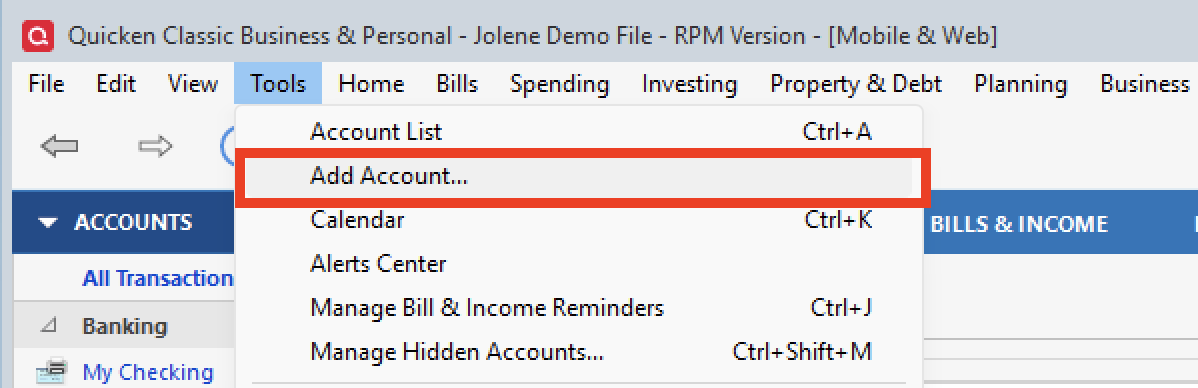
- Go to Tools > Add Account.
- Select the bank for the deactivated account(s). If prompted, select the connection method.
- Enter your credentials and click Connect.
- When the list of located accounts appears, choose LINK next to each account you want to reactivate.
- Click Next, then Done on the last prompt.
If deactivating/reactivating does not resolve the issue, please contact Quicken Support directly so they can gather information from you and process an escalation if needed.
Thank you!
Quicken Alyssa
Make sure to sign up for the email digest to see a round up of your top posts.
0
Categories
- All Categories
- 42 Product Ideas
- 36 Announcements
- 225 Alerts, Online Banking & Known Product Issues
- 21 Product Alerts
- 497 Welcome to the Community!
- 677 Before you Buy
- 1.3K Product Ideas
- 54.4K Quicken Classic for Windows
- 16.5K Quicken Classic for Mac
- 1K Quicken Mobile
- 814 Quicken on the Web
- 115 Quicken LifeHub