Hello, I am a longstanding user of Quicken. Today a Quicken phone rep assisted me to update the name of one of my bank checking accounts. (My bank had changed the name but it's exactly the same checking acct. with all data remaining intact.) With the Quicken Rep, it required to "Deactivate" the original bank account in my Quicken program. And then to "Add Account" again.
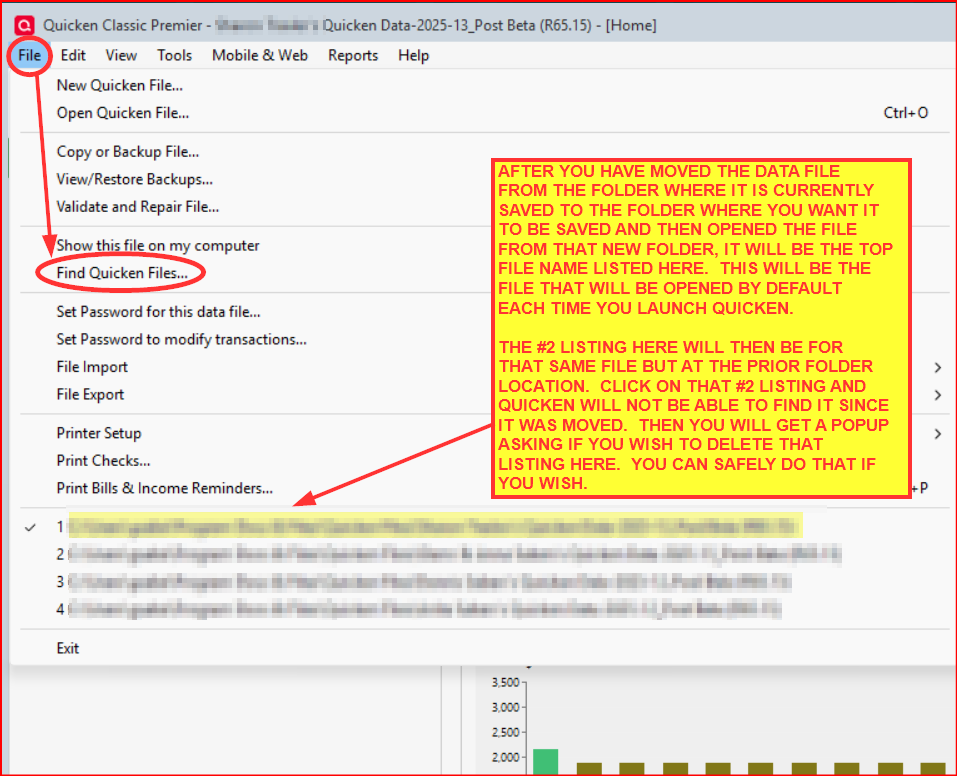
In the process I have lost the ability to save a Quicken file to my PC Files (File folder). I can open it by opening my Quicken app in the PC Programs. But I like to follow the saved or backups of actual Quicken program sessions saved directly to my PC Files. (I have a Folder for Quicken.) Can you instruct how I can resume doing this? e.g.- Before closing the Quicken program, how do I save it to the PC File?
Much appreciated!!
Massachusetts