In November 2025 I was able to change the comment in the MEMO/NOTES column for scheduled transactions. That capability is no longer present. What happened?
Will this capability be restored ?
@William Day I'm not seeing what you're describing. In an account register, I double-click own a scheduled transaction, and in the blue mini-menu bar which pops up under the transaction, click Edit All Instances. The Transaction Details window allows editing the Memo field, just as it did previously.
Perhaps what @William Day is talking about is that for a regular transaction you can directly edit the memo field from the register just by double clicking on the memo, but that doesn't work for a scheduled transaction. I went back & checked a few older versions of Quicken Mac from the last couple years and that didn't work in any of them either.
Perhaps what @William Day is talking about is that for a regular transaction you can directly edit the memo field from the register just by double clicking on the memo, but that doesn't work for a scheduled transaction.
Well, I'd say you can do it, it's just one extra click on the "Edit All Instances" link. And that hasn't changed.
Perhaps he means you can't edit the Memo in the next instance only, as you can with the date or amount? But that's never been possible, and he's describing something he says was possible last month.
@William Day, please let us know more about what you're describing.
I have a monthly scheduled transaction and have always been able to edit/change the MEMO field. When I tried to change the EDIT field yesterday I couldn't change it.
I have a monthly scheduled transaction and have always been able to edit/change the MEMO field. When I tried to change the MEMO field yesterday I couldn't change it.
@William Day Sorry, but you didn't add information that might help us help you.
Are you doing this in the account register (as opposed to the Bills & Income screen)?
What happens when you double-click the scheduled transaction. Do you see the blue mini-menu under it? And what happens when you click Edit All Instances?
For example, here's a scheduled transaction in a register:
When you double-click to edit it, you should see this:
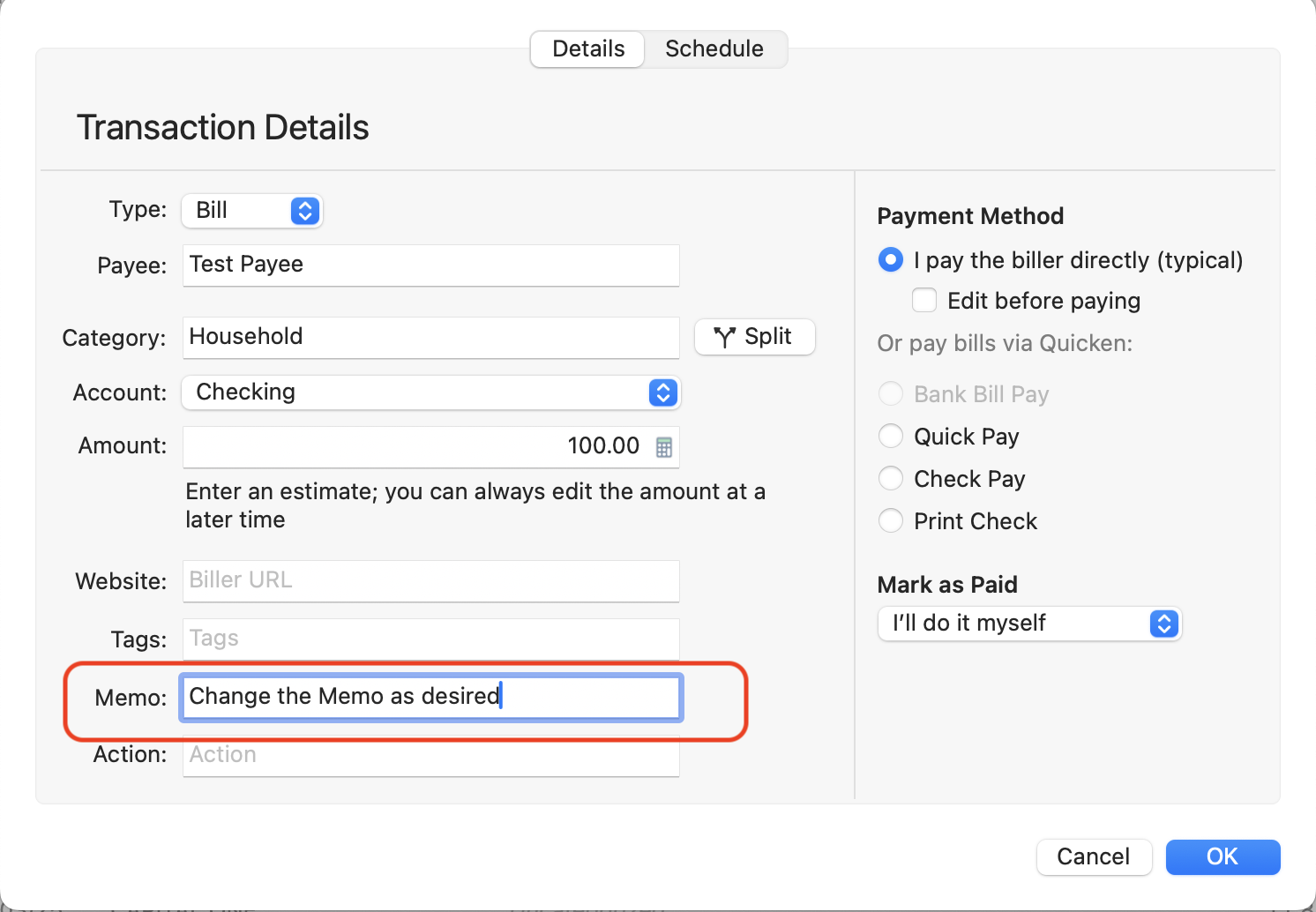
When you click Edit All Instances, it should open in the Edit Details window, where you can edit the Memo:
Please let us know what you are doing differently, or what different results you are seeing.
(If you are instead on the Bills & Income screen, you'd click the circular ••• icon on the left side of the(to the right of the Mark as Paid button), and select Edit All Instances in the pop-up menu.)
By following your instructions I was able to edit the MEMO field of a scheduled transaction. Thanks for your assistance.