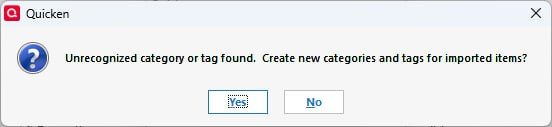
Unrecognized category or tag found
Hello,
I'm new here, and I just want to ask: why does it happen that whenever a QIF file is imported into a Quicken desktop app on a different laptop, I receive a notification or error like this? All current Category and Tag lists are updated, and I make sure that nothing is misspelled.
Thank you so much, and I appreciate your help.
Answers
-
Are the Category (including sub-cat) and Tag lists on the machines IDENTICAL?
And, have you tried taking a backup before you import the QIF, and then responding YES? The worst that could happen is that you get new items created, which you can then examine and decide whether to keep.
But, why are you importing QIF files apparently frequently?
Also, a QIF is a text file, so you could open it in NotePad or WordPad (NOT MS Word) and see if anything jumps out.
Note, that it's also possible that the problem is on the QIF creation side, not the import side.
Q user since February, 1990. DOS Version 4
Now running Quicken Windows Subscription, Business & Personal
Retired "Certified Information Systems Auditor" & Bank Audit VP0
Categories
- All Categories
- 64 Product Ideas
- 36 Announcements
- 225 Alerts, Online Banking & Known Product Issues
- 21 Product Alerts
- 704 Welcome to the Community!
- 673 Before you Buy
- 1.2K Product Ideas
- 54K Quicken Classic for Windows
- 16.4K Quicken Classic for Mac
- 1K Quicken Mobile
- 812 Quicken on the Web
- 115 Quicken LifeHub

