My CPA asked for some YE amounts and I tried to print out relevant pages of Tax Summary. There is no way to include the amounts on each transaction. I tried regular and landscape pages. They are in the report, but not able to print one page. HELP!
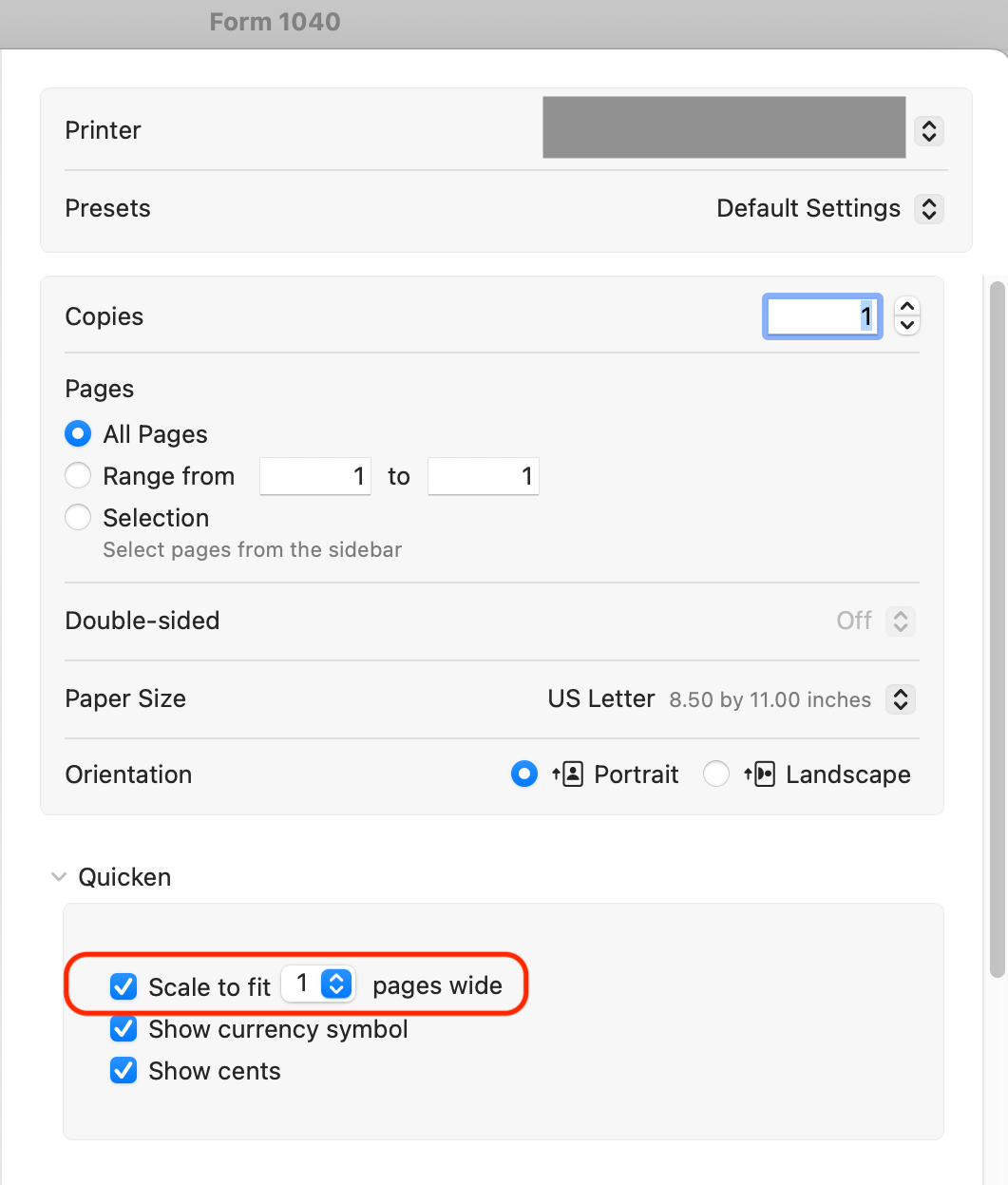
@Susie If I understand you correctly, you can see the number values in the tax report on screen, but not when you print the report? If so, the key is in the Print dialog box:
Click the checkbox for "Scale to fit 1 page wide" here, and your printed report will contain everything you see on the screen in a report 1 page wide. If you have a lot of columns the text may be scaled quite small, but it will all be there. If the text is hard to read, consider clicking the Orientation to be Landscape (horizontal) instead of Portrait; that gives your report more width, so the text will be larger.
There are some other possible tricks if the report is going to only be viewed as a PDF and not actually printed. You could select the Paper Size pulldown menu and select US Legal (8.5x14) to make your Landscape page 3 inches wider and able to fit more/larger text.
Thank you so much. I will try this