Why can't I add Discover card to quicken?

Answers
-
Quicken says don't add to account, and I can't change that.
0 -
hopeless??
0 -
Hello @Jake Walker,
Thank you for sharing your experience and posing this question.
Generally, when "Do not add to Quicken" is displayed when trying to add an account, it means that Quicken thinks the account is already connected. To resolve this, you would need to disconnect the existing account in Quicken before going through the steps to add it.
To disconnect:
1. Select the Tools menu and select Account List....
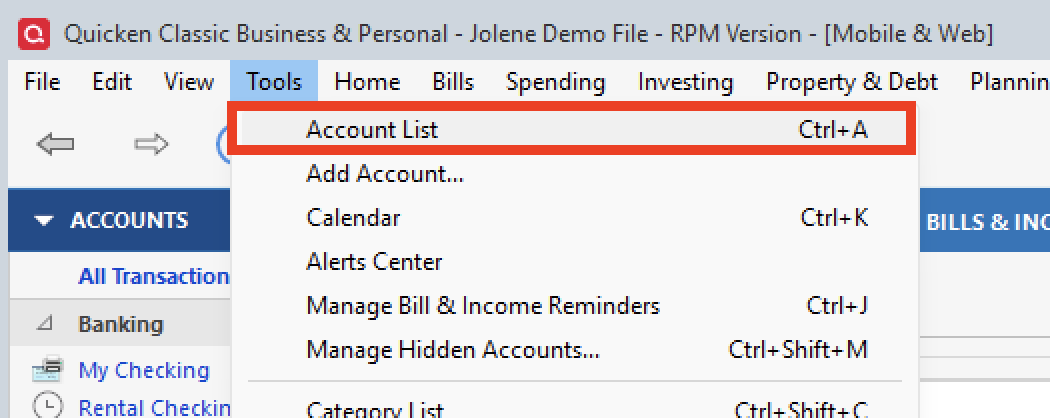
2. In the Account List, select the account you want to deactivate, and then click Edit.
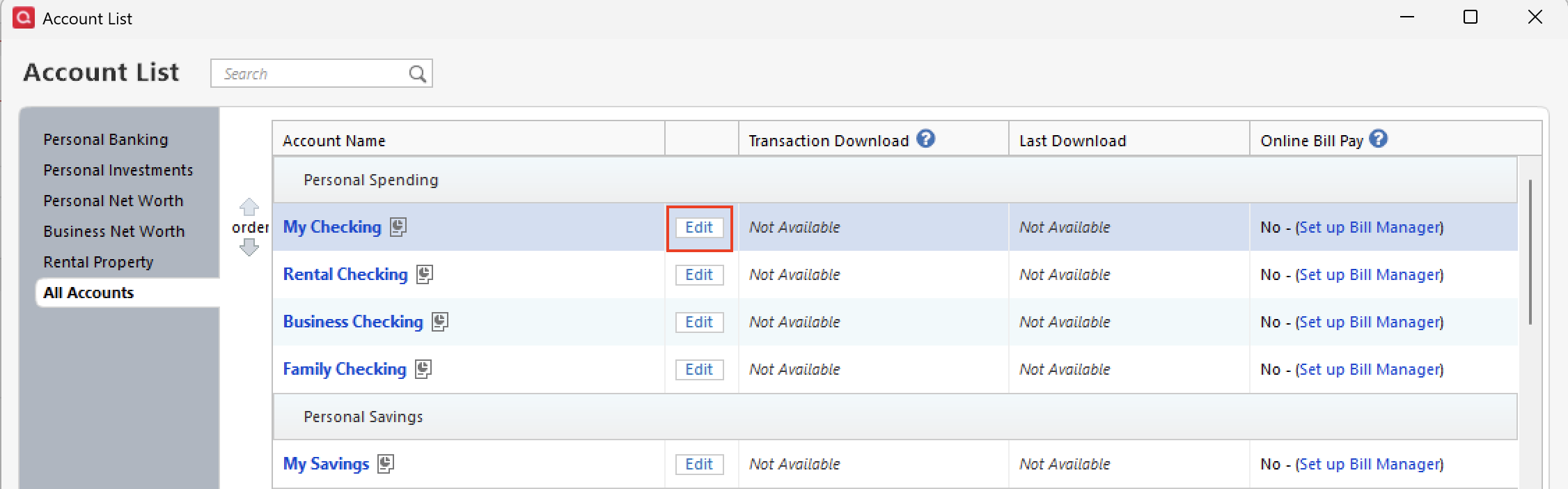
3. In the Account Details window, click the Online Services tab.
4. Click Deactivate next to the service you want to disable.
5. Click Yes to the message confirming if you want to disable this service.To reconnect:
- Go to Tools > Add Account.
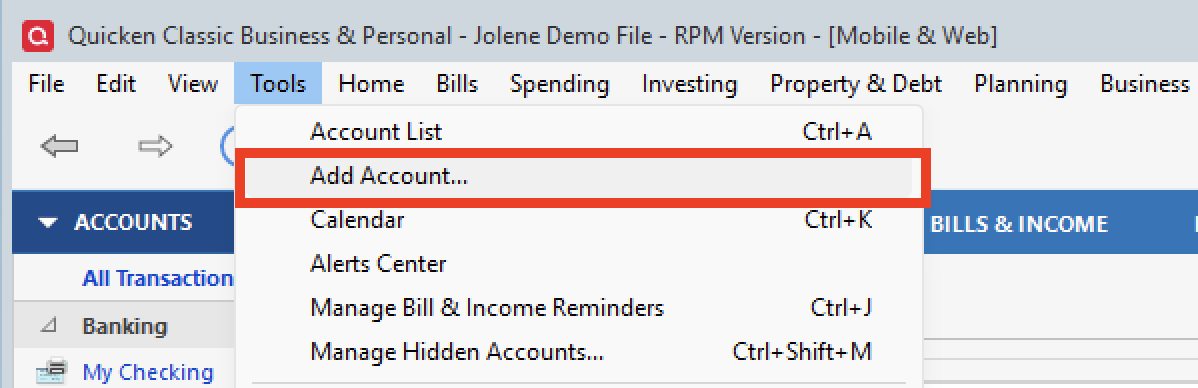
- Select the bank for the deactivated account(s). If prompted, select the connection method.
- Enter your credentials and click Connect.
- When the list of located accounts appears, choose LINK next to each account you want to reactivate.
- Click Next then Done on the last prompt.
I hope this helps to resolve the issue you were having. Let us know how it goes!
Thank you!
Quicken Alyssa
Make sure to sign up for the email digest to see a round up of your top posts.
0 - Go to Tools > Add Account.
