One step update doesn't recognize 2 of 3 Vanguard accounts

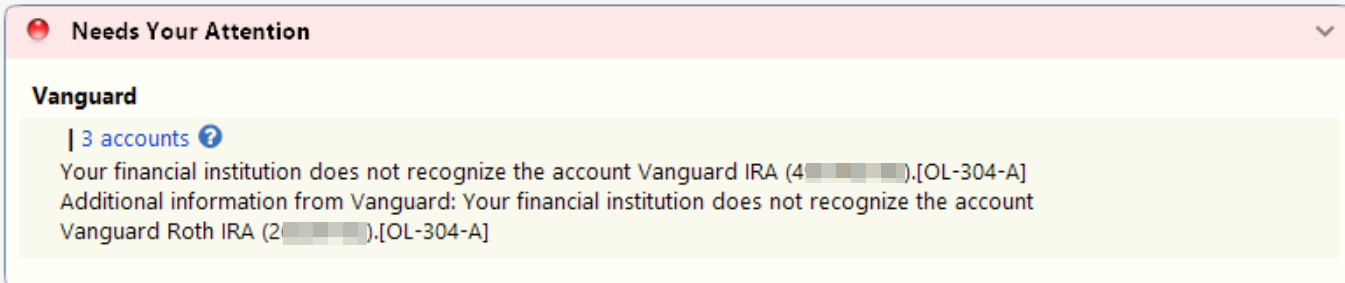
I have 3 accounts at Vanguard: Brokerage, traditional IRA, Roth IRA. Problem started a couple days ago. Can't update Vanguard as I keep getting an error message. Vanguard isn't recognizing either of the IRA accounts. I tried to Quicken Reset the account, but only my Brokerage account was listed as a reset option. The two IRA accounts weren't listed
Best Answer
-
I backup my .QDF file daily. After I fixed Vanguard's Customize Accounts settings to Show all accounts, I restored a backup file then reset each of my Vanguard accounts. Life is good again. Thanks for your help
0
Answers
-
Hello @ChicagoGuy,
Thanks for posting and for including the screenshot—that’s very helpful.
The error shown (OL-304-A) means that Vanguard is not currently recognizing one or more of the accounts for online services. This typically happens when an account hasn’t been authorized for downloads, has changed on the bank’s side, or the connection information in Quicken needs to be refreshed.
This would also explain why only your Brokerage account appears as a reset option while the two IRA accounts do not—Quicken can only reset accounts that Vanguard is actively presenting as eligible for online access.
You can find more details in this support article regarding this error.
What to try next:
- Verify authorization at Vanguard
- Log in to Vanguard’s website or contact them directly to confirm that both the Traditional IRA and Roth IRA are enabled for third-party access / Quicken downloads.
- If Vanguard requires separate authorization per account type, the IRAs may need to be re-approved.
- Deactivate and reactivate the IRA accounts in Quicken
- Open each IRA account register.
- Go to Tools > Account List > Edit next to the account.
- On the Online Services tab, click Deactivate.
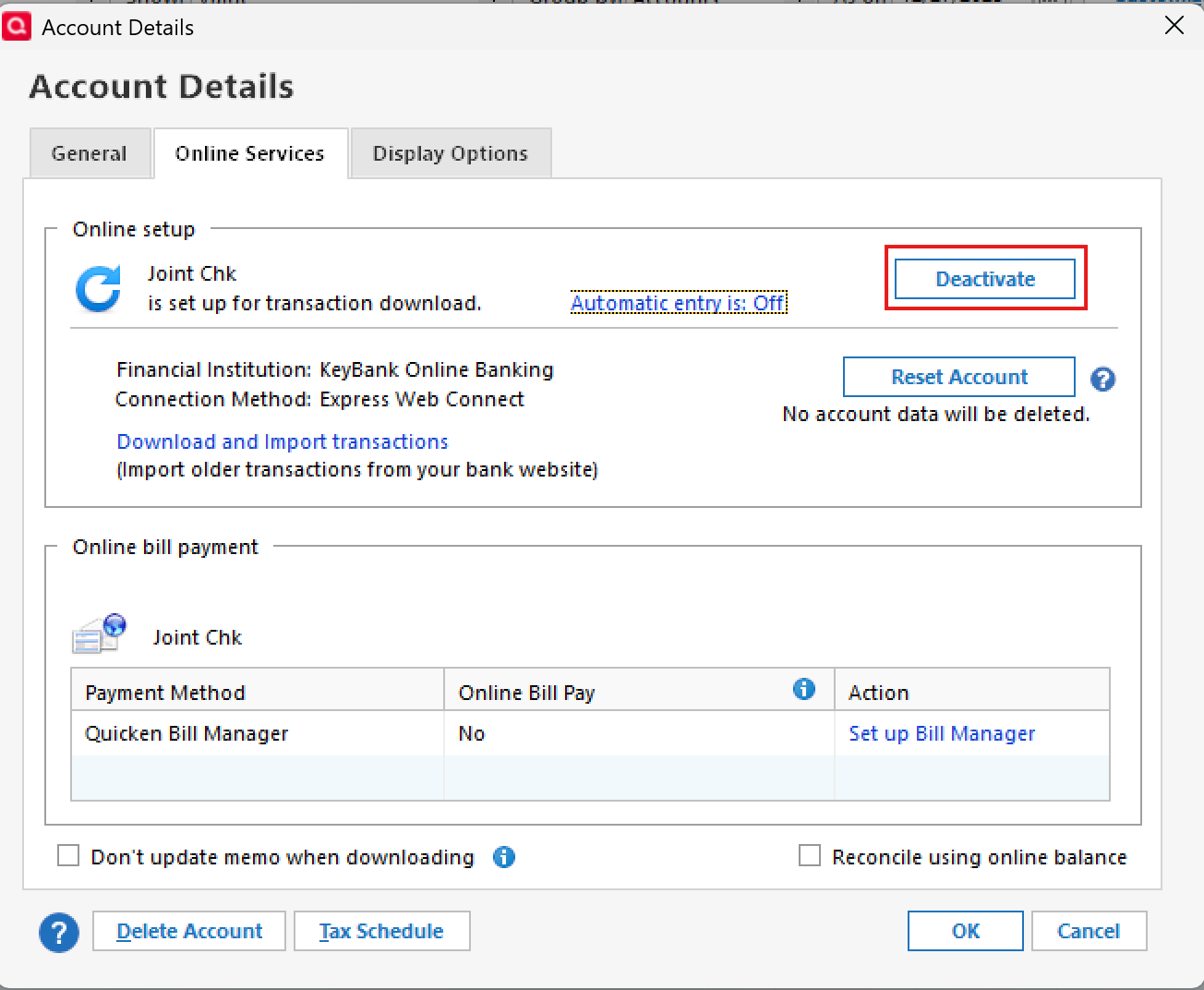
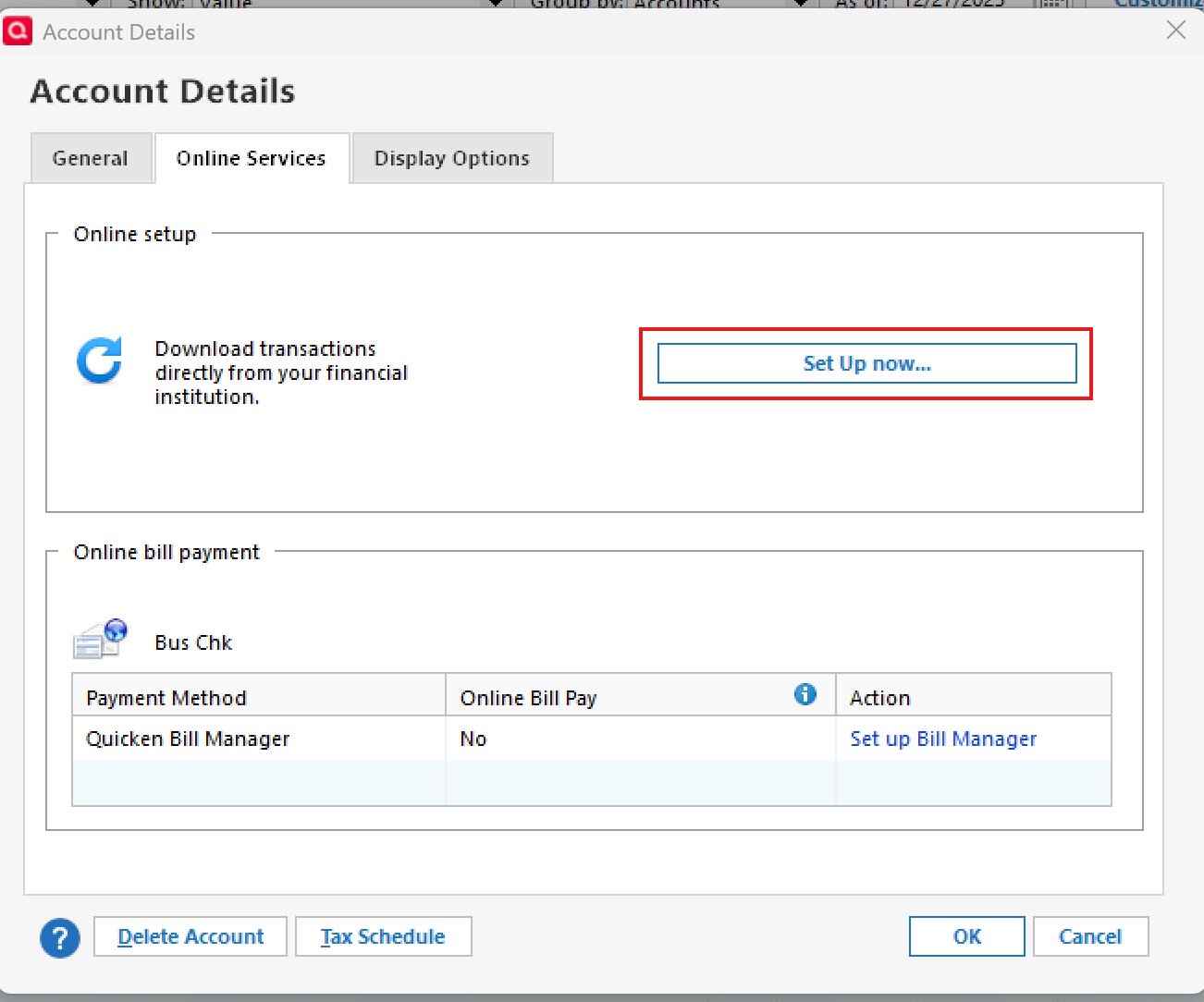
- After deactivation, click Set up Now and sign in to Vanguard again.
- When Quicken displays the list of available accounts, be sure to LINK each IRA to its existing Quicken account (do not add as new).
- Run Update Now
- After relinking, open the account register and select Account Actions > Update Now to refresh the connection.
If the IRA accounts still do not appear during setup after confirming they are authorized on Vanguard’s end, you’ll need to contact Vanguard directly, as OL-304 errors originate from the financial institution’s side.
Hope this helps!
-Quicken Anja
Make sure to sign up for the email digest to see a round up of your top posts.1 - Verify authorization at Vanguard
-
fyi…. Tried deactivating IRAs, then re-activating. Didn't help. Vanguard still doesn't see the IRAs. Tried deactivating the Brokerage account too. On activation only asks if I want to add the Brokerage account.
I called Vanguard. We created a brand new Quicken file and then tried adding Vanguard. Same problem. Vanguard only sees the one Brokerage account. They opened a support ticket. (Not clear the Vanguard person on the phone checked 3rd party access permission)
Let you know when I hear back. Thanks much for the prompt reply today. And Happy New Year :)
0 -
@ChicagoGuy Thank you for the detailed follow-up.
It’s good to hear that Vanguard has opened a ticket. When they follow up, it may be worth specifically asking them to verify:
- Whether each IRA account is individually authorized for third-party/Quicken access
- Whether there are any account-type or security restrictions preventing those IRAs from being shared
Thanks again for keeping us posted—and I appreciate the update. Please do let us know what Vanguard finds.
Happy New Year to you as well!
-Quicken Anja
Make sure to sign up for the email digest to see a round up of your top posts.0 -
I found the original (Vanguard) problem but fixing it causes a new one (I think a Quicken problem)
Vanguard lets you customize account display using Dashboard -> Customize Accounts. You can choose to show/hide each account as well as reorder there display. (The slider is all the way to the right). I don’t know if a bug or a feature, but I found when slider is set to hide, the account is hidden from EVERYTHING (including Quicken). I apparently hid the 2 IRAs at one point. Good news: After setting the Vanguard accounts back to Show, Quicken can see all of them again.
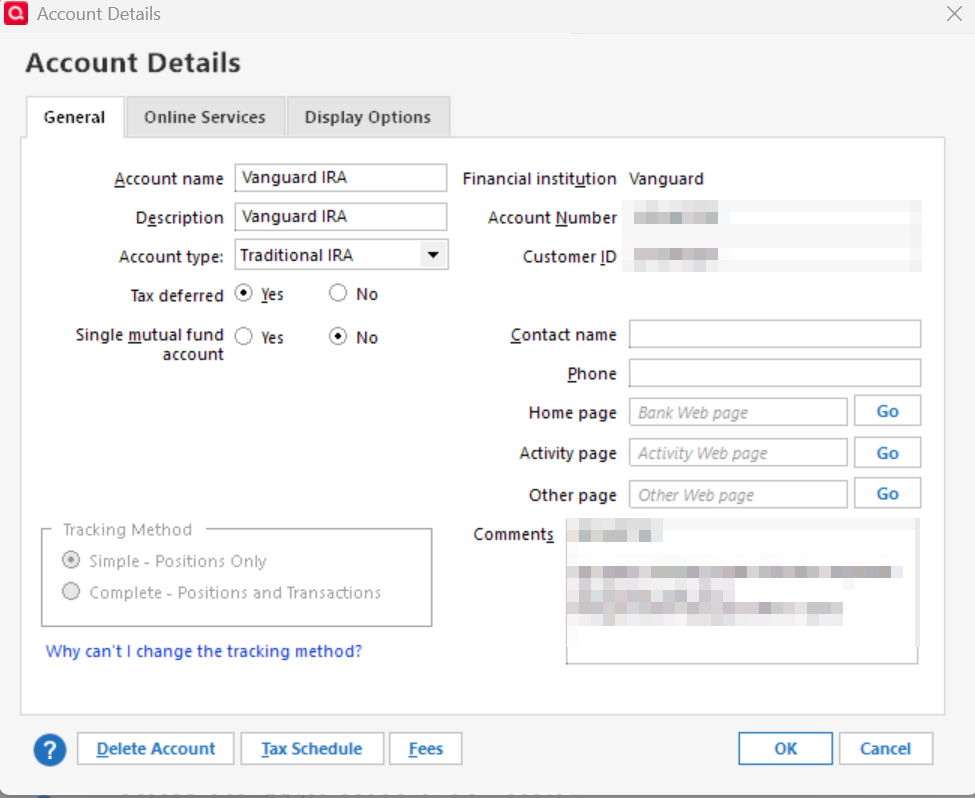
Bad news: After account re-activation, the account transactions no longer appear. On the account General tab, Tracking Method is set to Simple and it’s all greyed out so there’s no way to change it. How do I get my transactions back?
Vanguard - Allows you to customize account information display
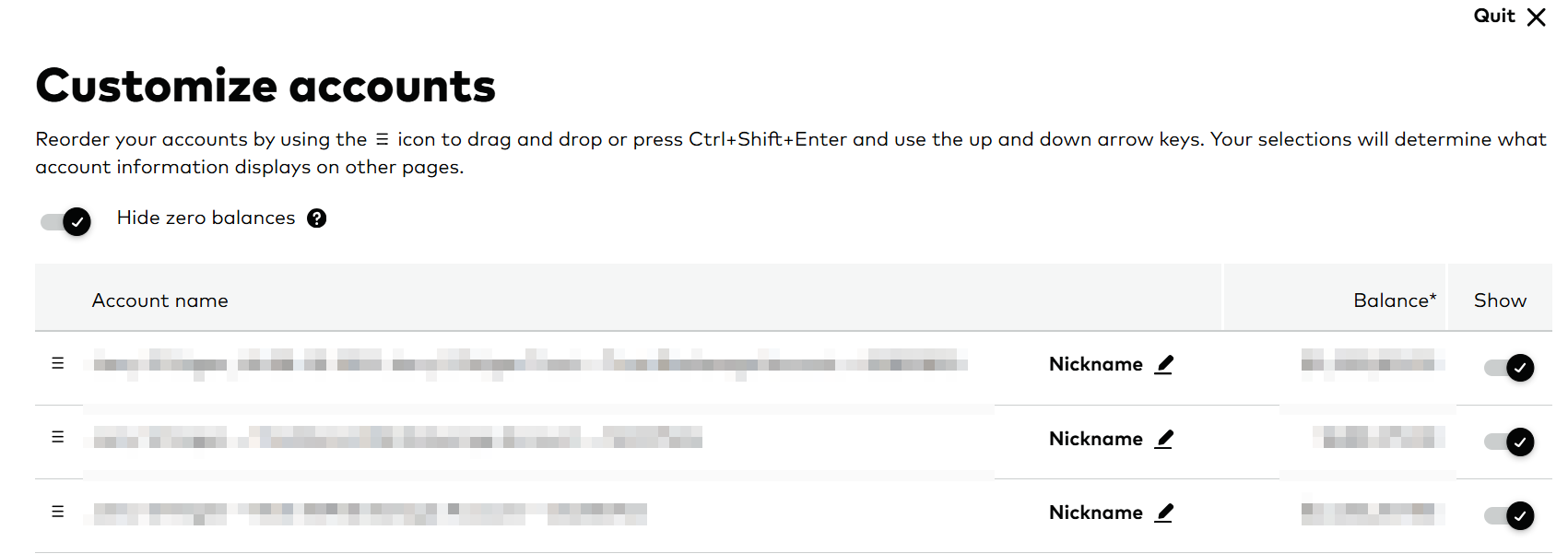
After reactivating, Tracking Method is Simple and greyed out
 0
0 -
@ChicagoGuy Thanks for sharing the screenshots and for the detailed explanation.
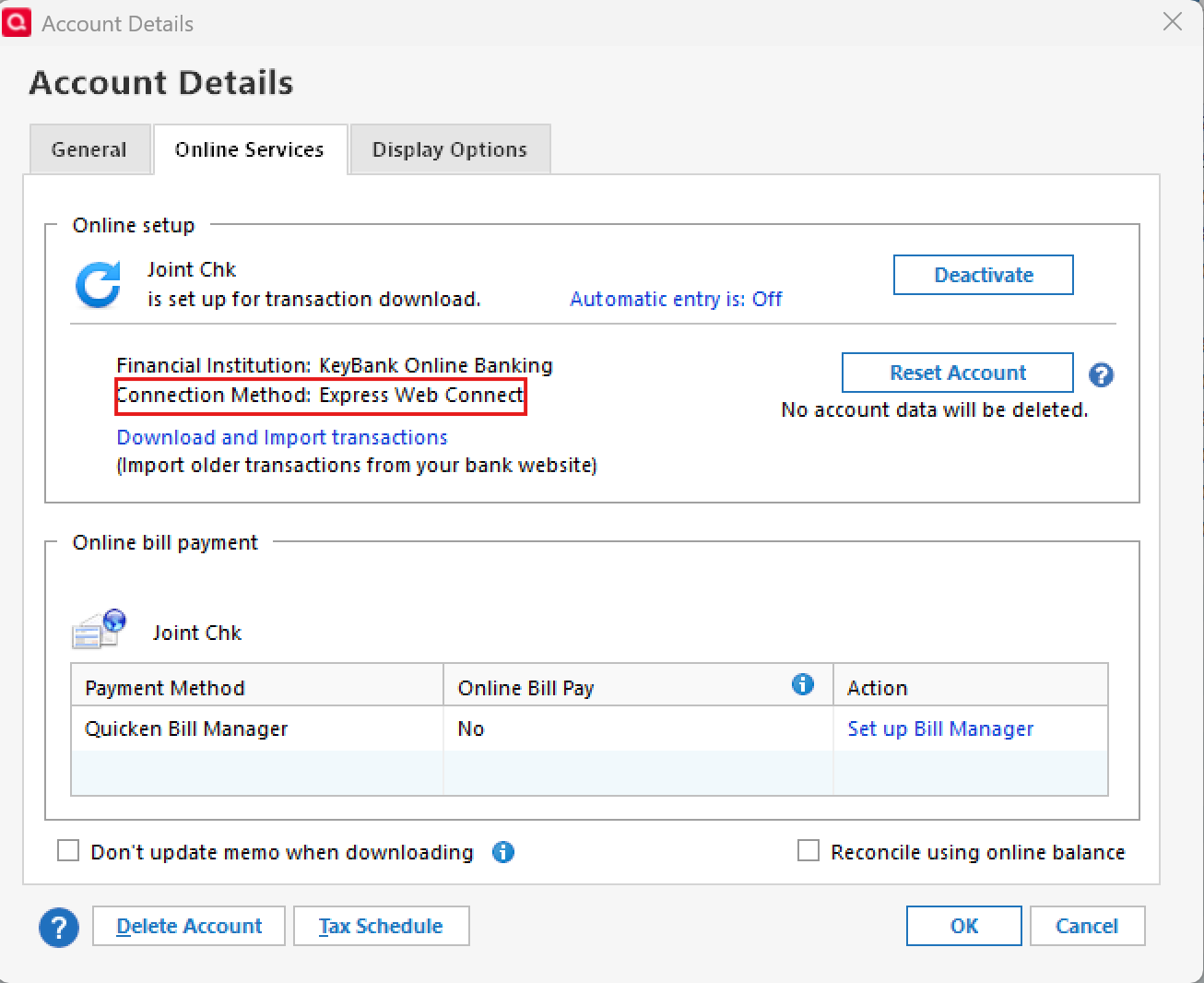
To help determine why the account is now stuck in Simple tracking mode and why transactions aren’t displaying, could you please check one more thing for us?
- Open one of the affected IRA accounts
- Go to Account Details
- Select the Online Services tab
- Let us know which connection method is shown there (for example: Direct Connect, Express Web Connect, or Web Connect)
Looking forward to your update!
-Quicken Anja
Make sure to sign up for the email digest to see a round up of your top posts.0 -
I backup my .QDF file daily. After I fixed Vanguard's Customize Accounts settings to Show all accounts, I restored a backup file then reset each of my Vanguard accounts. Life is good again. Thanks for your help
0 -
@ChicagoGuy Thanks for the update! Glad to hear it is working now.
-Quicken Anja
Make sure to sign up for the email digest to see a round up of your top posts.0
