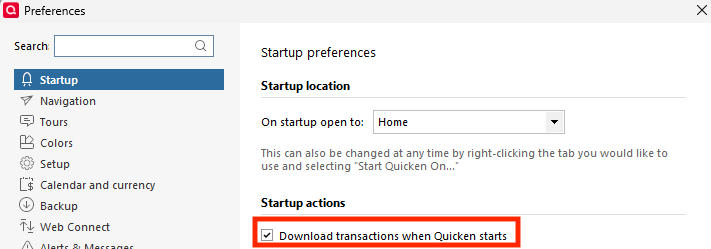
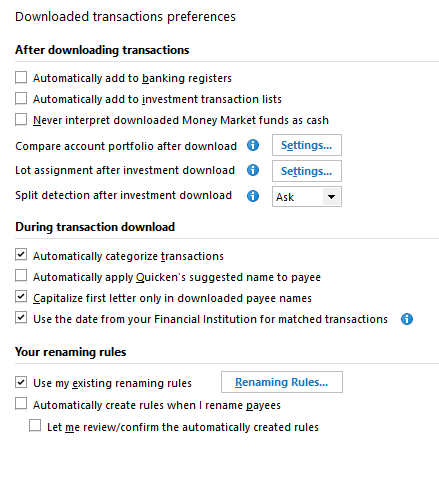
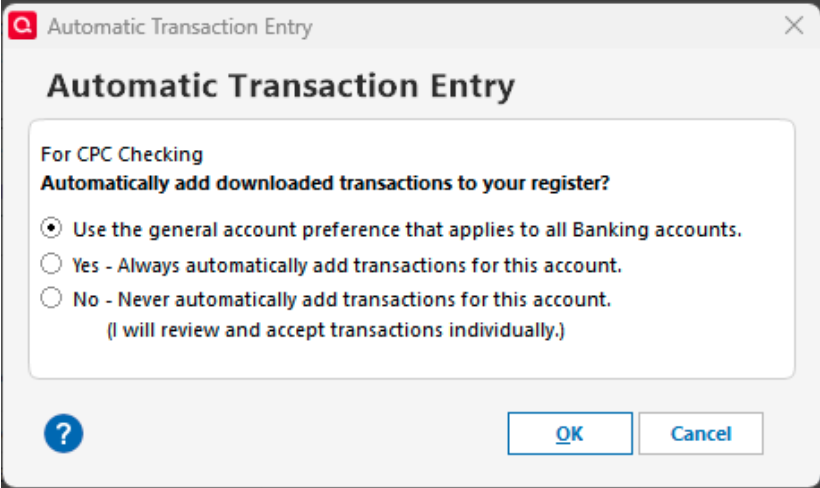
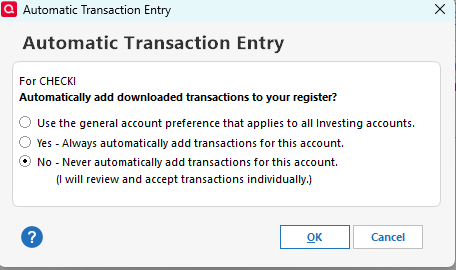
I have been using Quicken for 25+ years and recently when Fidelity switched to EWC+, I began experiencing a lot of issues. Tech support helped me get through some of them by creating all new Fidelity accounts in Quicken which seemed to work. The one item that is not working properly is the Auto-entry of transactions. I have it turned off and want it turned off. I toggled it off and on and off to troubleshoot. *I would like to have the Downloaded Transactions box appear at the bottom so that I can Accept/Match transactions before they go into the register.*
However, I get strange results.
If I do a One Step Update when Quicken first starts, the transactions end up going directly in my register without giving me the opportunity to Accept them.
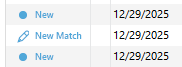
This is not the behavior I would expect based on my settings for the account.
In addition, if I skip the One Step Update and go straight to the account and then do a One Step Update for Fidelity ONLY, I get different results. The above happens again, but this time, I also get the Downloaded Transactions box at the bottom populated with the opportunity to Accept/Match transactions.
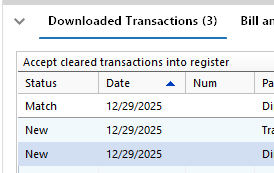
The only other piece of relevant information is that the account in question is a Linked Checking Account. My Fidelity account is a Cash Management Account and so we set it up per Quicken instructions as a Brokerage account with a linked checking account (LCA). The main brokerage account is behaving as expected (zero balance always) but the LCA is the one I'm having trouble with above.
I feel like there's some hidden configuration that's causing this behavior but cannot figure it out. Any advice would be appreciated - though it's not realistic to think I would re-create my Fidelity account AGAIN since I had already done it 2 times since EWC+ went into effect.
One last thing. I have scoured this forum and reddit and have seen similar issues but never a solution. I'm not too optimistic but we shall see if you all can exceed expectations :)
THANK YOU!