Can't create export QXF file in Mac

I have a MacBook Air running MacOS Sonoma 14.7.7.
I am trying to create an export file of Quicken to transfer data to Windows to see if I want to change to a Windows PC.
I run File>Export>Quicken Transfer File(QXF). It slowly runs thru step 4 of 12 then quickly goes thru 5-12 and but does NOT save the file.
Are there setting in the Mac preventing the file from being created? I've tried both internal and external storage to create the file.
Comments
-
Hello @dlmays9722,
Thank you for sharing your experience and posing this question.
I can see why you would be confused by this, as this is not the expected behavior. I tried this in my own Quicken, and I am unable to recreate what you are describing.
I have some follow-up questions for you:
- Did this issue begin yesterday?
- If not, when did you first notice this issue?
- Have you rebooted your Mac recently?
- If not, please do.
- Have you closed and reopened the Quicken application recently?
- You can do this by going to Quicken>Quit Quicken, in the top left of your screen when Quicken is open.
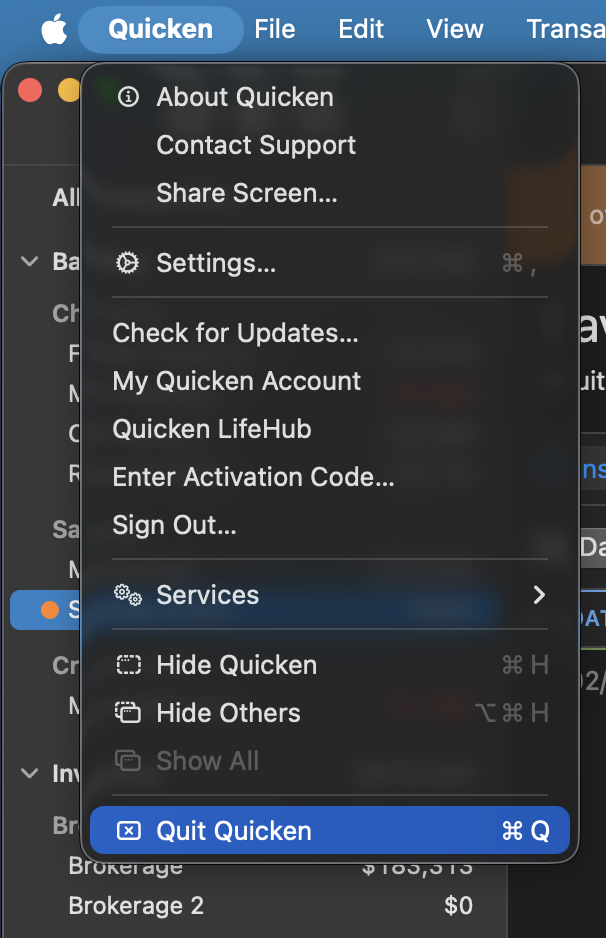
- You can do this by going to Quicken>Quit Quicken, in the top left of your screen when Quicken is open.
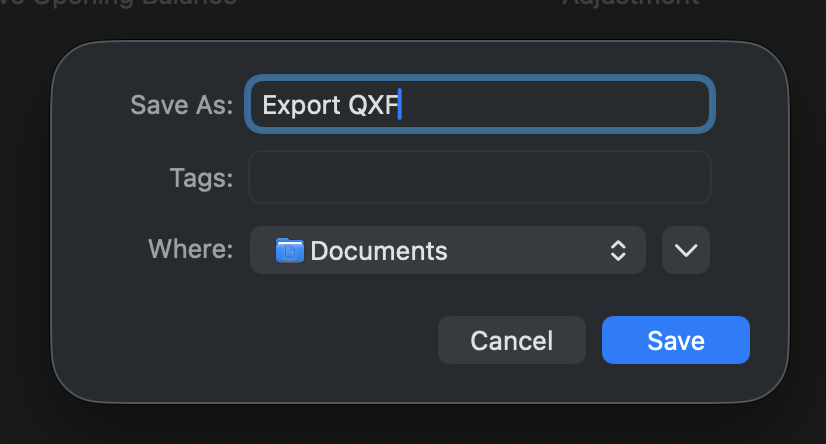
- When exporting, Quicken asks you to name the file. Do you get this far in the process?
- If so, take note of where the file is being saved and then navigate there in your Finder to locate it.
-
 Where is your data file located?
- If your file is not stored locally, it can sometimes cause file behaviors to surface.
- Is your file being backed up/synced with any third-party services like OneDrive, iCloud, or Blackblaze?
- If so, it is best to exclude your active data file from these, ensure it is stored locally, and not accessed by anything but Quicken.
Additionally, screenshots of what you are seeing may be helpful. If needed, please refer to this Community FAQ for instructions on how to attach a screenshot. Alternatively, you can also drag and drop screenshots to your response if you are not given the option to add attachments.
Looking forward to your response!
Quicken Alyssa
Make sure to sign up for the email digest to see a round up of your top posts.
0 - Did this issue begin yesterday?
-
Just checking in, we haven't heard back from you in a while.
Do you still need assistance?
Thank you!
Quicken Alyssa
Make sure to sign up for the email digest to see a round up of your top posts.
0 -
Hello again,
Checking in once more before this thread is closed.
Let us know if you still need assistance.
Thank you!
Quicken Alyssa
Make sure to sign up for the email digest to see a round up of your top posts.
0 -
Due to the lack of response, I went ahead and closed this post.
If you still require assistance, please feel free to start a new post.
Thank you!
Quicken Alyssa
Make sure to sign up for the email digest to see a round up of your top posts.
0
