R65.29 Quicken Classic Deluxe - scheduled bills and income craziness
Following the latest update to 65.29 on Win 11 Home, I've had several scheduled bills starting to post to the registers during each program start. For example, a quarterly manual payment to my POA posts the next payment due to the checking register with the proper due date even if that is 3, 6 or 9 months into the future during each program start up. Same thing happens on a few other bills that are also manual and scheduled to repeat either monthly, every two weeks, or even annually. I found the only way to resolve all these very, very early posts was to delete the record in Bills and Income. I plan on recreating the entries after 30 or 60 days has gone by because I have several others that are working fine.
Comments
-
Hello @JimC52,
Thank you for sharing your experience with this issue you are running into.
I have some follow-up questions for you that might help us determine what could be causing this.
- To clarify, you only started experiencing this issue after the latest update, 65.29, correct?
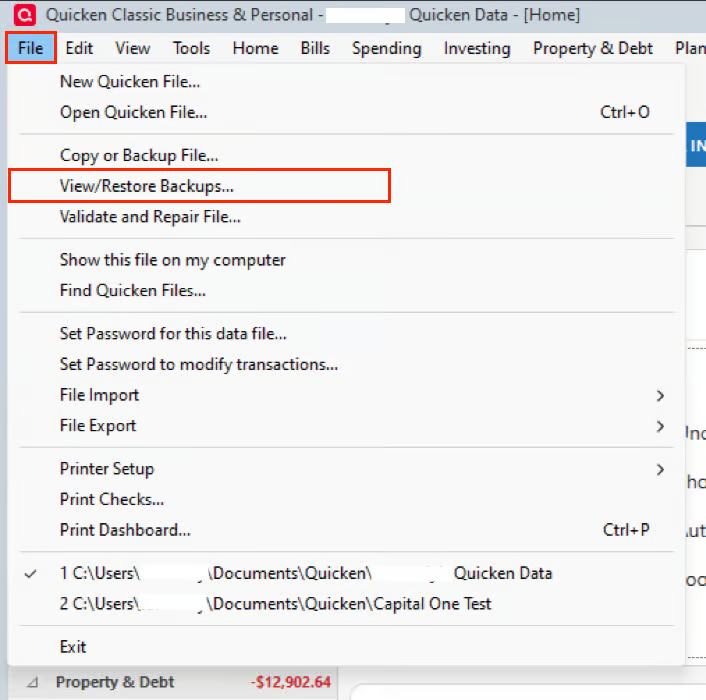
- If so, restoring a pre-update backup could be a viable troubleshooting step. It's the same as restoring any other backup; this one would just be labeled "pre-update".
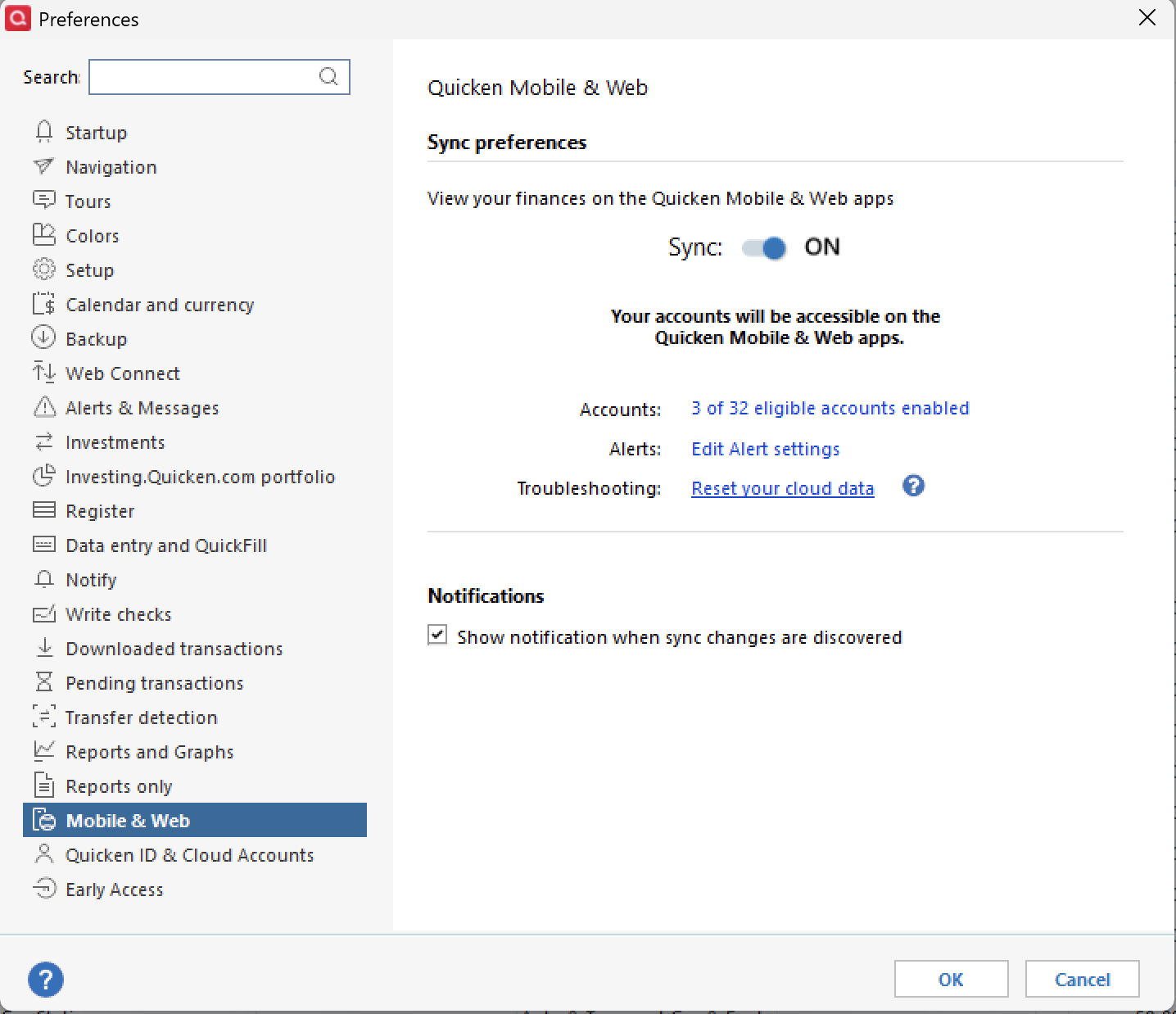
- Are you using Mobile & Web?
- Sometimes information can get "stuck" in the cloud sync, for lack of a better term.
- Where is your data file located?
- If your data file is not stored locally, it can cause strange file behaviors like this to surface.
- The default location is C:>Users>username>Documents>Quicken, and this is where we recommend keeping it.
- If your data file is not stored locally, it can cause strange file behaviors like this to surface.
- Is your file being backed up/synced by any third-party services like Norton, OneDrive, or Carbonite?
- If so, it is best to exclude the data file that you are actively using from services like this to avoid possible damage occurring to your file.
Let me know what you find!
Quicken Alyssa
Make sure to sign up for the email digest to see a round up of your top posts.
0 - To clarify, you only started experiencing this issue after the latest update, 65.29, correct?
-
Thanks for asking…
- the Pre-update restore isn't valid at this point because of the numerous transactions that have been posted since the update and prior to discovering this behavior.
- yes - I am using mobile on my smartphone and have cloud sync set up to run after each local session (if there are any register modifications)
- I make extensive use of dropbox (and like having immediate rollbacks available if necessary) so the quicken data files are at c:\dropbox\quicken\…
- I've had very good results using quicken and dropbox and have run in this configuration for over 6 years with no data problems. In my particular case, the quicken file is local and only uploaded to dropbox after each local session is closed. The dropbox mirror is simply a copy of the data following the most recent transaction.
- so far my resolution has been to delete the stored bill reminder and then run a file validation. The only error ever found is on a 7 year old stock split that has no validity today (hence ignored).
0
Categories
- All Categories
- 40 Product Ideas
- 36 Announcements
- 222 Alerts, Online Banking & Known Product Issues
- 21 Product Alerts
- 525 Welcome to the Community!
- 674 Before you Buy
- 1.3K Product Ideas
- 54.3K Quicken Classic for Windows
- 16.5K Quicken Classic for Mac
- 1K Quicken Mobile
- 814 Quicken on the Web
- 115 Quicken LifeHub