Current Mac version doesn't download portfolios correctly

It started with it having duplicate entries for an E Trade brokerage account, listing what should be one MM fund twice with two balances from different times.
So I tried to delete and re-create the account and that worked fine but it borked another E Trade account, for ESPP.
What it did was empty the ESPP account so it didn't show ANY investments under the Dashboard or Portfolios tabs.
I tried to create an Offline account but they're worthless, you enter a cash value and it's a static entry, once you save it you can't update the balance and you certainly can't enter in a stock symbol and number of shares and have it update it without connecting to the institution.
It's preferable to connect to the institution and have it download transactions, which is why I pay for a Quicken Deluxe subscription but seeing as how it borks the investments repeatedly, there isn't even the useful workaround of an Offline account. In older versions, I could update the balance, for the sake of having an accurate balance.
I contacted support in chat and they told me deleting accounts is a bad idea. First of all, it shouldn't be this fragile. If the connected account has bad data, the only alternative seems to be to delete it and create a new connected account.
But the support person had me restore a week old file and that required resetting the Quicken Cloud and when I updated the accounts, I got several disconnected Fidelity accounts with duplicate entries and my original E Trade accounts were still inaccurate.
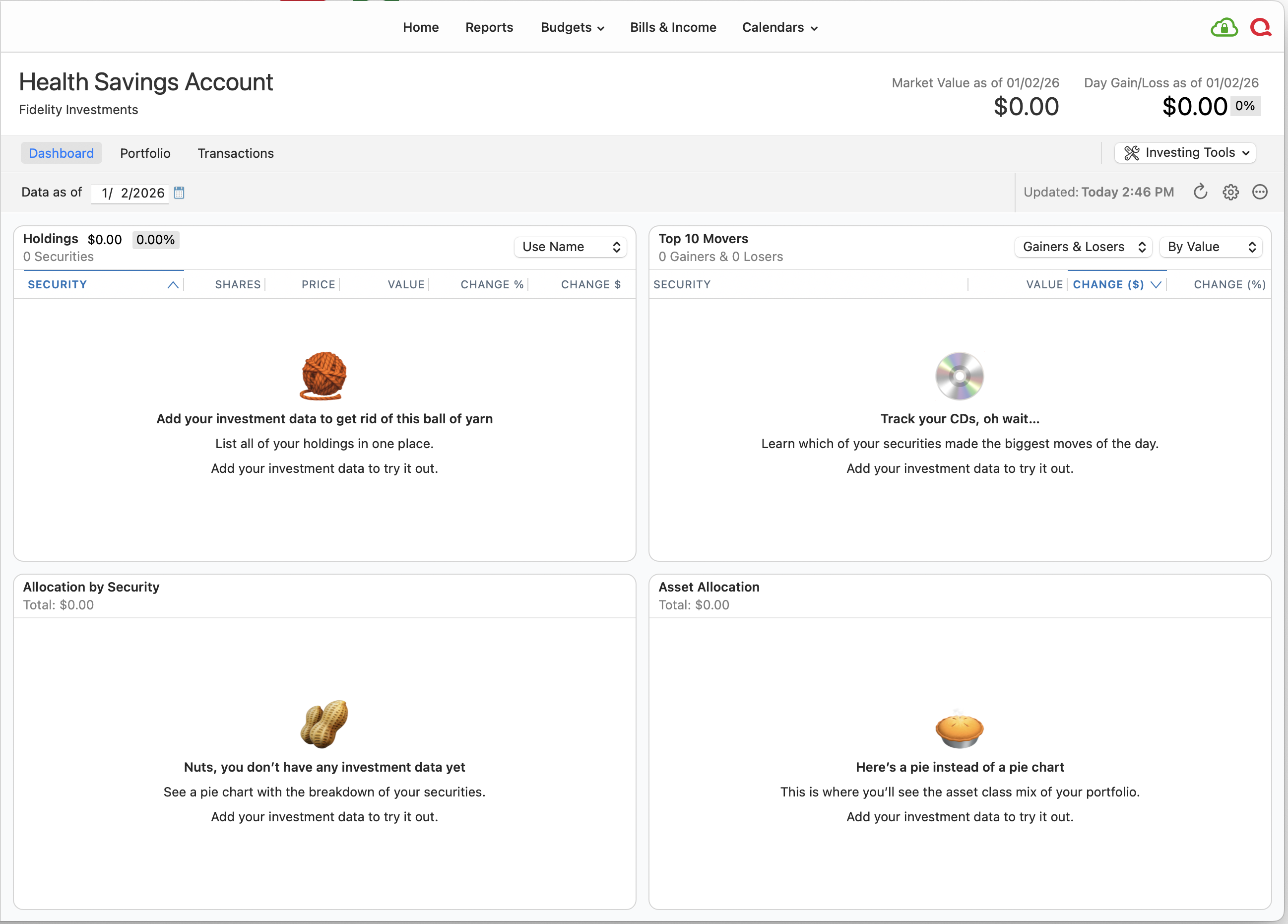
So this is more of a bug report, I still have problems with accurate data in my portfolio accounts, specifically a Fidelity HSA account which shows a balance on the Left Column but if you select the HSA account and look at the Dashboard or Portfolio views, it's zero because none of the assets in that account are there.
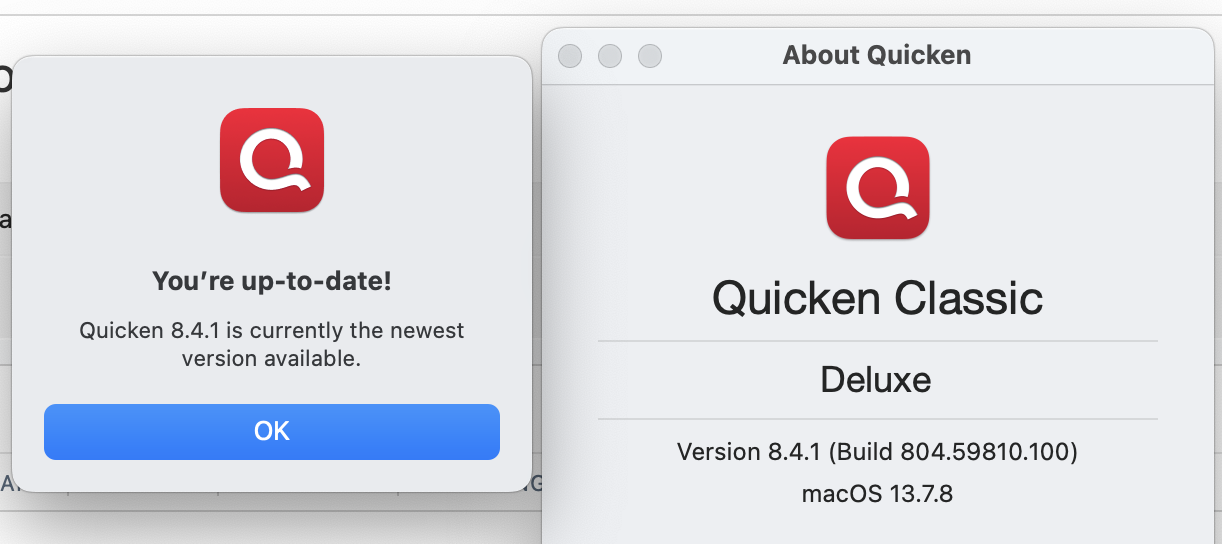
Attached are screenshots of the Mac Application Version and the empty HSA account which I got when I created a NEW Quicken file, rather than trying to fix my existing file.
It created all 4 of my Fidelity accounts and 3 of them are fine but the HSA one still has the same problem as in my old Quicken file. See attached screenshot.
I didn't h ave this problem a couple of months ago. So one of the newer versions seems to have messed things up.
As I note, I'm seeing problems with Fidelity and E Trade so Quicken can't blame a particular institution.
The main change is that these monthly Application updates, which I pay for with the subscription, introduced a bug or made features like Offline accounts worse.
Is there any way I can revert the Application version? What if I copied a version from one of my Time Machine backups? But then Quicken would pester me to update.
Or Quicken could investigate and try to fix the problem and revert back to a USEFUL Offline account setup.
Otherwise, it doesn't seem to make sense to keep paying for a subscription when the Application is introducing bugs and making certain features worse (Offline accounts).
Comments
-
I tried to create an Offline account but they're worthless, you enter a cash value and it's a static entry, once you save it you can't update the balance and you certainly can't enter in a stock symbol and number of shares and have it update it without connecting to the institution.
I think this is a misperception. It is indeed possible to have offline/manual investment accounts where you can enter transactions to affect cash and security holdings, without connecting to the financial institution. I have a number of such accounts, and have dealt with them manually for years. Of course, many people don't want to do manual entries, especially if they have a lot of transactions, but it is certainly possible.
Is there any way I can revert the Application version? What if I copied a version from one of my Time Machine backups? But then Quicken would pester me to update.
Yes, you can revert the application to an older version. If you don't regularly empty your Trash, the previous version will be in the Trash, with a name like "Quicken (803.58902.100).app". Or you can retrieve it from a Time Machine backup. Or you can download the older version from this Quicken webpage.
But you need to also grab a data file backup from the same older version, either from a Quicken backup file or from your Time Machine backups. And yes, you will have to dismiss the notice of a new version available each time you launch Quicken — but you can do it.
That said, you're concluding that a bug was introduced in version 8.4.1 or 8.4.0, and that reverting to 8.3.3 will avoid the problem. That's possible, but since there were no changes in this area of the program, it's possible (more likely?) that whatever problem you encountered is due to an issue with Quicken or Intuit's servers, or a change made by the financial institution in the encoding of their downloads. So backing up to an older version of the program and an older data file may or may not avoid the problem.
So this is more of a bug report…
If you mean a report of warning to fellow users, mission accomplished. If you mean a report to try to get Quicken to address the problem you have, posting here won't accomplish that. You can use the Help > Report a Problem feature to document the issue. But that's not a two-way communication channel, so you won't hear back and you won't know if they can verify the problem and if/when they're doing anything about it. Or you can dive back in to talk to Quicken Support, to try to get someone to see the problem the way you're seeing it the way you are, document it, and escalate it.
Quicken Mac Subscription • Quicken user since 19930 -
I created an Offline account, figured out how to add shares to the transaction and it shows the correct value for the stock symbol and number of share I entered. But the Portfolio and Dashboard tabs don't show the stock, though it seems to be counted towards the total portfolio value.
I will see if it updates the price, despite being an Offline account.
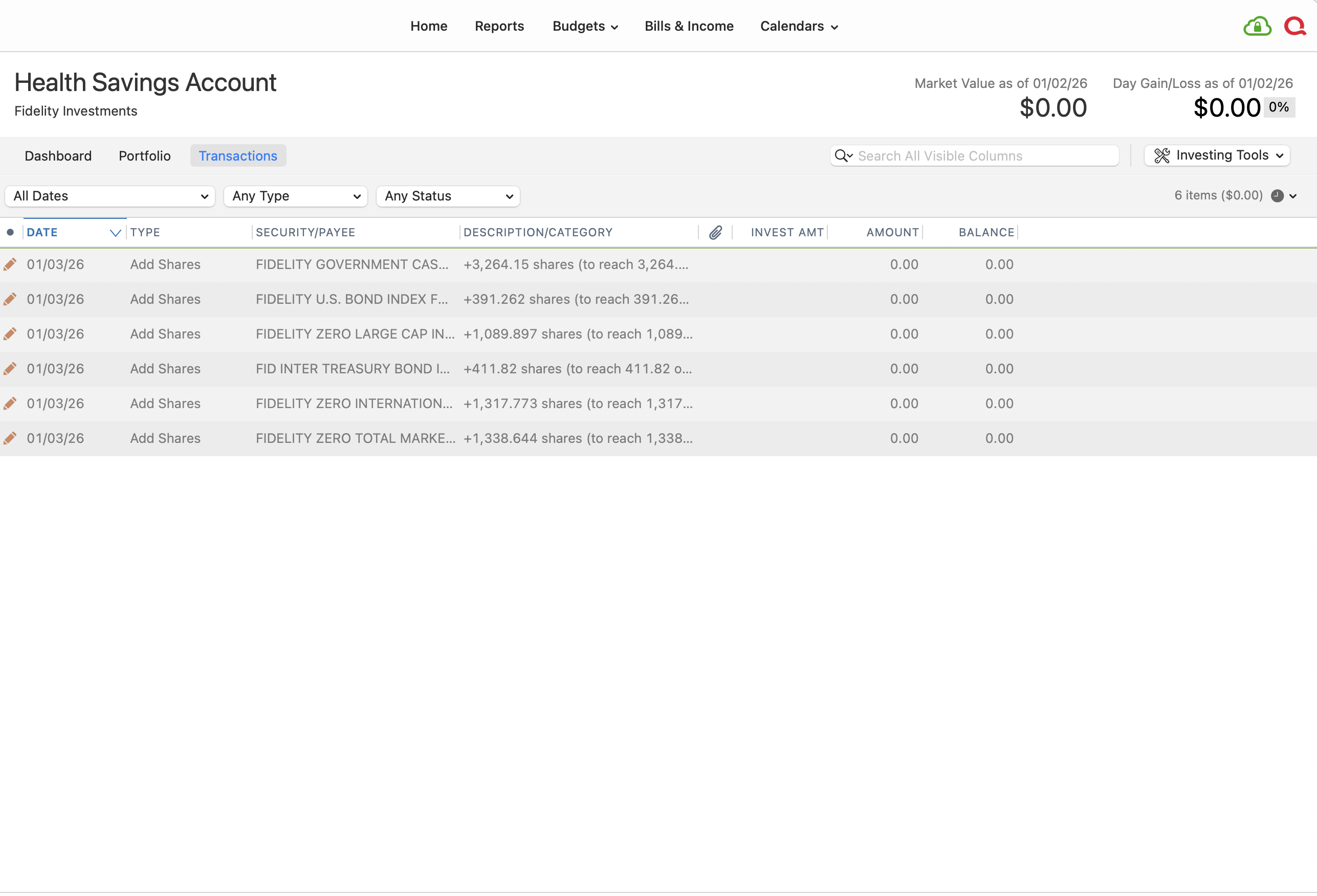
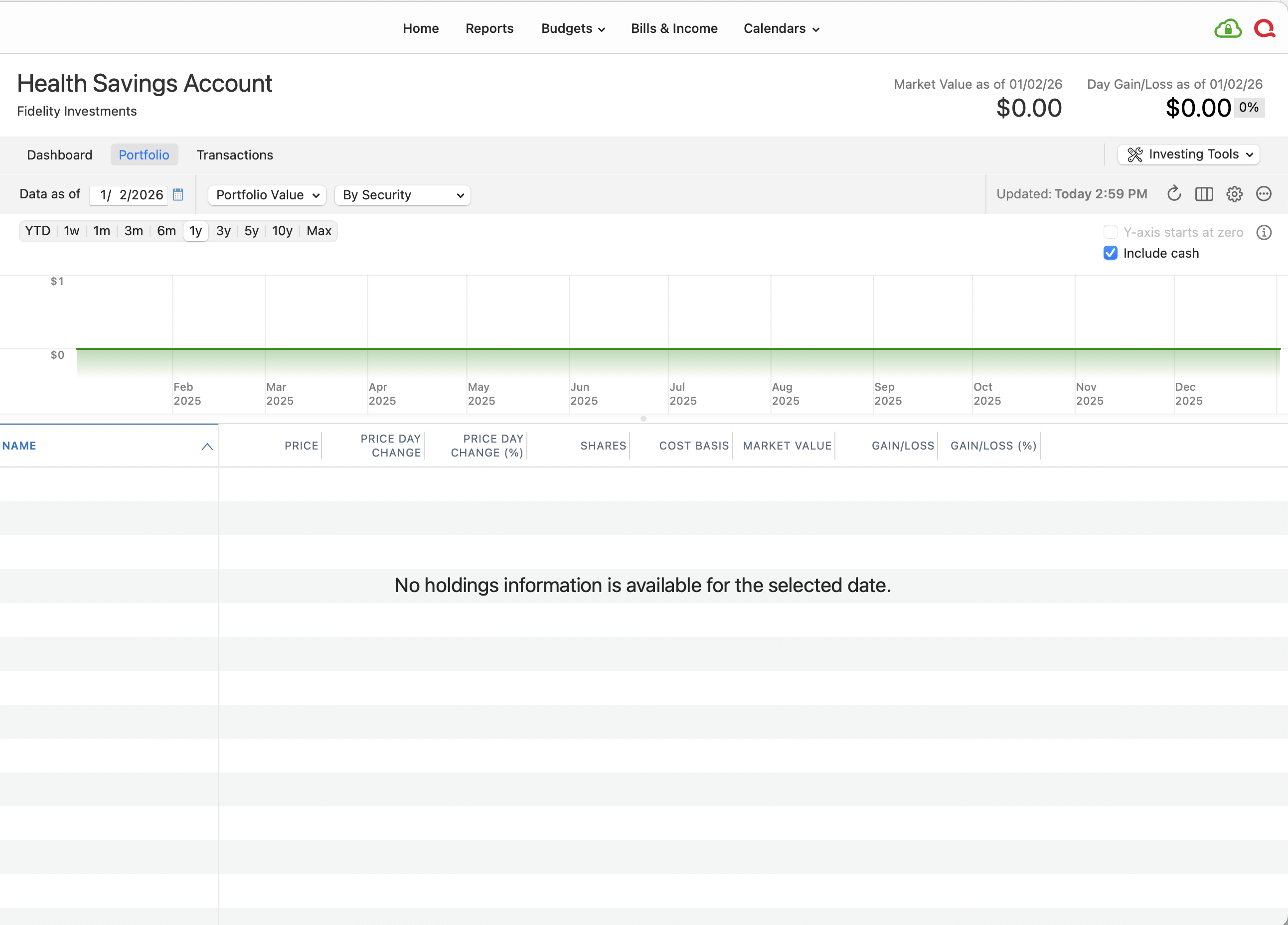
As for the original problem, from the first screenshot above, the Transactions tab show the funds and shares being added to the account but the Portfolio and Dashboard tabs are empty.
 0
0 -
@hyyqckn In the screenshots above, your Add Shares transactions are dated 1/3/26, but the Portfolio view is as of 1/2/26. So the Portfolio is correctly showing nothing as of that date. What happens when you change the As Of date to 1/3/26?
Quicken Mac Subscription • Quicken user since 19930 -
First of all there should be a lot more transactions than those shown above.
I created it as a new file on 1/2 or 1/3 and it imported 4 different accounts tied to my Fidelity login.
The other 3 accounts have all the portfolios and transactions populated normally.
It's just this last one which seems randomly off.
That is from a test file, I was already having problems with the existing Quicken file which I've been using for over 3 years. So I created a new file to see if the problem still occurs and it did.
I've seen it from other institutions, either empty Portfolio tabs or disconnected accounts or both.
0 -
Okay, I was only reacting to the screen shot examples you posted. In that test file, if you changed the Portfolio date to today, do the shares you manually added show up or not? I can't really offer suggestions on what I can't see. 😉
Quicken Mac Subscription • Quicken user since 19930 -
How would I change the Portfolio date, Quicken doesn't seem to let you edit much with connected accounts.
0 -
How would I change the Portfolio date, Quicken doesn't seem to let you edit much with connected accounts.
@hyyqckn The "Data as of" date is one of the most important features of the Portfolio screen. It lets you see your holdings — in both the graph and the table below — as of any date you specify.
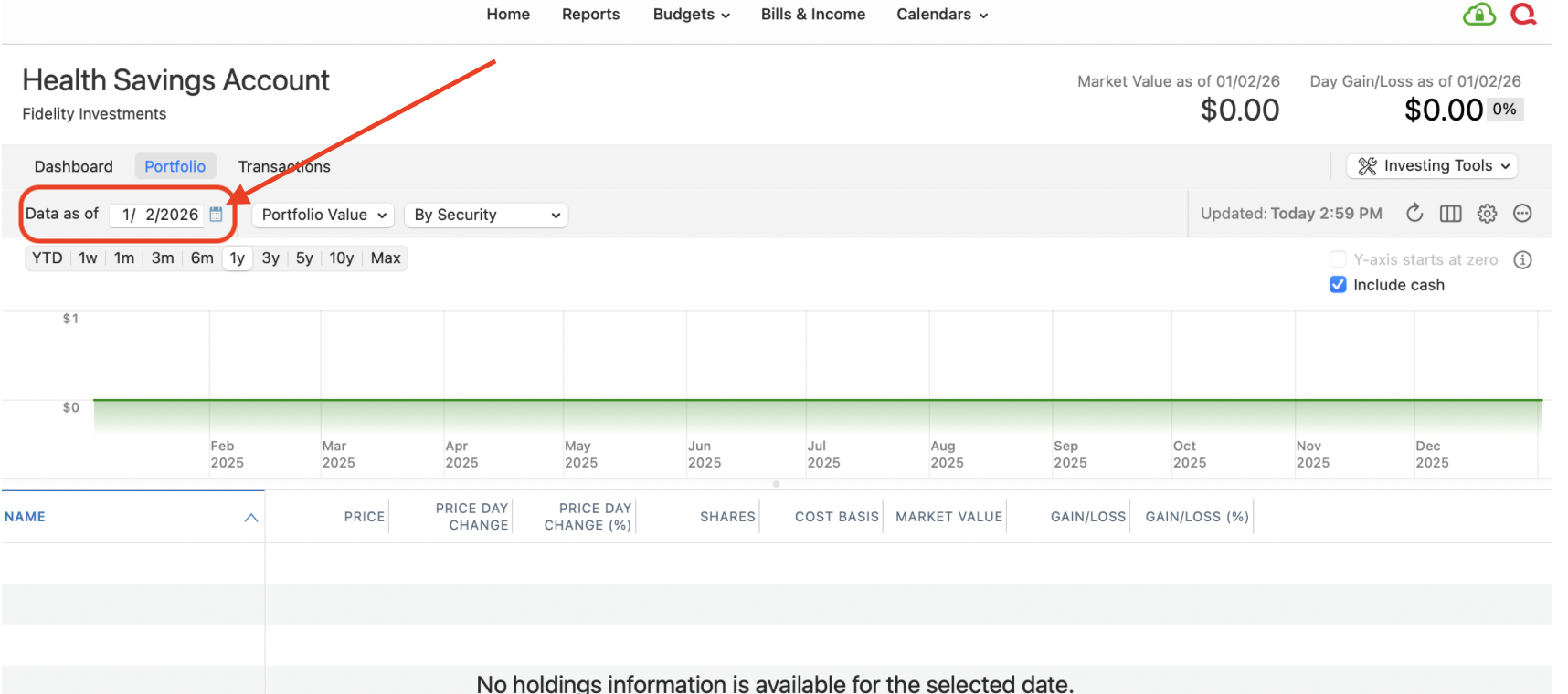
So if you want to compare your Quicken values with your brokerage statement from 12/31/25, you'd set the As Of date to 12/31/25.
In your screenshots, the transactions you entered are dated January 3, but the Portfolio is set to show values as of January 2 — which explains why there are no holdings in the Portfolio. Changing the date to January 3 or beyond should result in the Portfolio showing the holdings you entered on January 3.
Quicken Mac Subscription • Quicken user since 19930

Categories
- All Categories
- 17 Product Ideas
- 34 Announcements
- 248 Alerts, Online Banking & Known Product Issues
- 20 Product Alerts
- 517 Welcome to the Community!
- 682 Before you Buy
- 1.5K Product Ideas
- 55.6K Quicken Classic for Windows
- 16.8K Quicken Classic for Mac
- 1K Quicken Mobile
- 834 Quicken on the Web
- 126 Quicken LifeHub